List a property on Airbnb, Booking.com or another channel
Updated 13 October 2026
Publish a property on Airbnb, Booking.com, Vrbo or another channel so its rates, availability and content stay in sync from Rentibly. Every channel has its own setup page and guide. This is the general flow.
Steps
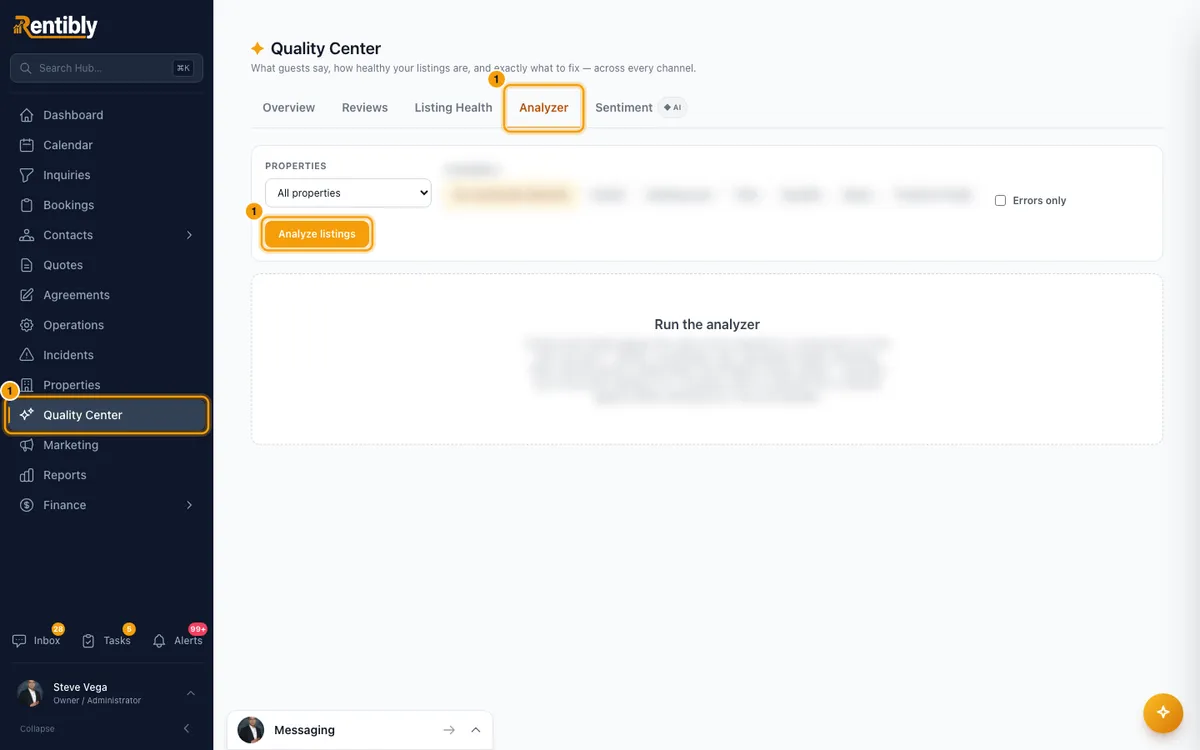
Check the property first: open Quality Center and use the Analyzer tab. It checks titles, photos, rates and everything else channels require.
Click your name at the bottom of the sidebar, then Settings. Under Integrations, open Channels & OTAs.
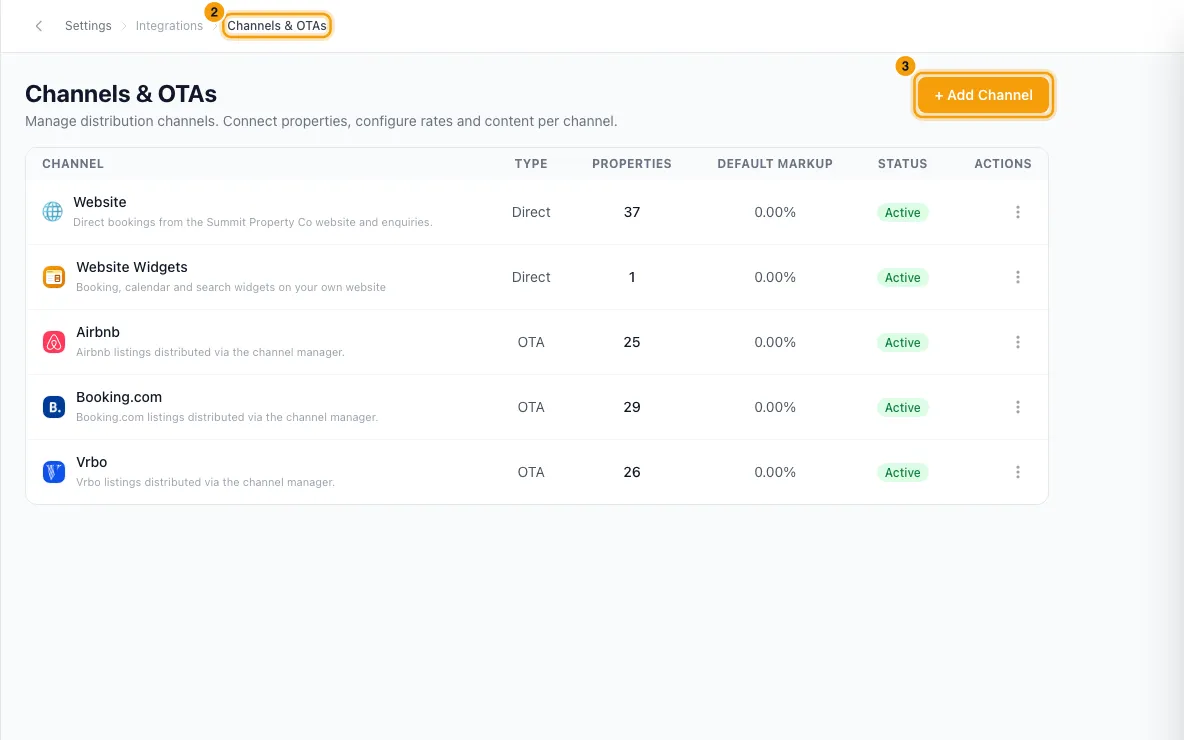
Click + Add Channel and choose the channel. If the channel is already set up, click its row in the list instead.
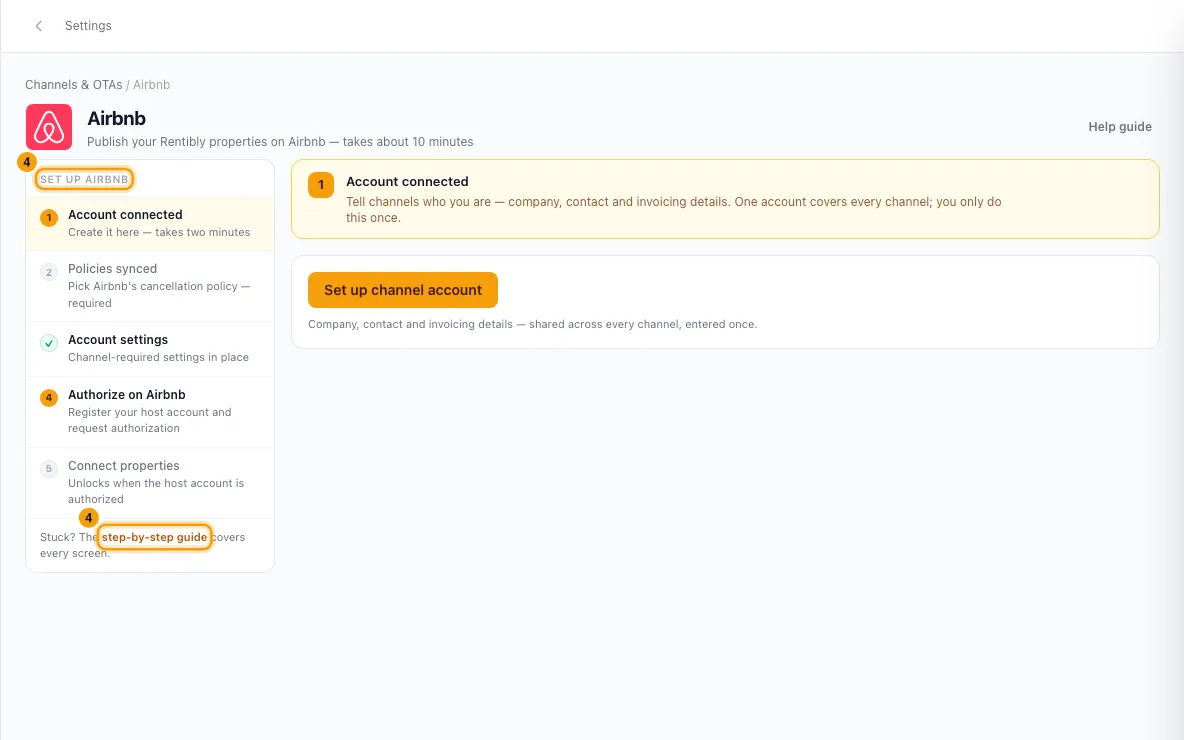
Complete the steps on the channel's setup page. They differ from channel to channel, and each page links to its guide.
Click + Connect property, click the property (Set up →), fill in what the channel asks for, and click Connect. If the property is already listed on that channel, tick the take-over option (for example Take over an existing Airbnb listing) and enter its listing ID.
To connect many properties at once, use Bulk connect (CSV) in the same window, where the channel offers it.
Good to know
- Read the channel's guide before you start. Each channel's page links to it, for example Airbnb guide and Booking.com guide.
- The + Connect property list shows only properties not yet on that channel. Archived properties are left out.
- If the channel refuses the property, the reasons are listed under it in red. Fix them and click Connect again.
- Listing status: each connected property shows a status on the channel's page, such as Live, Awaiting channel approval, Unlisted, Setup incomplete or Needs attention. Click Needs attention to see what to fix, then use Retry sync on that row.
- The Needs attention button at the top of Channels & OTAs is about bookings, not listings: it appears when a channel sent a booking that couldn't be added. See "Fix channel bookings that need attention".
- To see one property's channels, open the property and go to Configurations → Channels.
- Bayut and Property Finder are listing portals. They bring you leads (calls, WhatsApp, email), not bookings.
- Airbnb, Booking.com, Vrbo and the other booking channels share one title and description, the OTA Channels card. Bayut and Property Finder each have their own card. Both are on the property's Listing Content → Description tab (see "Write a property's listing content").
- You need Settings access to set up channels and connect properties.
Rentibly AI can help
- Ask where a property is listed and why it isn't live on a channel.
Still stuck?
Open Support from your profile menu in Rentibly, or email hello@rentibly.com — we answer fast.