Change prices across properties for chosen dates
Updated 13 October 2026
A rate adjustment raises or lowers prices on many properties at once for chosen dates, such as an event weekend or a slow week. It can also set a minimum stay or close check-in and check-out on those dates.
Steps
Click your name at the bottom of the sidebar, then Settings. Open Pricing rules and the Rate adjustments tab.
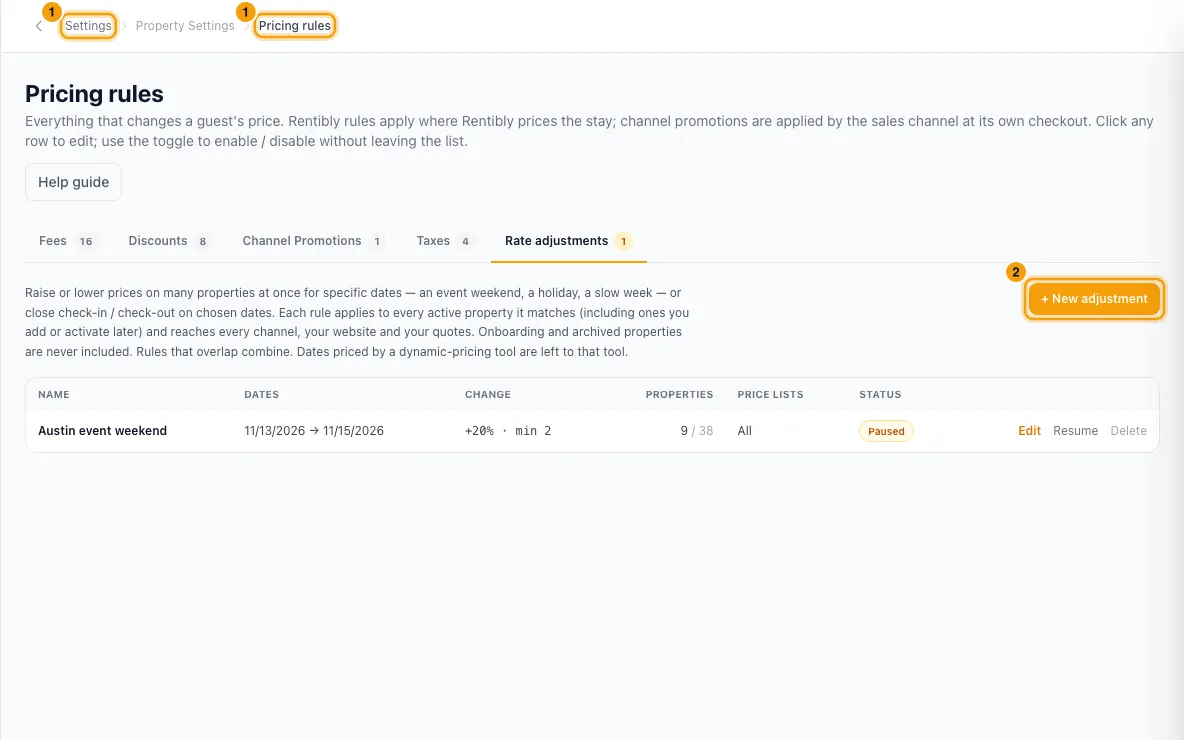
Click + New adjustment.
Enter a Name, then the From date and the To (last night, inclusive) date.
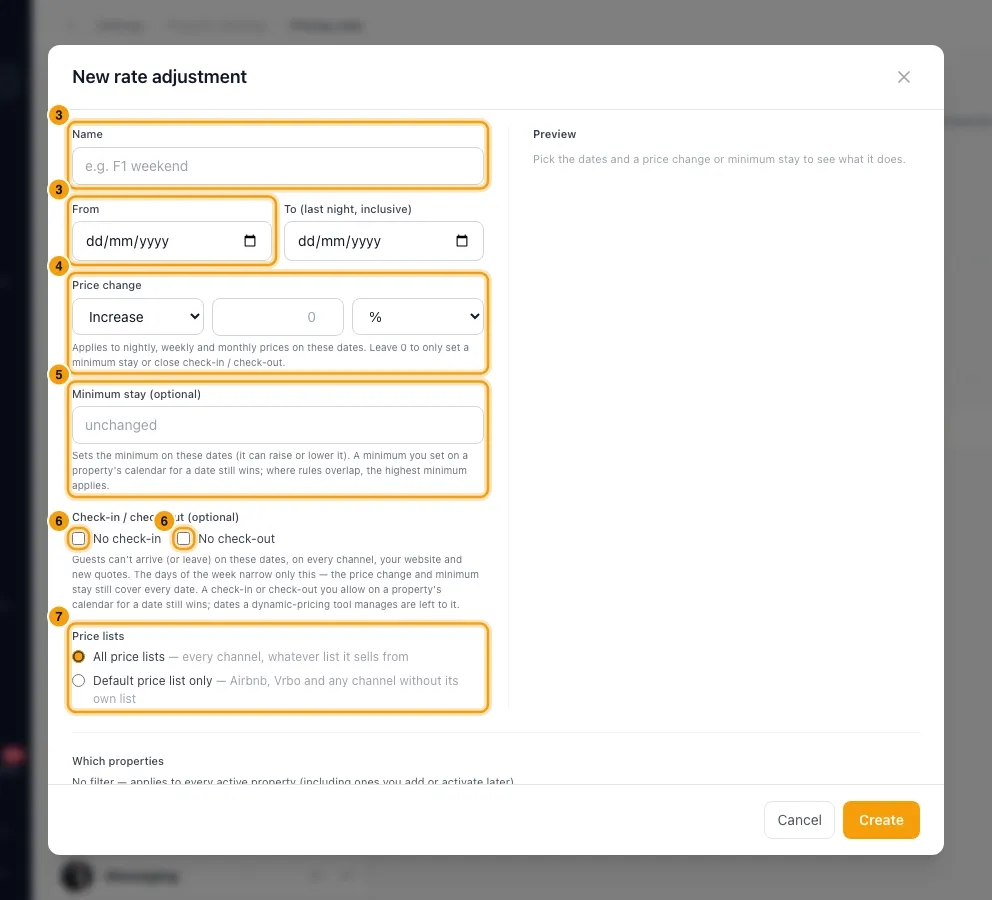
Under Price change, choose Increase or Decrease, enter the amount, and choose % or per night. Leave it at 0 if you only want a minimum stay or a closure.
If needed, enter a Minimum stay (optional).
If needed, tick No check-in and/or No check-out. To close only some weekdays, pick the days.
Under Price lists, choose All price lists or Default price list only.
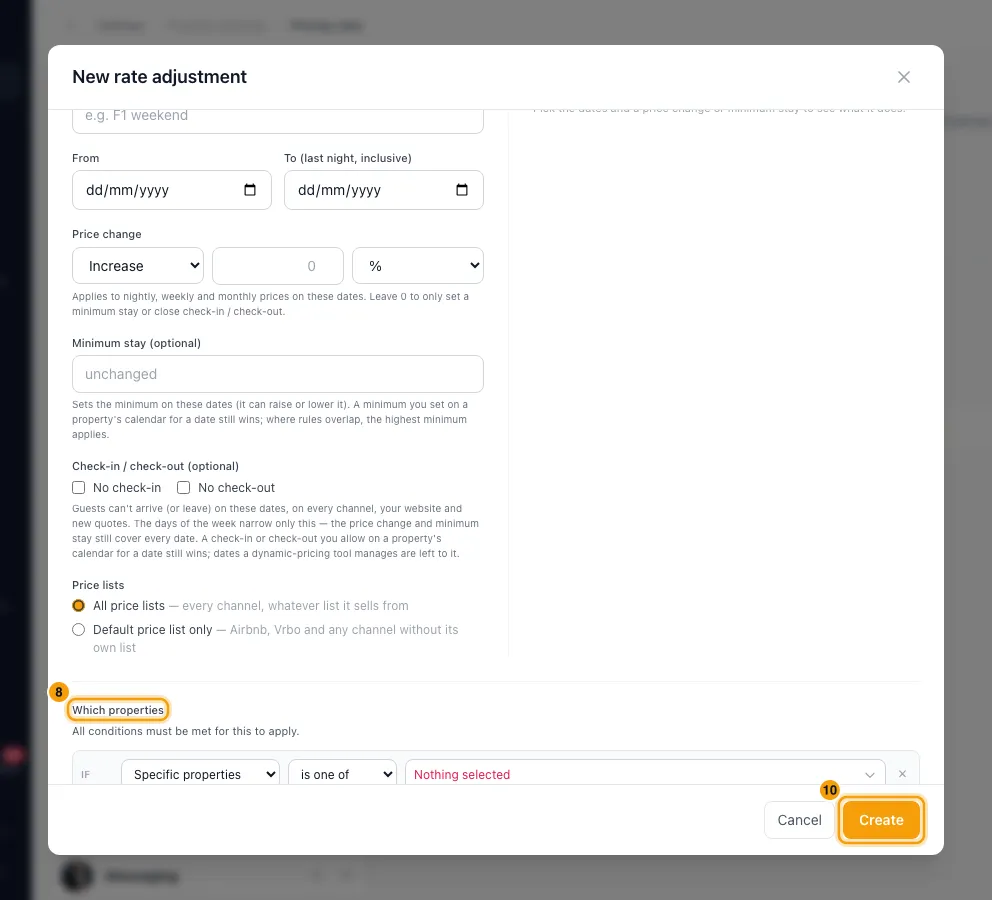
Under Which properties, click + Add condition to limit it, for example by Area, Property type or Bedrooms. With no condition it covers every active property.
Check the Preview, which shows each property's average nightly price now and with the rule.
Click Create.
Good to know
- The rule reaches every channel, your website and new quotes. Channels are updated as soon as you save.
- Only Active properties are included. A property you add or activate later that matches the rule picks it up automatically.
- Overlapping rules combine: percentages multiply, then fixed amounts are added. For example, +20% and −10% gives ×1.08.
- The change applies to nightly, weekly and monthly prices on those dates.
- A percentage must be above −100% and at most 500%. A minimum stay must be between 1 and 365 nights.
- A rule must change the price, set a minimum stay, or close check-in or check-out. Weekdays only narrow the closure; the price change and minimum stay still cover every date.
- The rule's minimum stay can raise or lower the minimum. Where rules overlap, the highest minimum wins. A minimum, check-in or check-out you set on a property's calendar for a date still wins.
- Nights priced by a dynamic-pricing tool keep that tool's price, minimum stay and check-in/out rules.
- In the list, use Edit, Pause (or Resume) and Delete. Pausing or deleting a rule puts prices back to normal on every channel. Bookings already made keep their price.
- To change one property's prices, see Change nightly rates and minimum stay.
- You need the Settings permission to use rate adjustments.
Rentibly AI can help
- It can create a rate adjustment, for example "+15% on every 2-bedroom for the F1 weekend".
Still stuck?
Open Support from your profile menu in Rentibly, or email hello@rentibly.com — we answer fast.