Run a promotion on a booking channel
Updated 13 October 2026
A channel promotion is a deal that a sales channel, such as Airbnb or Booking.com, applies at its own checkout. Each promotion belongs to one channel and uses that channel's own promotion types and limits.
Steps
Click your name at the bottom of the sidebar, then Settings. Open Pricing rules and the Channel Promotions tab.
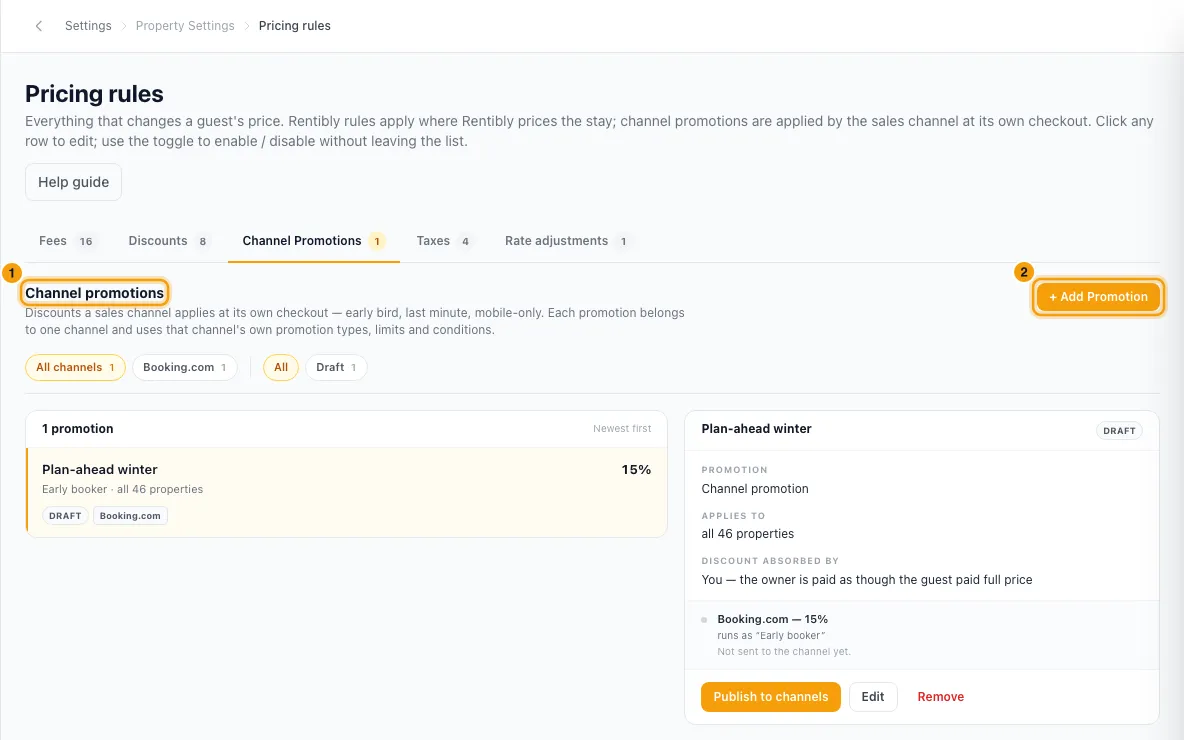
Click + Add Promotion.
Under Which channel is this promotion for?, click the channel.
In the promotion window, enter a Name and choose the Type.
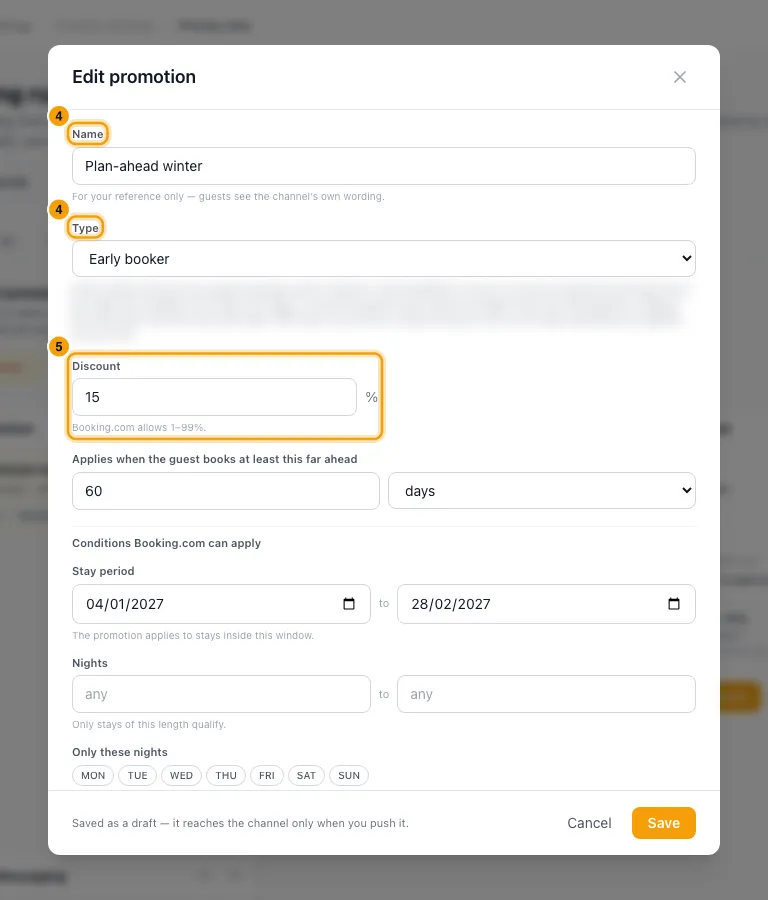
Set the Discount (choose Percentage or Fixed amount under Discount as where the channel offers both), and fill in the other fields the type asks for, such as Who it is for or a stay period.
Under Which properties, choose All properties, Only these or All except.
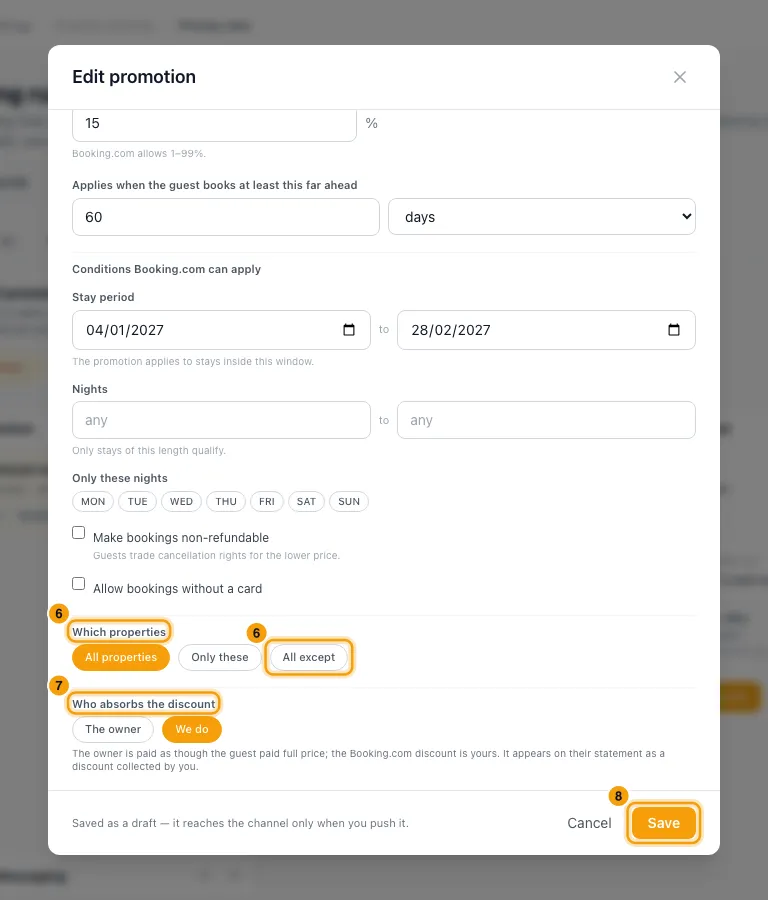
Under Who absorbs the discount, choose The owner or We do.
Click Save. The promotion is saved as a draft.
Select it in the list and click Publish to channels.
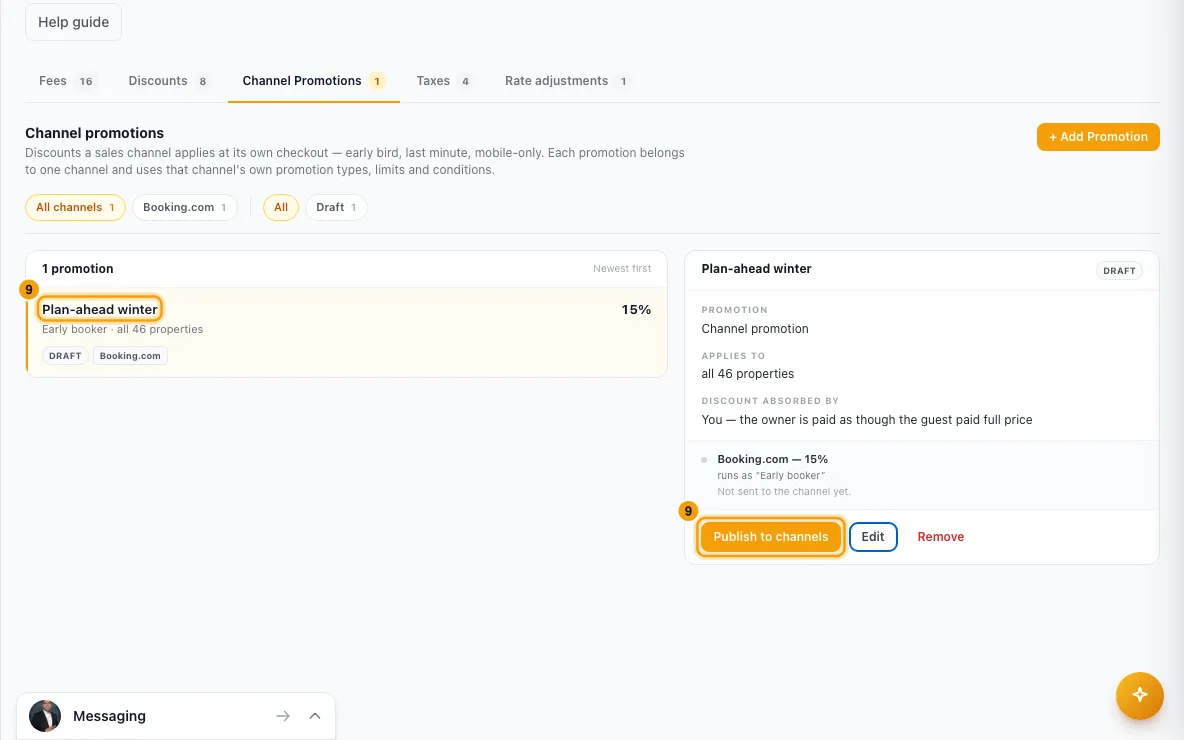
Click Check with (the channel's name) to confirm the channel has it on your listings.
Good to know
- Only channels that are connected and support promotions are offered.
- A saved promotion is a Draft until you publish it. After you edit a published promotion, click Re-publish to send the change.
- Status in the list: Draft (not sent), Pending (sent, not yet confirmed by the channel), Live, Partly live (some listings missing) and Paused.
- Pause stops the channel offering it. Guests mid-booking keep the price they were quoted. Resume puts it back on sale.
- Remove switches it off on the channel and takes it off the list. Bookings already made with it are unaffected.
- Who absorbs the discount: with We do, the owner is paid as though the guest paid full price, and the discount shows on their statement as one you collected. With The owner, their revenue is the discounted rent.
- The discount line a promotion creates can only be changed here, not on the Discounts tab.
- These promotions are different from the Discounts tab, which Rentibly applies when it prices a direct or website stay. See Set up pricing rules — fees, taxes and discounts.
- If the tab says promotions aren't available, your account has no channel connection yet.
- You need the Settings permission to see or change channel promotions.
Rentibly AI can help
- It can list your promotions, draft one on one or more channels, change a draft or a promotion, publish it and pause or resume it.
Still stuck?
Open Support from your profile menu in Rentibly, or email hello@rentibly.com — we answer fast.