Connect dynamic pricing
Updated 13 October 2026
Let a dynamic-pricing partner set each property's nightly price per date, based on demand. It can also set minimum stay and check-in / check-out day rules.
Steps
Click your name at the bottom of the sidebar, then Settings. Under Integrations, open Dynamic Pricing.
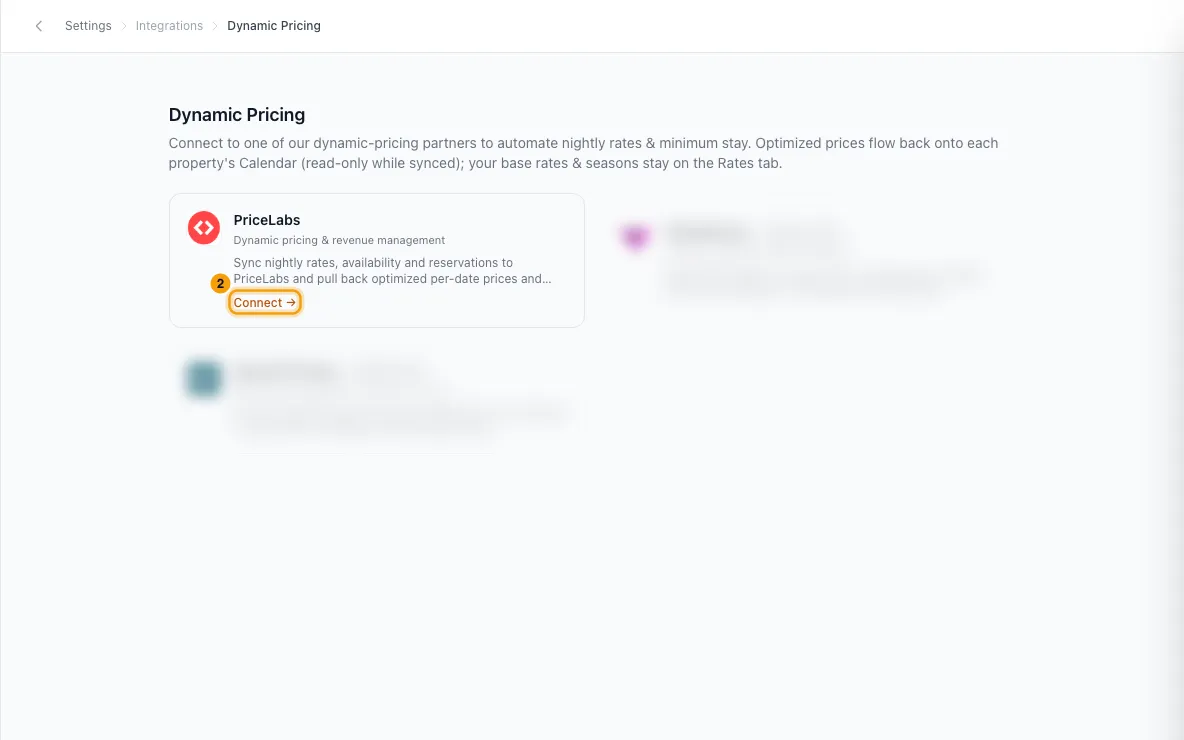
Click your partner's card (Connect →).
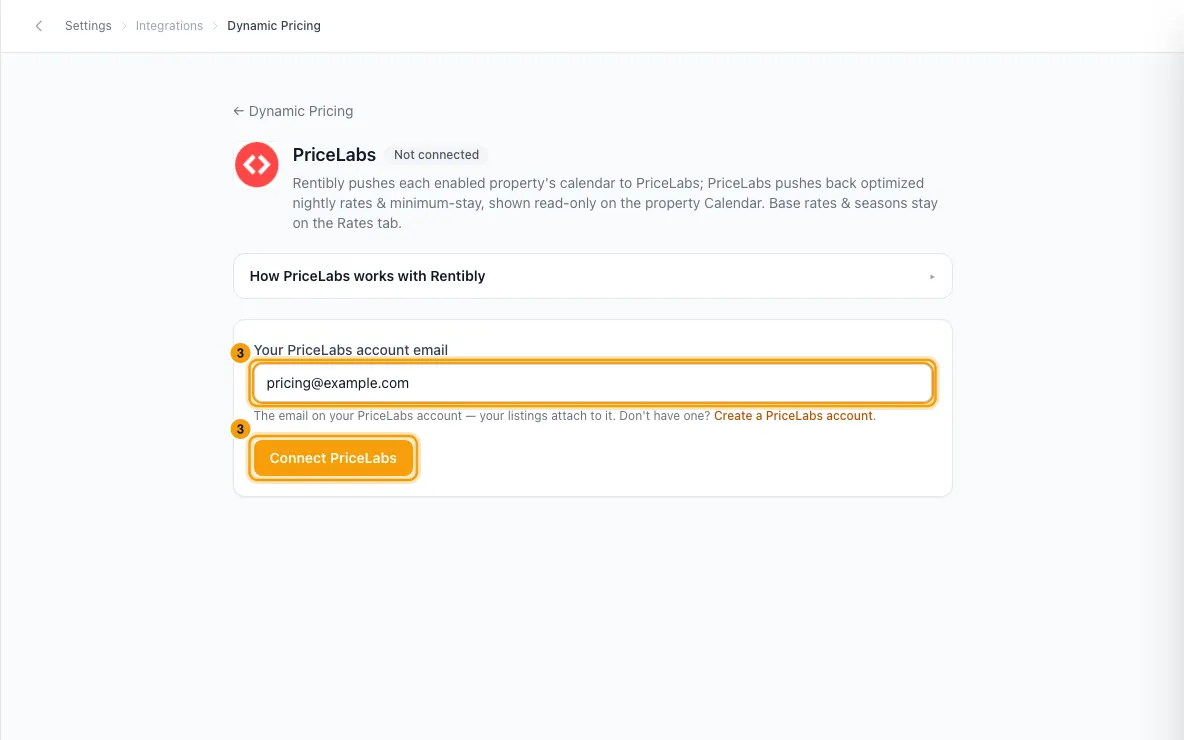
Enter the email of your account with the partner and click the connect button (for example Connect PriceLabs).
Under Properties, switch on each property you want priced, or click Enable all.
Open How to finish setup and do the steps in your partner account: choose Rentibly as your PMS, allow Rentibly to add your listings, and turn sync on for each listing.
Optional: click Manages: under a property to choose whether the partner also controls Minimum stay and Check-in / check-out days. Nightly price is always managed.
Good to know
- The dates and fields the partner manages are read-only on the property's Calendar. You change them in the partner's tool. Anything you don't hand over stays editable in Rentibly.
- On the property's Configurations → Rates tab, each price list's nightly, weekly and monthly can follow the partner's live price or use a Fixed amount.
- Rentibly sends the partner your listing details and what's occupied: bookings, blocks, owner stays and dates held by a live quote. Booked, blocked, owner-stay and past dates are never repriced.
- Switching a property off wipes the partner's prices. The property goes back to selling from its own price lists (base, seasons, price exceptions), and every connected channel gets those prices again. Partner-managed minimum stays and check-in/out rules are cleared too. You're asked to confirm first, with a link to each property's Rates tab so you can check it.
- Disconnect does the same for every property that was syncing.
- Each property shows a sync status: Off, Queued, Pending sync, In sync or Error (with the error message). Use the All, Connected, Disconnected and Failed filters to find them.
- To see exactly what the partner changed and when, open Manages: under a property and click Sync history. You can filter it by stay date.
- If you see Activation pending, you can still connect and choose properties. Prices start syncing once the partner connection is finalized.
- Archived properties aren't listed.
- You need Settings access to connect, enable or disconnect. Seeing the page needs it too.
Rentibly AI can help
- Rentibly AI can't connect dynamic pricing or switch it on or off for a property yet. It can change the prices and rules you keep in Rentibly (see "Change nightly rates and minimum stay").
Still stuck?
Open Support from your profile menu in Rentibly, or email hello@rentibly.com — we answer fast.