Act on guest special requests and offer upsells
Updated 13 October 2026
Guests often ask for things in their messages: an early check-in, a baby cot, an airport pick-up. Rentibly AI can find these requests for arriving and in-house stays, create tasks for your team, and offer a paid upsell where you have one.
Steps
Set up the upsells you sell: Settings → Guest Experience → Manage → Upsells → + Add service. Click the icon box to choose its icon (suggestions, or search every emoji), give it a name, and link it to a fixed fee; the fee sets its price and VAT.
Ask Rentibly AI, for example: "Any special requests from guests arriving this week?" It lists each request with the guest's own words, the matching upsell and its price, and whether it already looks handled.
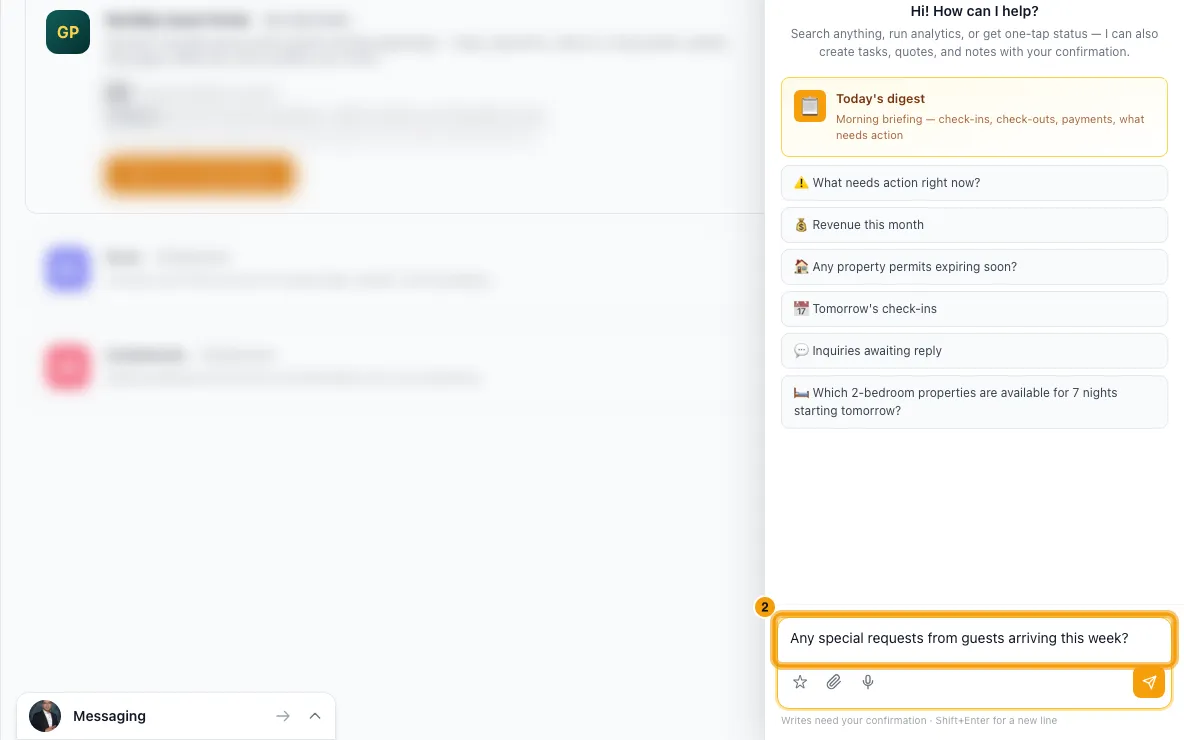
Say "Create tasks for these." One card adds a task per request for your team, linked to the booking, plus a note on each booking. Nothing is sent to the guest.
To confirm a request with the guest, ask Rentibly AI to reply. You approve the exact text on a card before it's sent.
To sell an upsell, say "Offer the early check-in to Nora." The card shows what the guest asked, the upsell, its price and the drafted message. It is sent when you confirm.
When the guest says yes, ask Rentibly AI to add the upsell to the booking. It is charged like a Guest Portal purchase: VAT, the booking total and the owner statement all update.
Good to know
- It looks at stays arriving in the next 14 days (you can ask for up to 30) and stays in progress. It reads the booking's special requests and the guest's messages from the last 60 days, in conversations you can see in the Inbox.
- Only real requests count. "Could we get a baby cot?" is a request; "the airport was busy" is not.
- Tasks are due the day before arrival. For a late check-out, the day before departure. If that day has passed, they are due today. One card takes up to 30 requests.
- The offer goes on the booking's Airbnb, Booking.com or Vrbo conversation if there is one, otherwise on the guest's WhatsApp. A sent message cannot be unsent.
- WhatsApp replies outside the 24-hour window need an approved template. Rentibly AI offers the templates you can use.
- Email conversations aren't sent from Rentibly AI yet. Reply to those from the Inbox.
- Offering an upsell never charges the guest. Only adding it to the booking does.
- An upsell can't be added to a cancelled booking, a locked booking, or a booking managed by a connected channel. For a channel booking, add the fee yourself with + Add Charge on the booking's Financials tab.
- An upsell limited to certain properties can only be offered or added on those properties.
- The Manage button shows once your Guest Portal is set up.
- An upsell whose icon was saved as a word, such as
clock,sparklesorcar, shows the matching emoji in the Upsells list, the icon box and the guest portal. A word with no match shows ✨. To change it, click the icon box and pick an emoji.
Rentibly AI can help
- finds the requests, creates the tasks and notes, confirms a request to the guest, sends the offer and adds the upsell to the booking. Every one that changes something asks you to confirm first.
Still stuck?
Open Support from your profile menu in Rentibly, or email hello@rentibly.com — we answer fast.