Send new inquiries to the right person (Inquiry Routing)
Updated 13 October 2026
Set rules that decide who gets each new inquiry when it arrives: one person, a team taking turns, the least busy person in a team, the Bayut or Property Finder agent, or nobody.
Steps
Open Settings → Users & Access → Inquiry Routing.
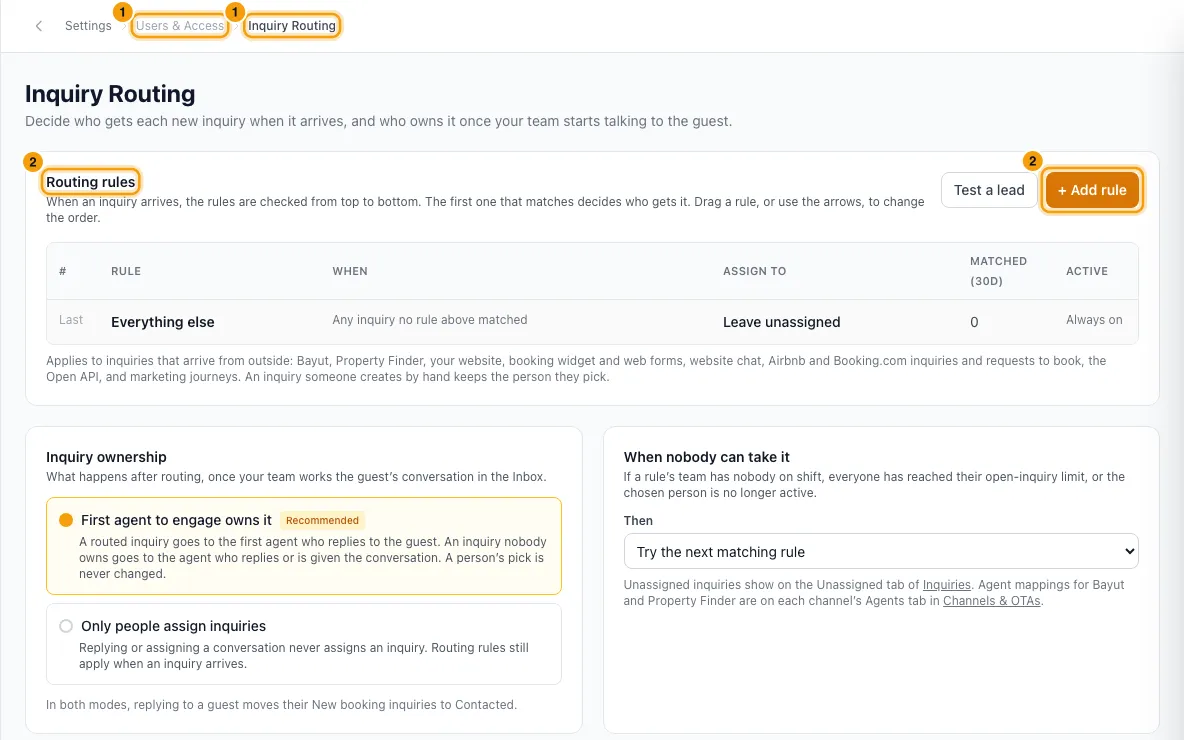
Under Routing rules, click + Add rule.
Type a Rule name.
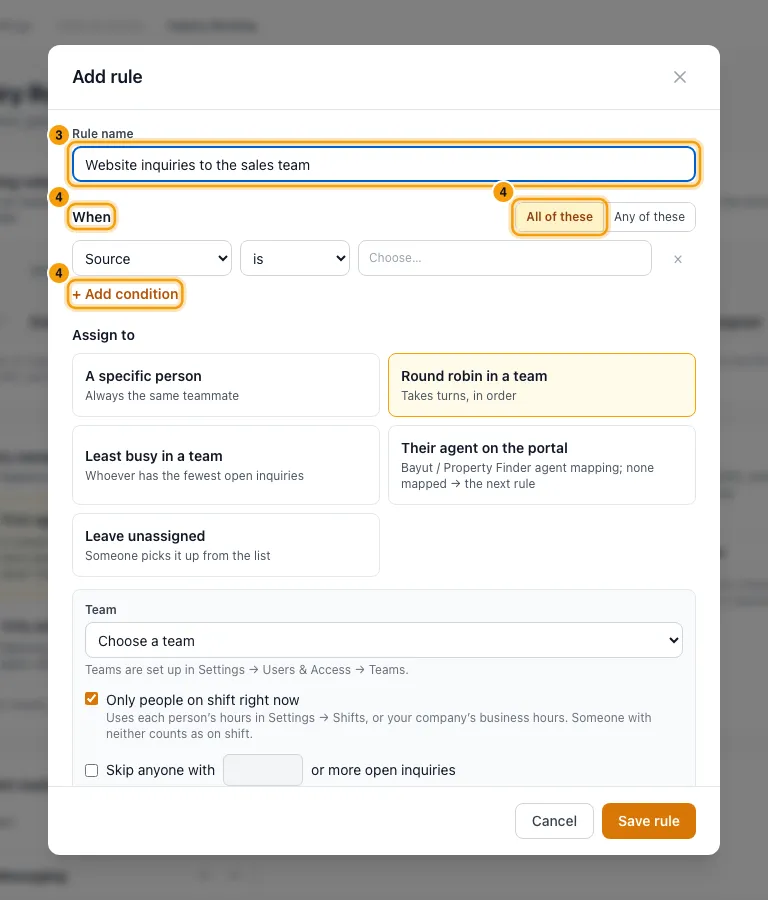
Under When, pick a field, then is or is not, then one or more values. Click + Add condition for more. Choose All of these or Any of these.
Under Assign to, click one option:
- A specific person: pick the Person.
- Round robin in a team or Least busy in a team: pick the Team. Tick Only people on shift right now and Skip anyone with … or more open inquiries if you want.
- Their agent on the portal: uses the agent mapping from the channel's Agents tab.
- Leave unassigned.
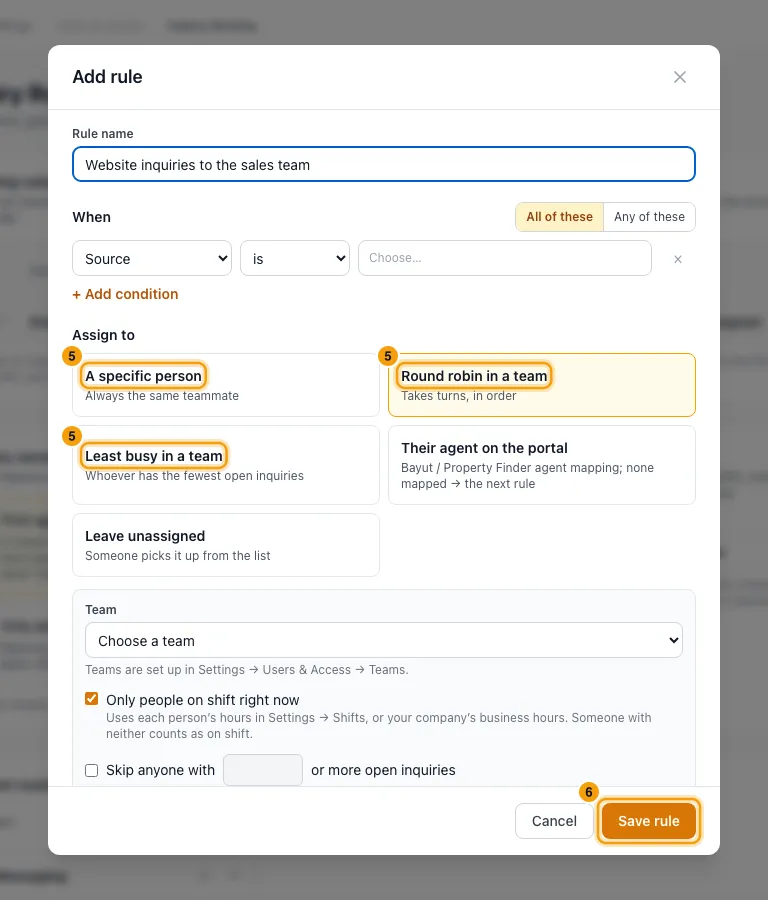
Click Save rule.
To change the order, drag a rule or use its arrows. To switch a rule off, use its Active switch.
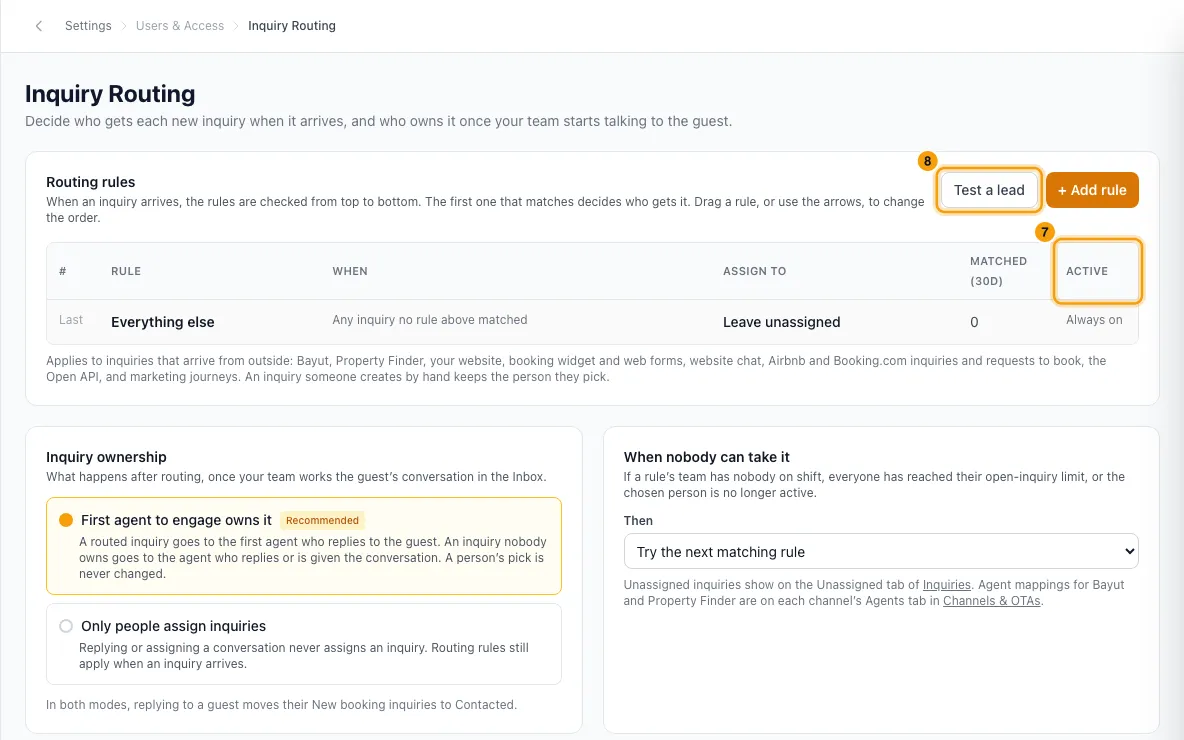
To check your rules, click Test a lead, describe a made-up inquiry, then click See who gets it.
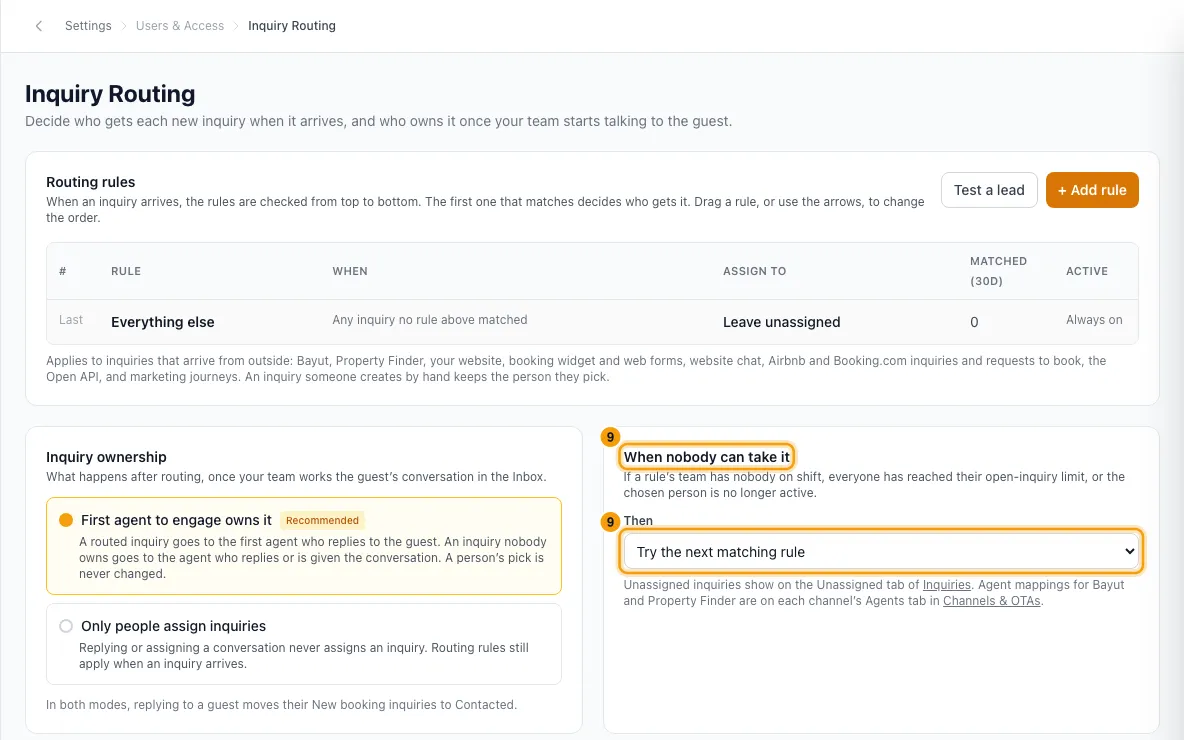
Under When nobody can take it, choose what happens if a rule finds nobody available.
Good to know
- The rules are checked from top to bottom. The first rule that matches decides. Everything else always runs last and catches every inquiry no rule matched. You can change who it assigns to, but you can't delete or move it.
- A new account's Everything else leaves inquiries unassigned, so nothing changes until you add rules.
- Conditions you can use: Source, Inquiry type, Rental type, Property, Building, Area, Guest's country (from their phone), Check-in within a number of days, Budget (at least / at most) and Arrives inside or outside business hours.
- Arrives uses your company business hours. If none are set, every inquiry counts as inside business hours.
- Rules apply to inquiries that arrive from outside: Bayut, Property Finder, your website, booking widget and web forms, website chat, Airbnb and Booking.com inquiries and requests to book, the Open API (when no owner is sent) and marketing journeys.
- An inquiry someone creates by hand keeps the person they pick. Airbnb and Booking.com instant bookings arrive already booked and are not routed.
- Round robin takes turns in alphabetical order of the team members. Two leads arriving at the same moment never go to the same turn. Inactive users are skipped.
- Only people on shift right now uses each person's shift (Settings → Shifts), or your company business hours if they have no shift. Someone with neither counts as on shift.
- The open-inquiry limit counts inquiries assigned to the person that are not Booked, Lost, Junk or Signed.
- Their agent on the portal: if the lead has no agent, or nobody is mapped to that agent, the next rule is checked.
- When nobody can take it:
- Try the next matching rule is the default.
- Give it to the rule's team anyway (least busy first).
- Leave it unassigned.
- The person a rule picks is provisional. With First agent to engage owns it on, the first agent who replies to the guest takes the inquiry over. See "Choose who owns a booking inquiry".
- Every decision shows under Recent routing decisions and on the inquiry's timeline. Matched (30d) counts how many inquiries each rule took in the last 30 days.
- The old Lead assignee setting on each Bayut and Property Finder listing was turned into rules on this page when Inquiry Routing arrived, so those leads kept going to the same people. The listing's Configure window now links here.
- Editing rules needs access to Settings.
Rentibly AI can help
- It can show your rules and who gets new leads, and test who a made-up lead would go to.
- It can add or edit a rule, or switch one off, and change the order. It can't delete a rule; do that on the page.
- It can change Inquiry ownership and When nobody can take it. You confirm each change.
Still stuck?
Open Support from your profile menu in Rentibly, or email hello@rentibly.com — we answer fast.