The guest portal — Rentibly How-to
How-to: Bookings & Guests · Part 6 of 6 · 1:50 · 7 chapters · Watch on YouTube
Chapters
Read the transcript
Hey, and welcome to this Rentibly how-to: the guest portal. Let's pick up a guest's phone, and see their stay the way they see it. Here's what we'll cover — the chapter times are right here, and in your player. Let's get started.
Every guest gets a portal in your name, right on their phone. They open your link, enter the email or phone number on their booking, and Rentibly sends them a six-digit code — no app to download, no password.
Here's Priya. Every upcoming stay is on one screen, with the home, the dates, and whether it's paid. Four buttons do the rest: pay a balance, online check-in, the house guide, and a message to your team.
The guide is the home's own manual, written once by you. Photos, room by room. What the home offers. Check-in and check-out times, how to find it, the house rules — and your favourite places nearby.
Back on their stay, Enhance your stay offers your extras — early check-in, late checkout, an airport transfer, a welcome basket — each with its price. Add one, pay right here, and it's on their booking.
And Messages. Whatever the guest writes — or says, in a voice note — lands in your Inbox as a new conversation, and your reply appears right here.
Thanks so much for watching! If you're already on Rentibly, open one of your house guides, and read it the way your guests will. And if you're not on Rentibly yet, book a demo call, and we'll show you all of this, live.
What your guests see on their phone: every stay in one place, the house guide, extras to add, and messages to your team. Shown live on a real Rentibly workspace.
More in Bookings & Guests
 5:34
5:34How-to · Part 1
A direct booking, start to finish
Take a direct enquiry all the way: the inquiry, a quote with fees and a payment schedule, the guest signing and accepting, and the confirmed booking. Shown live on a real Rentibly workspace.
 2:29
2:29How-to · Part 2
Payments and deposits
Record a guest's bank transfer against their payment schedule, add a refundable security deposit, see how it's returned, and find every payment in Finance. Shown live on a real Rentibly workspace.
 2:44
2:44How-to · Part 3
Changing a booking
Change a confirmed booking the right way: the guest count, new dates and how re-pricing works, moving to another home, and adding a charge mid-stay. Shown live on a real Rentibly workspace.
 2:10
2:10How-to · Part 4
Cancellations, refunds and credits
Cancel a paid booking under its policy: the refund Rentibly calculates, the five ways to settle, guest credit, and where the refund shows up. Shown live on a real Rentibly workspace.
 2:32
2:32How-to · Part 5
Arrival day
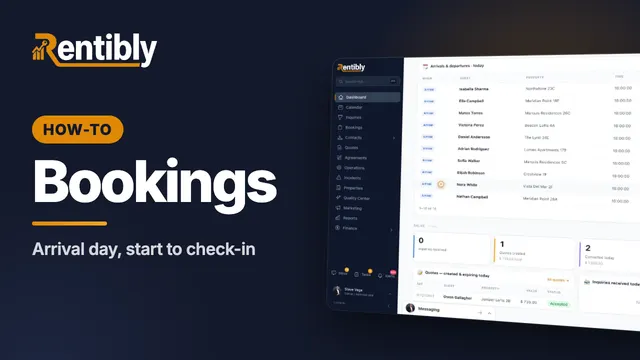
Run an arrival day: the Today dashboard, checks before a guest arrives, recording a door code, adding an early check-in fee, and checking the guest in. Shown live on a real Rentibly workspace.
Count your subscriptions. Then count ours.
A 30-minute demo on your numbers — every tool you pay for today, mapped to its native Rentibly module.
Book a demo