Import a property from Airbnb
Updated 13 October 2026
Copy existing Airbnb listings into Rentibly (name, rooms, guests and photos) instead of typing them in. You can import up to 20 listings at a time.
Steps
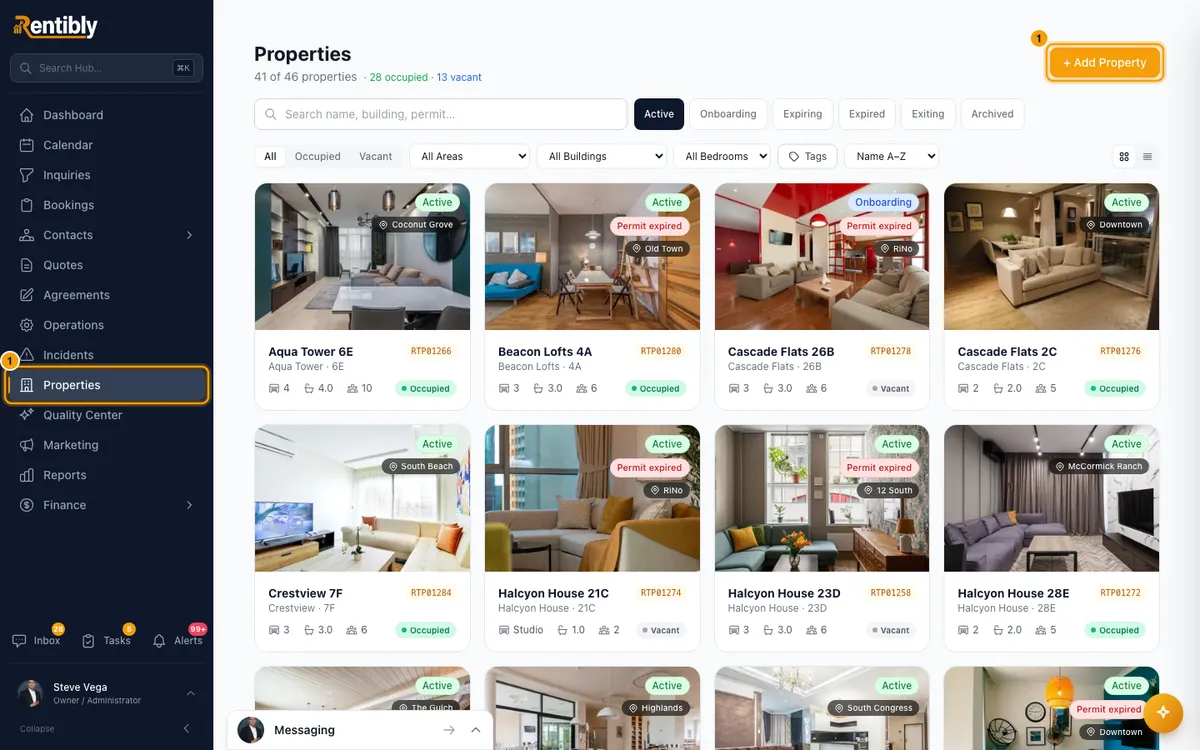
Go to Properties and click + Add Property.
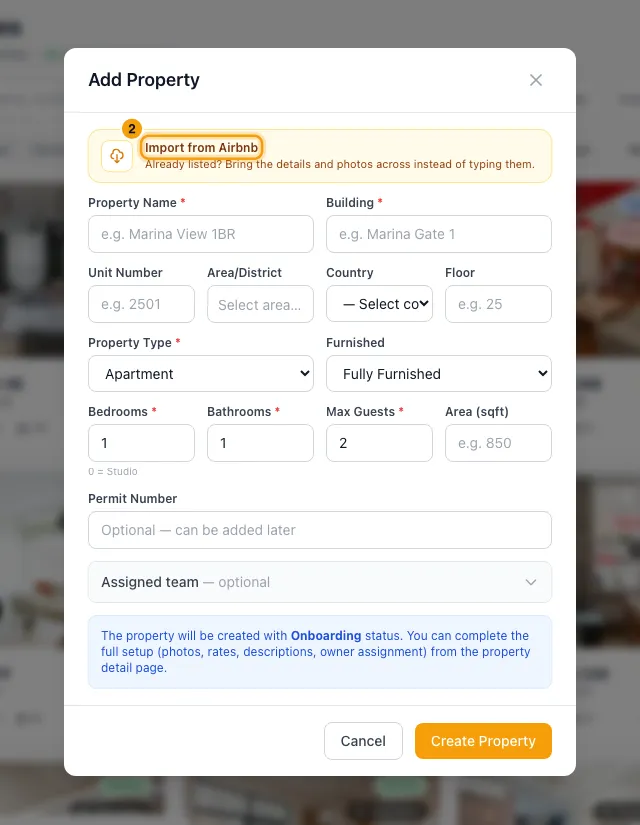
Click the Import from Airbnb banner at the top of the window.
Paste Airbnb listing IDs or links, one per line or separated by commas. For example
https://www.airbnb.com/rooms/53128078.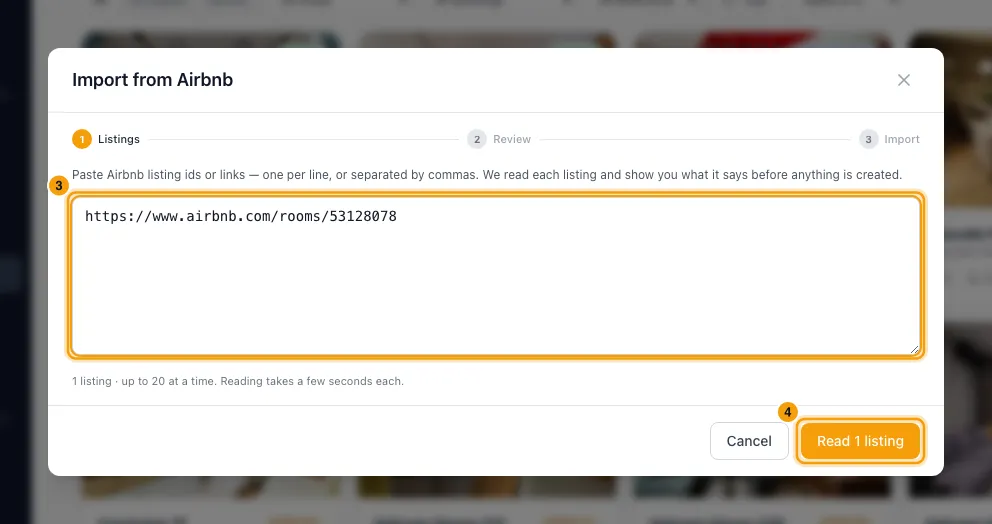
Click Read … listings (the button shows how many). Rentibly reads each listing. Nothing is created yet.
Check each listing card. Type a Building on every card: Airbnb doesn't give it, and Import stays off until each ticked card has one. Every field can be changed: Property name, Building, Unit, Bedrooms, Bathrooms, Max guests, Type and Area / district. Untick Import on a card to skip that listing.
Choose the photos to bring across. All are ticked to start with. Use Clear all or Select all to change them at once.
Click Import … properties · … photos. When the results show, click Done.
Good to know
- Imported properties start in Onboarding, like any new property. Open each one to finish the setup, then set it to Active (see "Add a new property").
- Fees, taxes and rates are not imported. Set them up on the property afterwards.
- Descriptions: the listing's description is copied into the property's Listing Content → Description tab, on the Default / Website card, with its paragraphs kept. The other cards (OTA Channels, Bayut, Property Finder) stay empty: open one and click Use Default / Website to copy the text across, then Save.
- Photos: up to 50 per listing are copied into Rentibly. The first one becomes the cover. If a photo can't be copied, the property is still created and the result line says how many photos failed.
- Type offers only Apartment, Villa and Townhouse here. You can change it to Penthouse or Hotel Apartment on the property afterwards.
- Area / district picks from your own areas in Settings → Areas & Locations. Airbnb's district is shown as a hint only. If you have no areas yet, you can import without one and set it later.
- If a listing can't be read, the reason is shown in red and the other listings still go ahead.
- Importing copies the listing. It doesn't connect Rentibly to your Airbnb listing. To manage that listing from Rentibly, connect the property on the Airbnb setup page and tick Take over an existing Airbnb listing (see "List a property on Airbnb, Booking.com or another channel").
- You need Edit on Properties to import.
Rentibly AI can help
- Rentibly AI can't import Airbnb listings yet. Use Import from Airbnb on the Properties page.
Still stuck?
Open Support from your profile menu in Rentibly, or email hello@rentibly.com — we answer fast.