Add booking widgets to your own website
Updated 13 October 2026
Website Widgets put live booking tools on a website you already have (Wix, WordPress, Squarespace or your own code): a book-now box, an availability calendar, a property search, or a chat bubble. Guests see live availability and prices on your site and only leave it to pay on the secure Rentibly checkout. You don't need a Rentibly website.
Steps
Click your name at the bottom of the sidebar, then Settings. Under Integrations, open Channels & OTAs, click + Add Channel and choose Website Widgets.
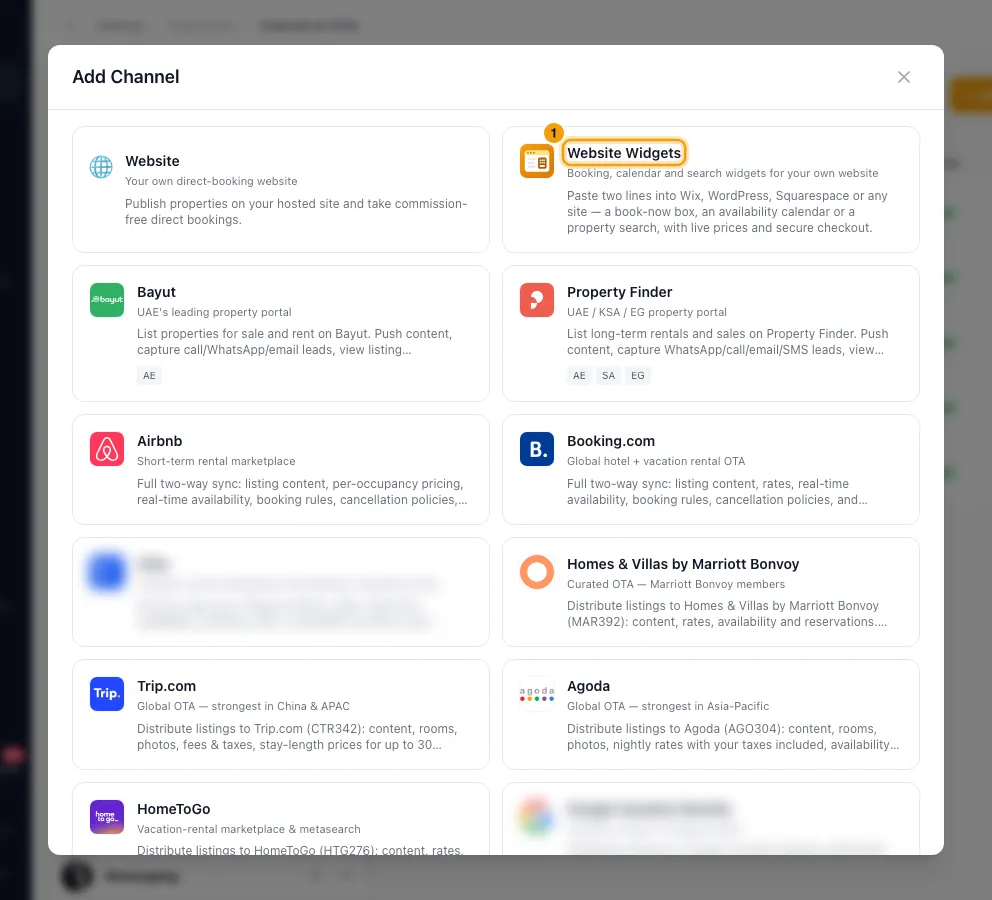
The first time, click Enable Website Widgets.
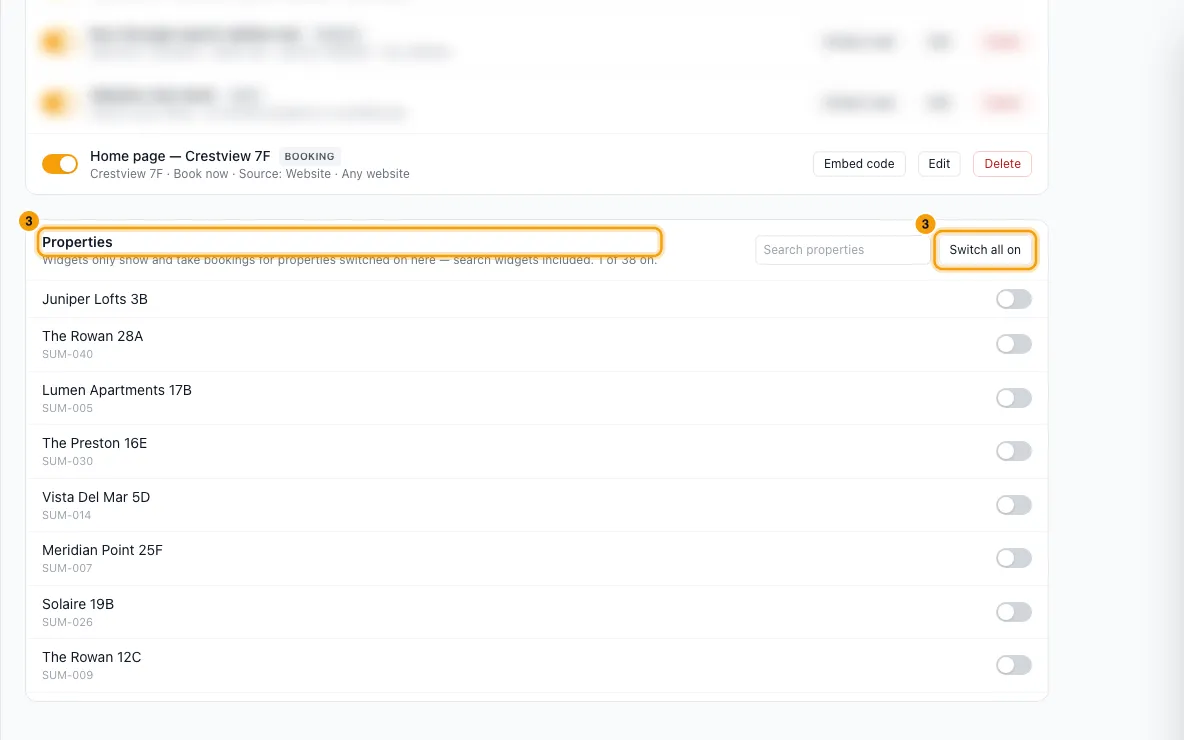
Under Properties, switch on the properties widgets may show and sell (or click Switch all on).
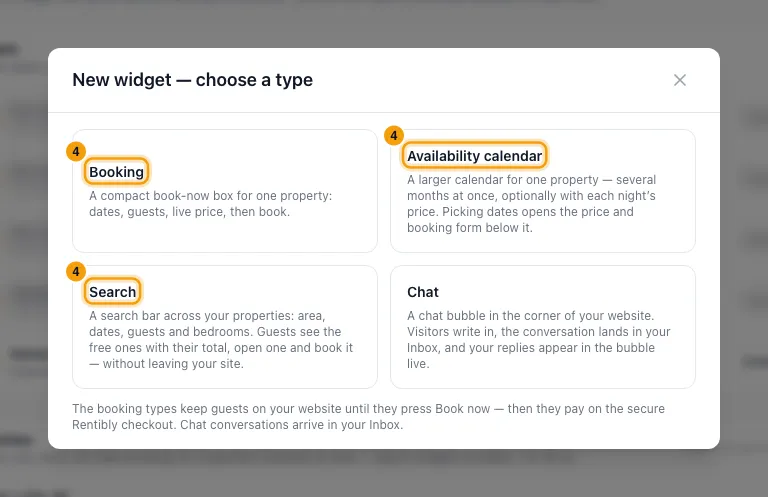
Under Widgets, click + New widget and choose a type: Booking, Availability calendar, Search or Chat.
Type a Name (only you see this). Pick the Property (or, for Search, All switched-on properties or Only the ones I choose).
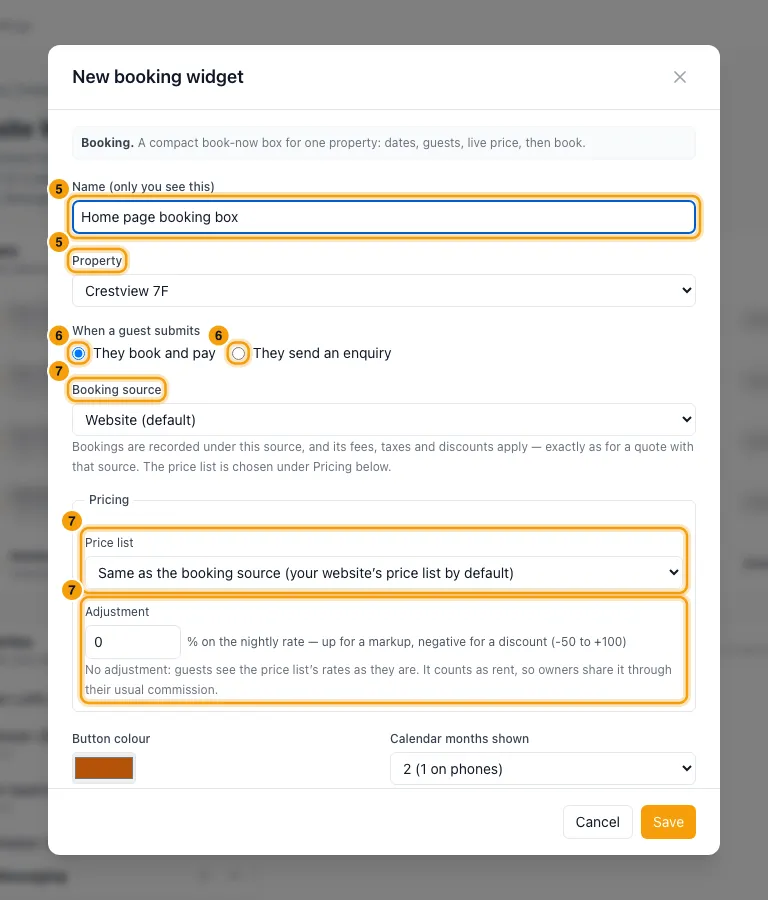
Under When a guest submits, choose They book and pay or They send an enquiry.
Pick the Booking source and, under Pricing, the Price list and an optional Adjustment %.
Set the look: Button colour, Calendar months shown, Button text (optional), Rounded corners, and for a calendar Show each night's price on the calendar.
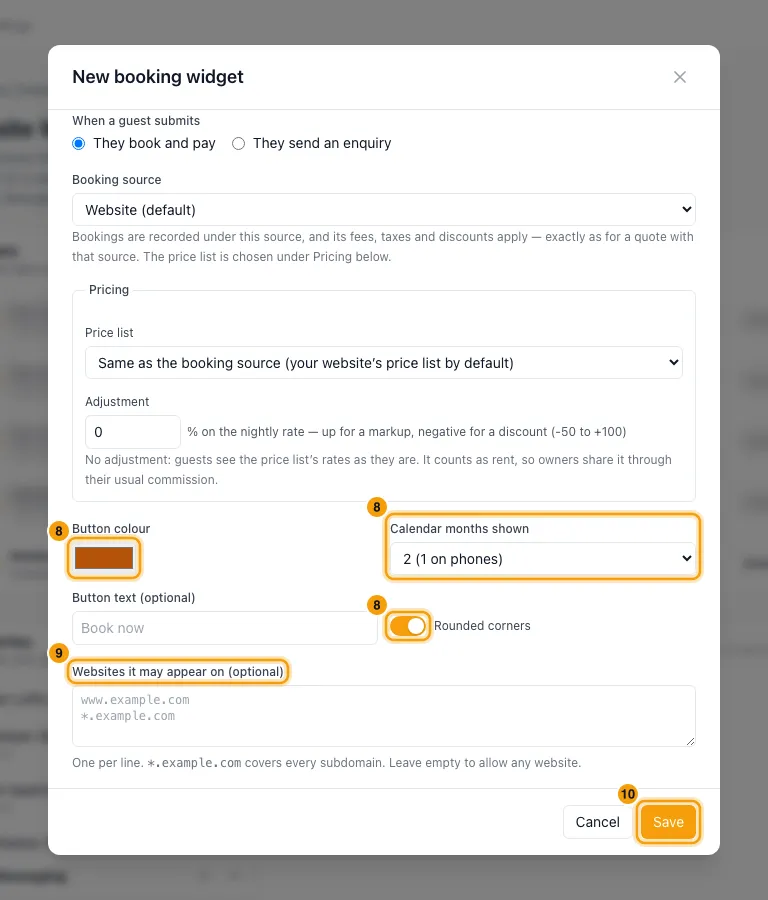
Optionally list the Websites it may appear on (one per line). For Chat, fill in the chat settings and list the Websites it may run on (required).
Click Save. The Embed window opens: click Copy code and paste the two lines into your website (Wix: Add → Embed code → Embed HTML; WordPress: a "Custom HTML" block; Squarespace: a "Code" block).
Good to know
- Book and pay: the guest's details create an inquiry and a quote, and the guest continues on the quote page to review, sign, accept and pay. Send an enquiry creates an inquiry only. Who the inquiry is assigned to is decided by Settings → Users & Access → Inquiry Routing.
- Booking source: bookings are recorded under it, and that source's fees, taxes and discounts apply. Only your active, non-OTA sources can be picked; the default is Website (default). A warning shows which fees, taxes or discounts stop or start applying with that source.
- Pricing: Price list defaults to the booking source's price list. A search widget picks a price list by name; properties without that name use the source's. Adjustment is -50% to +100% on the nightly rate: fees stay the same, and anything charged as a percentage of rent (such as VAT) follows it. It counts as rent, so owners share it through their usual commission.
- A widget only loads for properties that are switched on under Properties and active. The widget row says "Not loading…" when that isn't the case. + New widget is greyed out when you have no active properties.
- Allowed websites: leave the list empty to allow any website.
*.example.comcovers every subdomain. When a list is set, the widget refuses to load on other sites. A Chat widget always needs this list. - Chat widgets add a chat bubble on every page where the code is pasted (put it in a site-wide footer). Conversations arrive in your Inbox. You can set the Title, Corner, Welcome text, Reply time, how team replies are shown, whether visitors can send files, an automatic reply, and business hours with an away reply and an email for messages that arrive while you're away.
- A widget's type can't be changed after it is created. Create a new widget instead.
- Changes show straight away on your website. You only paste the code once.
- Switch a widget off with the toggle in its row. Delete stops it loading everywhere and can't be undone; bookings it already made are not affected.
- Pets: guests can add pets in Booking, Calendar and Search widgets only for properties where Pets is Allowed and Max pets is filled in (the property's Configurations → Booking Rules tab). The pets counter stops at that maximum. Pets don't count as guests. Your Pet Fee is added only when the guest adds at least one pet. A search with pets shows only properties that take that many.
- A promo code can be entered on the quote page the guest lands on (see "Create a promo code for guests").
- You need the Settings permission set to Access to manage widgets.
- For forms that collect leads rather than bookings, see "Create a web form for your website".
Rentibly AI can help
- Rentibly AI can't create or change website widgets yet. It can explain how they work.
Still stuck?
Open Support from your profile menu in Rentibly, or email hello@rentibly.com — we answer fast.