Rentibly Booking Website — Overview
9:13 · 24 chapters · Watch on YouTube
Chapters
Read the transcript
Hey, and welcome to this overview of the Rentibly Booking Website. We'll make the site your own, build a page section by section — including one Rentibly AI codes for us from a single sentence — then follow a guest from your home page to their quote, and finish with analytics and widgets for any website. Here's everything we'll cover. Every chapter's start time is right here, and in your player — so if you're after something specific, jump straight to it. Let's dive in.
Your booking website is built right into Rentibly — no developer needed. It has its own web address, and it's live the moment you publish. You can run it as a showcase for all your homes, or a site for just one.
Theme and Branding makes it yours. Your logo, your favicon, and the picture people see when your link is shared. Then your colours — a near-black, with amber for the buttons and highlights — and your fonts: Poppins for headings, Inter for everything else. And the title and description Google shows for your site.
Navigation is your menus. The header links — Stay, Property Management, Reviews, About and Contact — drag to reorder, and any link can open a dropdown. The header and dropdown colours. Then the footer: its links, your social accounts, and the phone numbers and emails guests can reach you on.
And Pages. Every site starts with home, properties, about, contact, FAQ and policies — and you can add your own. We've added Property Management, for owners, and a Reviews page. New page gives you a blank one, ready to build.
Every page is built from sections, and the live preview on the right updates as you work. Here's our home page: a hero, a search bar, a call to action for owners, featured homes, guest reviews, and an FAQ.
Open one to change it. The hero's background can be a colour, a photo or a video, with an overlay to keep the words readable. Then the headline, a line beneath it — and up to four buttons: For Guests, and For Owners.
Add section shows everything you can drop in: text, a property grid, a search bar, a call to action, a form to message you, an FAQ, a YouTube video, a spacer, a button, your guest reviews from every channel — and Custom HTML, for anything else you can imagine.
Custom HTML takes any code you like — your own design, an embed, a widget. But you don't have to write a line of it. Build with Rentibly AI, and just describe what you want: an Our Services section, with four rows, a black panel and a grey one, in our colours. Generate. Rentibly AI already knows your colours, your fonts and the sections on the page, so what comes back fits right in. It writes the HTML for the layout, the CSS for the look, and makes sure it works on a phone. It takes a few seconds — and you can keep the conversation going afterwards to tweak it. Here's its answer, with a note on what it built. Apply — and the code drops straight into the section. There it is in the preview: our services, in our brand.
Sections move by dragging. I want our services straight after the featured homes — so drag it up above the reviews. Check how it looks on a phone. Save draft keeps your changes private until you're ready — nothing changes on your live site until you say so. Publish, and it's live for every visitor, straight away.
So here's the result — the site your guests see. A full-width photo with your headline, and two clear paths: one for guests, one for owners. A search bar right below. Owners get their own invitation. Then your featured homes, your services, real reviews from every channel, and the answers to the questions guests always ask.
Property Management is a page just for owners: a hero of its own, what you do for them — listings everywhere, pricing, cleaning, guest care, monthly statements — and a form to ask for a free rental estimate, sent straight to your team.
Now let's see it the way a guest does. A couple are searching for somewhere in RiNo, Denver's arts district, over New Year — two guests. Their search is right there up top, and every home that fits shows below, as a list or on a map. Every home gets its own page: the photos, the space, everything it offers, and exactly where it is on the map.
The booking box is live, right beside it. Open the calendar: anything already booked is crossed out, and there's a minimum stay. On to December — the twenty-seventh to the thirty-first. Set it to two guests — and the price is right there: the nightly rate, the cleaning fee, the total, and the refundable deposit.
Then their name, email and phone — and a message, if they've got a question. A quick check that they're human, and Book now. No account to create and nothing charged yet: Book now takes them straight to a secure page with their own quote, ready to accept.
Here's what a quote looks like — this one's for Harper, at Aqua Tower 6E. The dates and the home, every charge, a box for a promo code, and the payment plan: a deposit now, the balance later, plus a refundable security deposit. Next, their details — already filled in from what they gave you, ready to check and save. And the last step: Accept and Pay. The guest pays by card on a secure payment page — and the moment it's paid, the booking's confirmed, the dates close on your calendar, and the confirmation's on its way. Let's go back to the Hub.
Back in the Hub, Analytics shows how your website is really doing — and it counts every visit on the server, so ad-blockers don't hide anyone. Pick the period up here. Who's on the site right now. Then the headline numbers: page views, unique visitors, sessions, bounce rate, pages per visit, time on site, your top page and your top country.
Traffic over time, then where it goes: your most-viewed pages, and — the one I'd watch — your most-viewed homes. Which countries your visitors come from, as a table or on a map. Which sites send them to you. Their devices and browsers. The pages they arrive on, and the pages they leave from.
Where visitors come from — direct, from another site, or from your campaigns, tracked by their links. And here's the part that matters most: the funnel, from every visit to an enquiry form, a new contact, an inquiry — and a booking. With the revenue those bookings brought in, and the share of visits that booked.
Then the same funnel for every home: its views, enquiries, inquiries, bookings, revenue and conversion rate — so you can see which listings sell and which need better photos or a better price. And which booking sources your website bookings came through.
Time patterns show when people visit: by hour and day of the week — handy for timing a campaign or a price change. How far ahead your website guests book. Your traffic month by month across the year. New visitors against returning ones. And your top regions and cities.
Already have a website — on Wix, WordPress, Squarespace? Widgets put the same booking tools on it. A book-now box for one home, an availability calendar, a search across all your homes, or a chat bubble that lands in your Inbox. Let's make a book-now box. A name only you see, the home it books, and what happens when a guest presses the button — they book and pay, or they just send an enquiry. It can carry its own booking source and its own price adjustment, and match your site's colours.
Save — and the embed code's right there: two lines to paste into your site, with tips for each website builder. Change the widget here later, and your site updates by itself — no need to paste it again. And just below, you choose which homes the widgets can book. That's your own direct bookings — on your site, or anyone else's.
Thanks so much for watching! If you're already on Rentibly, open your website settings, and ask Rentibly AI to build your first custom section. And if you're not on Rentibly yet, book a demo call, and we'll show you all of this, live.
Your own direct-booking website: make it your brand, build pages section by section, have Rentibly AI write a custom section from one sentence, follow a guest from your home page to their quote, read your website analytics in depth, and add booking widgets to any website. Shown live on a real Rentibly workspace.
Up next
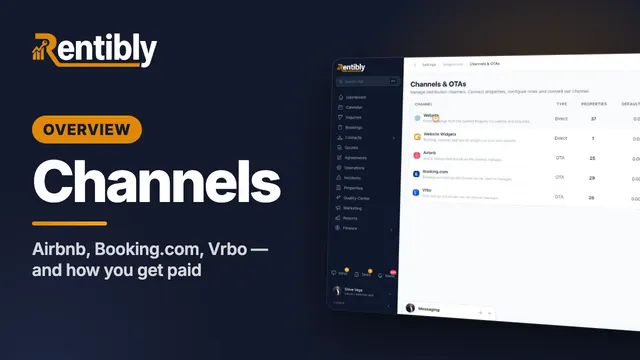 4:19
4:19Overview
Channels & Payments
Where your homes are listed and how you get paid: your channels, every channel you can add, Airbnb set up step by step with its own guide, the Booking.com and Vrbo guides, payment methods, pricing rules, dynamic pricing, smart locks and billing. Shown live on a real Rentibly workspace.
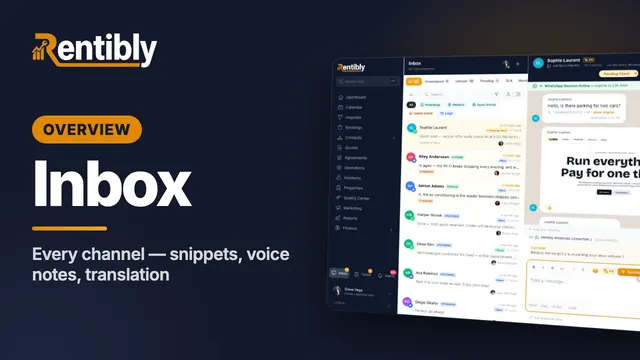 6:15
6:15Overview
Inbox
Every channel in one inbox — WhatsApp, email, website chat, the portals, plus Airbnb, Booking.com and Vrbo — and a live WhatsApp conversation: snippets, quoted replies, reactions, automatic translation, attachments, voice notes, pins, flags and Rentibly AI. Shown live on a real Rentibly workspace.
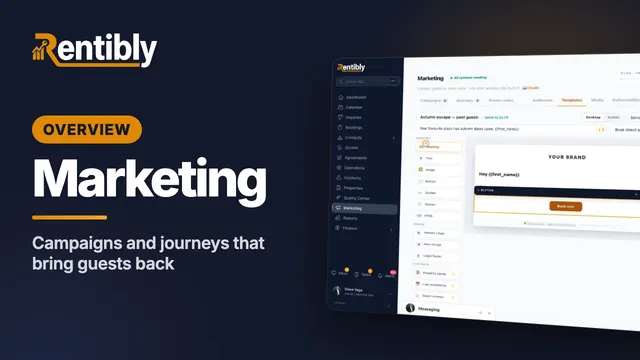 6:27
6:27Overview
Marketing
Build an audience, design an email with live availability and guest reviews, create a WhatsApp template, set up a campaign with A/B testing and the consent gate, and launch a journey from a playbook. Shown live on a real Rentibly workspace.
Count your subscriptions. Then count ours.
A 30-minute demo on your numbers — every tool you pay for today, mapped to its native Rentibly module.
Book a demo