"Build audiences: segments, lists and consent"
Updated 13 October 2026
An audience is who a campaign or journey goes to. A smart segment is a saved filter that updates itself as contacts change. A list is a fixed set of contacts. Nobody receives marketing unless they opted in for that channel, so you may also need to record consent you already hold.
Steps
Smart segment
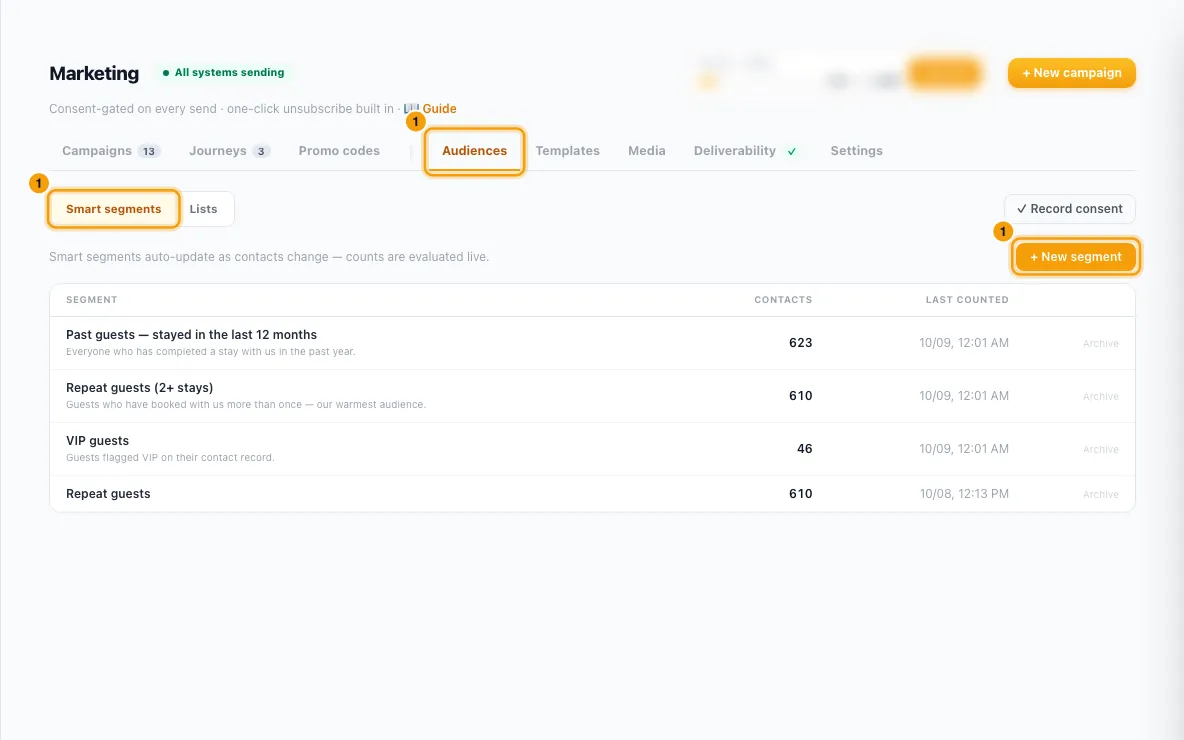
Click Marketing in the sidebar, open the Audiences tab and stay on Smart segments. Click + New segment.
Type a Segment name.
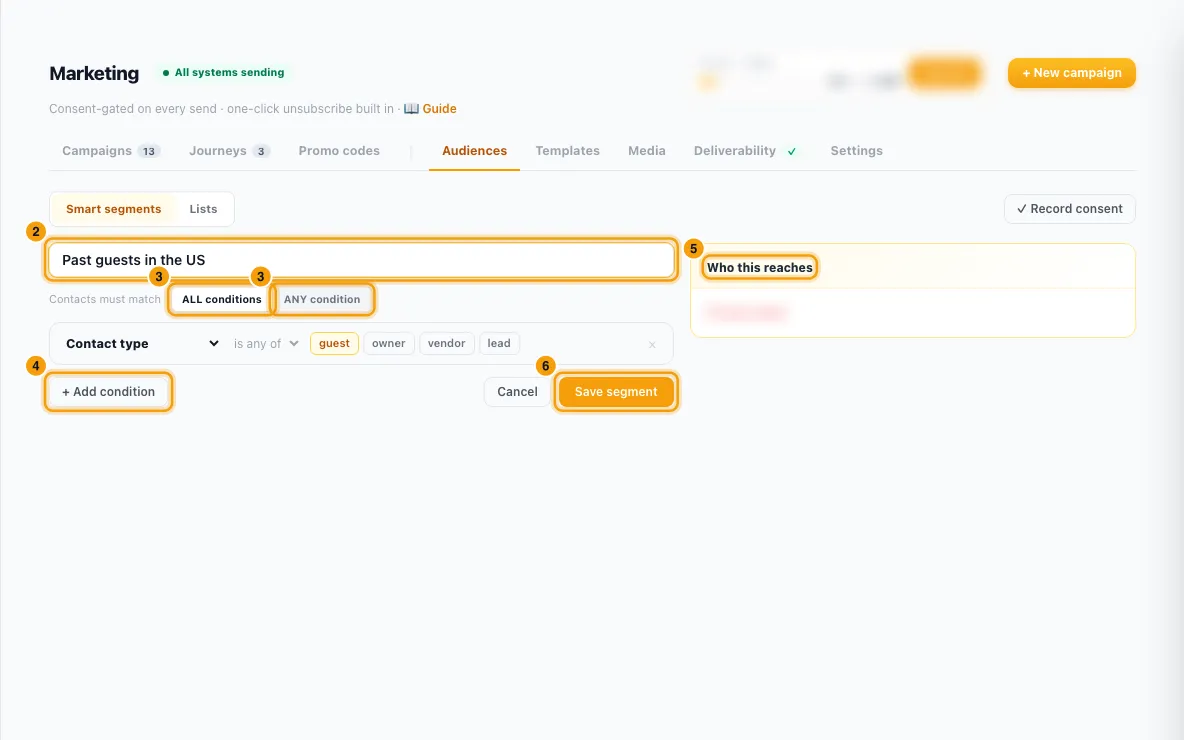
Under Contacts must match, choose ALL conditions or ANY condition.
Set the first condition: pick a field (for example Contact type, Last stay, Country, Marketing consent), its operator, and a value. Click + Add condition for more.
Check the Who this reaches panel: the number of contacts, how many are reachable by WhatsApp and by email, and Why not reachable.
Click Save segment.
List and CSV import
On the Audiences tab, click Lists, then + New list. Type the list name and click Create.
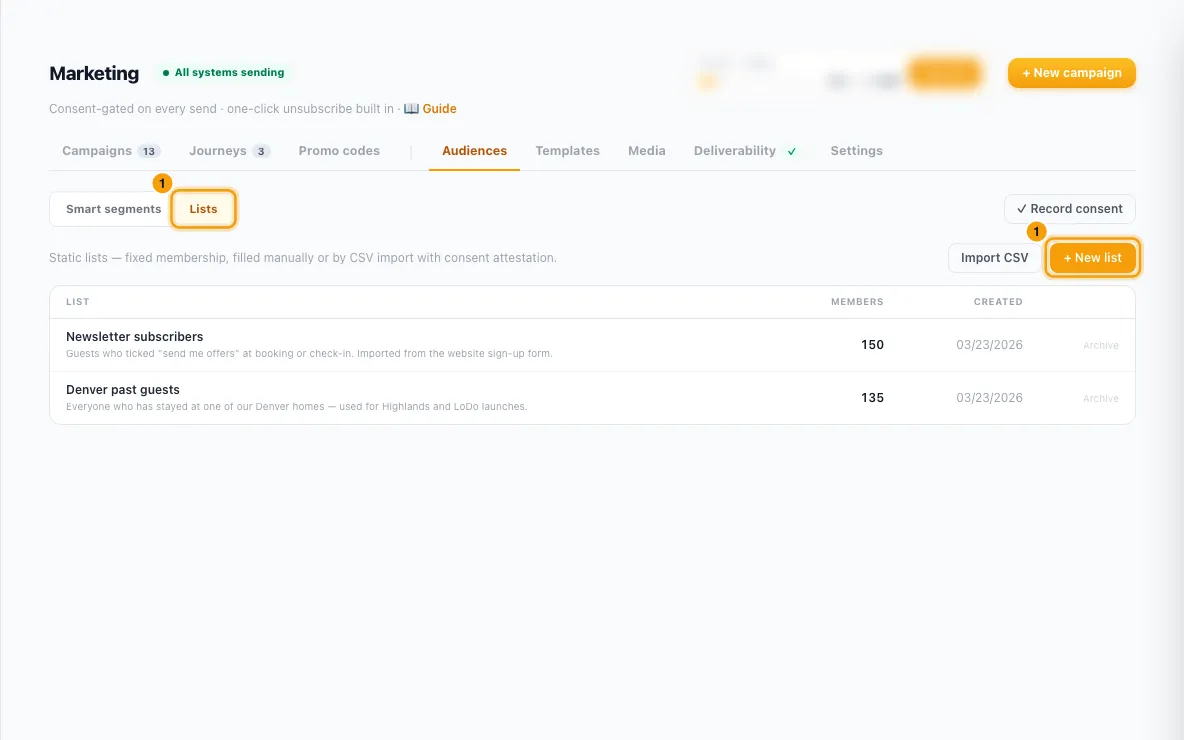
To fill it, click Import CSV. Drop a CSV file or paste the rows (columns
email,phone,first_name,last_name; the header row is optional). Click Next: Map columns.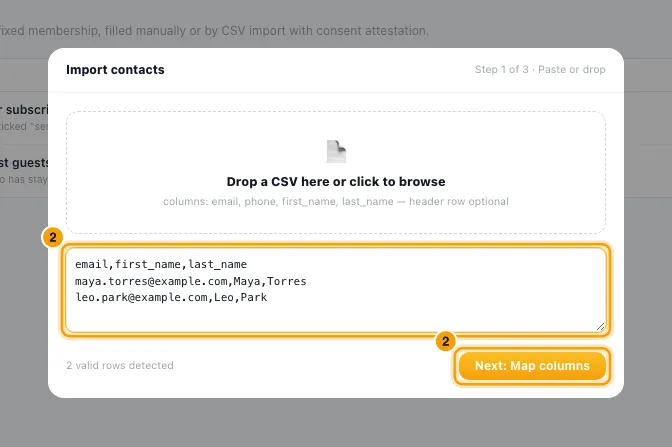
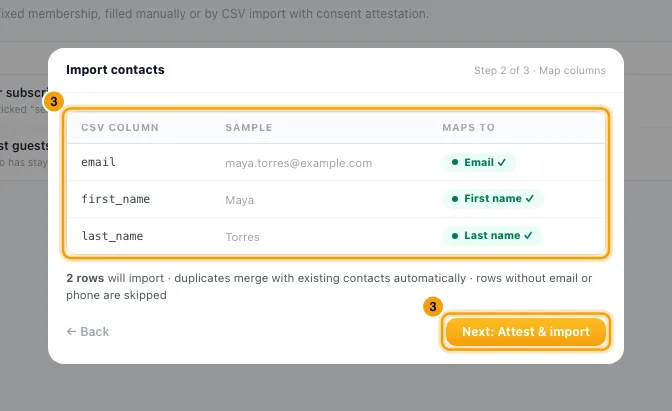
Check which columns are used (Maps to) and which are skipped. Click Next: Attest & import.
Pick the list (or → New list… and type a name). Tick Email consent and/or WhatsApp consent.
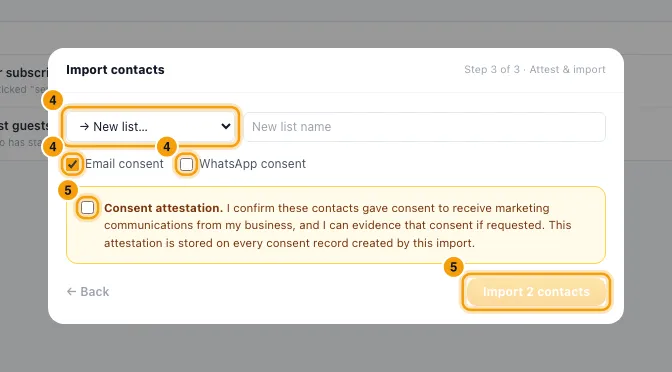
Tick the Consent attestation box, then click Import N contacts. The result shows contacts created, existing contacts linked, rows rejected and consent records written.
Record consent you already hold
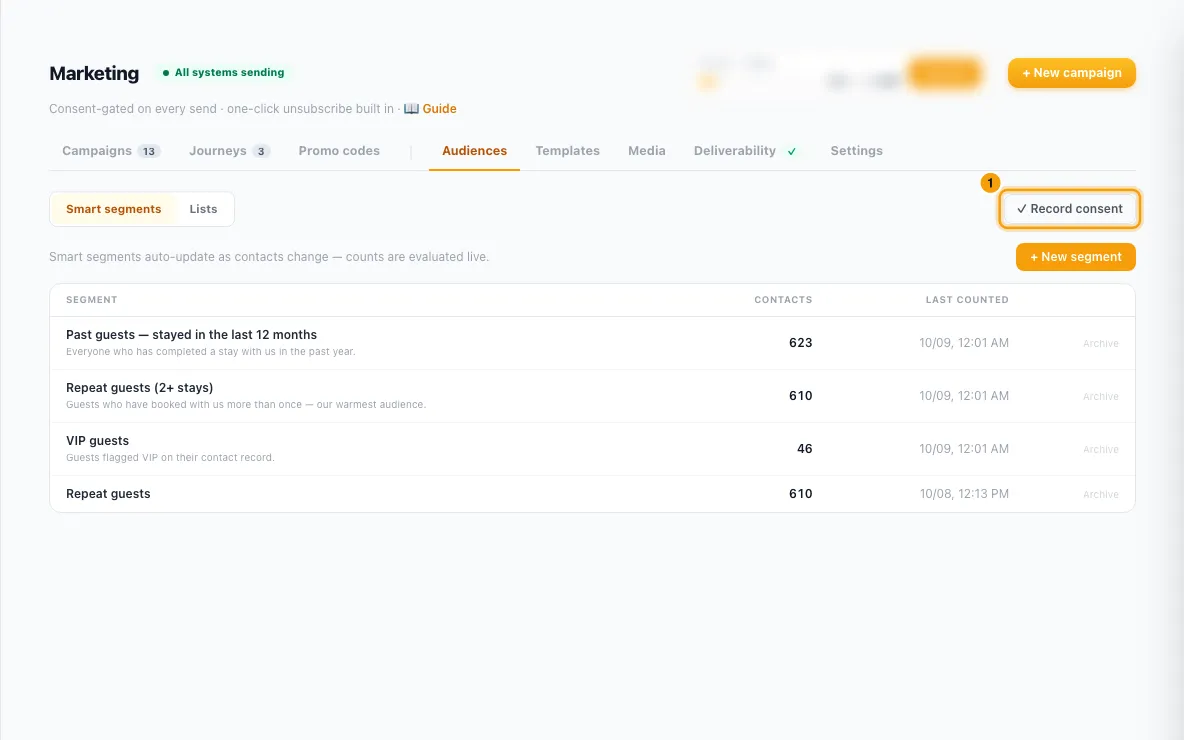
On the Audiences tab, click ✓ Record consent.
Under Who, pick All contacts, A segment or A list. Under Channel, pick Email, WhatsApp or Email + WhatsApp.
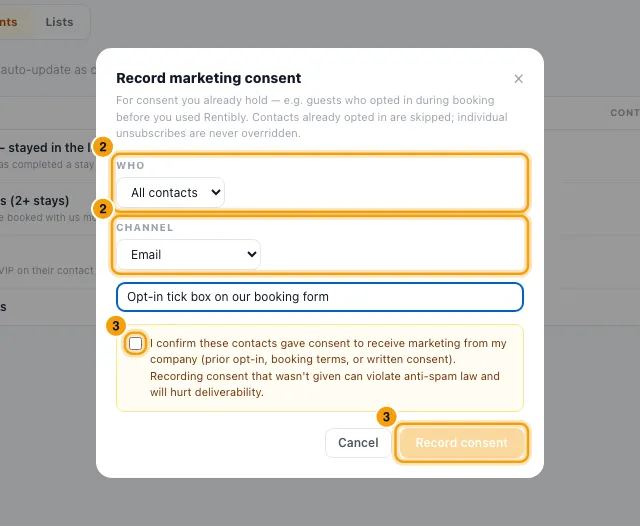
Type where the consent was collected, tick the confirmation box and click Record consent.
Good to know
- Conditions available: contact type, tags, country, city, nationality, language, contact source, lead status, VIP, do-not-contact, flag, total revenue, total bookings, total inquiries, last stay, created, birthday month, has email / phone / WhatsApp, marketing consent, list membership, stayed at property, has upcoming stay, next check-in, booked via, left a review, review rating, email engagement, owner fields (active properties, total properties, owner gross revenue, owner portal access), last contacted, last heard from, first stay, guest sentiment (AI), assigned agent, lead source type and credit balance.
- A condition with no value yet is shown with a dashed edge and ignored by the preview. Saving asks you to finish or remove it.
- Who this reaches runs the same checks as a real send: consent, do-not-contact, suppressions and a usable address. WhatsApp marketing never reaches US (+1) numbers. The WhatsApp and email rows overlap: a contact reachable on both counts in each.
- The Contacts count in the segment list is from the last time it was counted; the segment itself is always evaluated live when a campaign sends.
- CSV import:
- Up to 5,000 rows per import. Existing contacts are matched by email, then by phone, and are added to the list without creating a duplicate.
- New rows become new lead contacts. A phone number that can't be turned into an international number is rejected, using your company's country code for local numbers.
- Consent is recorded for each ticked channel the contact has an address for, with your attestation stored as the evidence.
- Everyone an import newly adds to the list starts any active journey triggered on that list, the same as people added by a web form, a journey step or Rentibly AI. Someone who was already on the list is not started again. The result shows how many people newly joined.
- Adding people to a list: besides CSV import, people join a list through a web form that feeds it (see "Create a web form for your website"), a journey's Add them to a marketing list step, or Rentibly AI. There is no add button on the list page itself. To remove someone, click the list name to open its members and click ×.
- Recording consent in bulk: contacts already opted in are skipped, and anyone who unsubscribed stays unsubscribed. At most 50,000 contacts per run. Every grant is saved in the consent history with who did it and your note. Only record consent people really gave: false consent can break anti-spam law and hurts deliverability.
- One contact at a time: open the contact, go to their Marketing tab, and click Opt in or Opt out for each channel. Opt out also suppresses their address; Opt in lifts a suppression. The tab also shows their Preference center link and consent history.
- Other ways consent is recorded: a ticked Marketing consent field on a web form, the digital check-in form, and the guest's own choices on the preference center.
- Joining a list is not consent. A form that feeds a list without a Marketing consent field adds people who will be skipped by every marketing send.
- Archive removes a segment or list from the pickers. Archived segments are left out of campaigns that use them.
- You need the Marketing permission at Edit to create segments and lists, import and record consent in bulk. Changing one contact's consent needs Edit on Contacts.
Rentibly AI can help
- It can list your segments and lists, count who a segment reaches, save or change a segment, create or rename a list, and add contacts or everyone in a segment to a list, which starts any journey triggered on that list. It can't import a CSV or record consent.
Still stuck?
Open Support from your profile menu in Rentibly, or email hello@rentibly.com — we answer fast.