Set owner defaults (recognition, payment basis, fees)
Updated 13 October 2026
Owner defaults decide how statements are worked out for every owner who has no setting of their own. You can give a single owner different values on their contact.
Steps
Go to Settings → Owners → Owner Defaults.
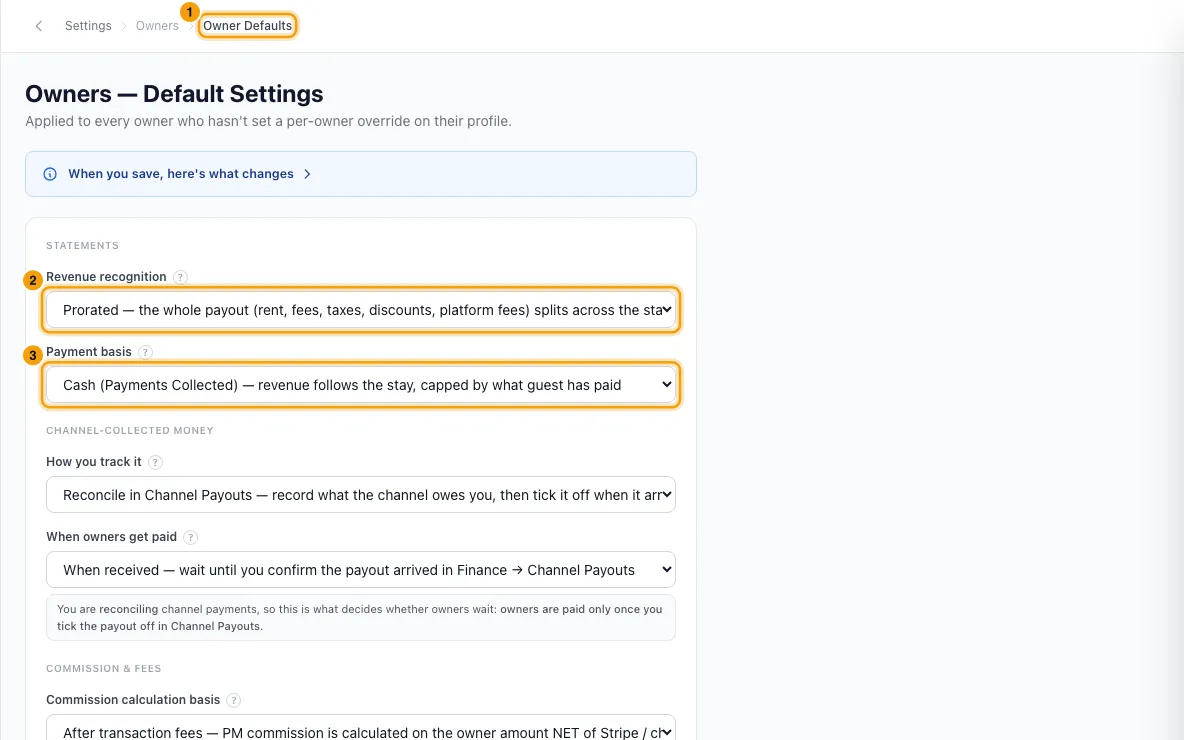
Under Statements, choose Revenue recognition (when a booking counts): Arrival, Departure, Prorated or All bookings.
Choose Payment basis. Cash caps revenue at what the guest has paid. Accrual counts the full booking value.
Under Channel-collected money, choose How you track it: Reconcile in Channel Payouts or Record on the booking.
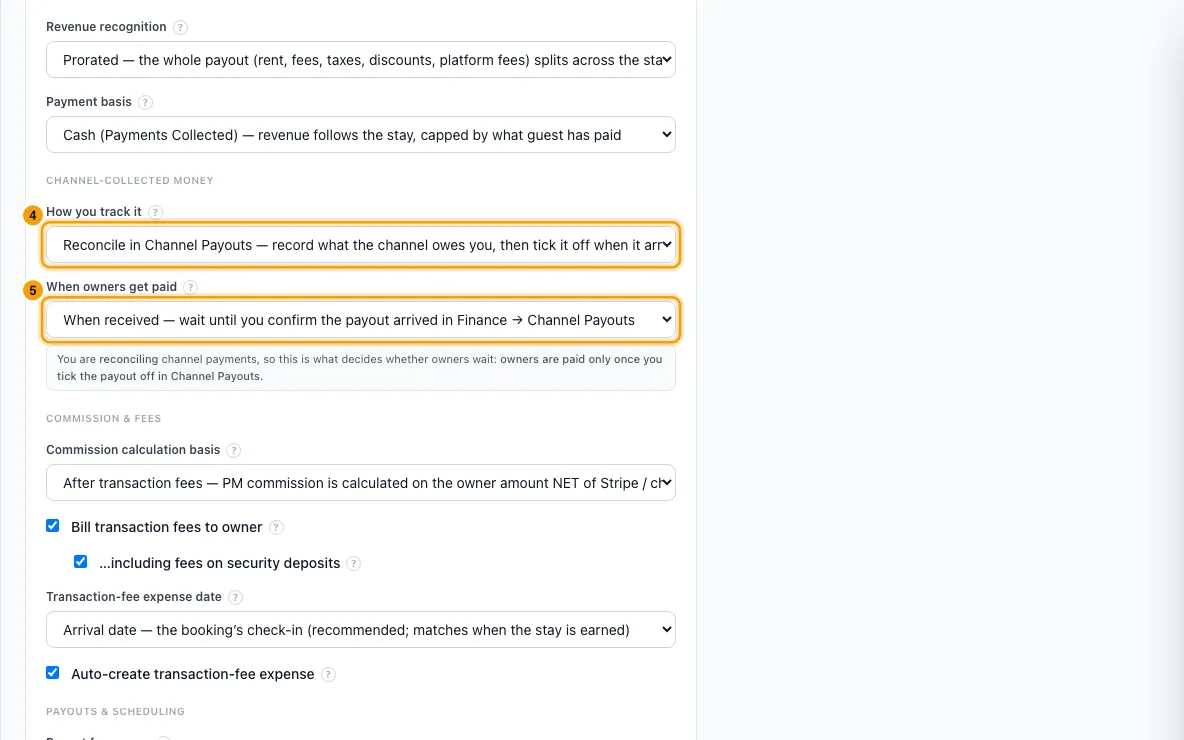
On cash basis only, choose When owners get paid: When expected or When received.
Under Commission & fees, set Commission calculation basis, Bill transaction fees to owner (and, when ticked, …including fees on security deposits), Transaction-fee expense date and Auto-create transaction-fee expense.
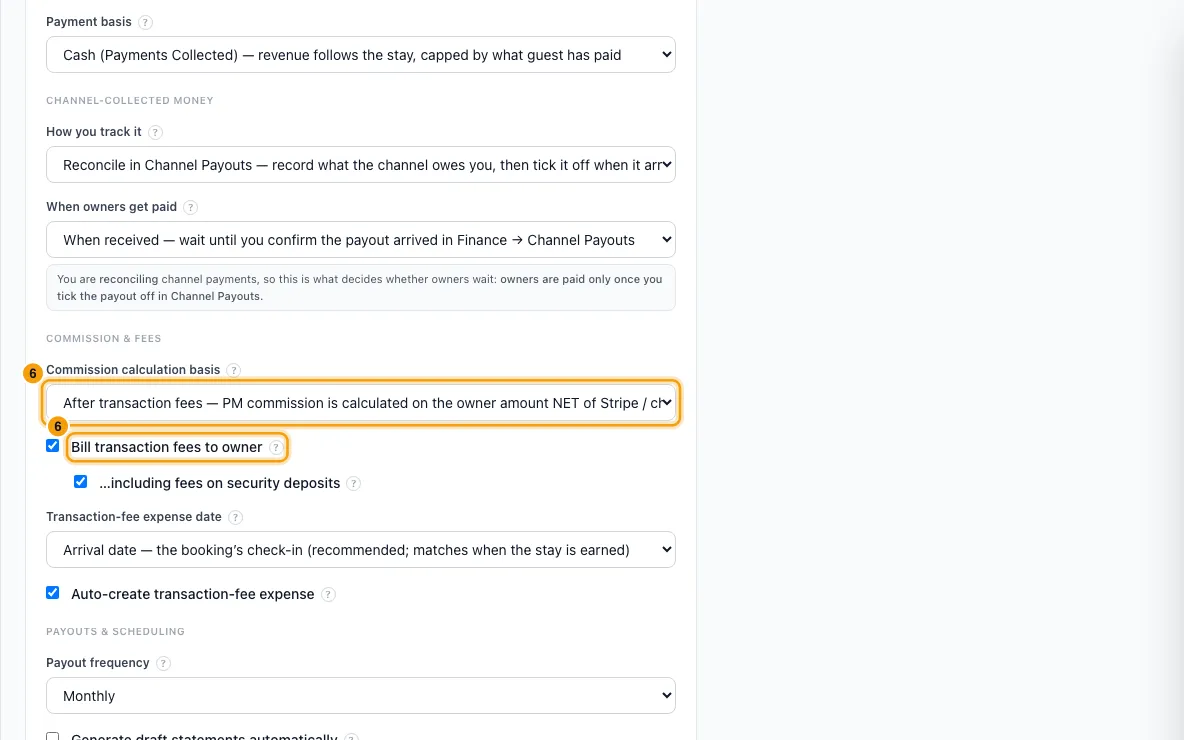
Under Payouts & scheduling, choose Payout frequency: Monthly, Bi-weekly, Quarterly, Per booking or On request.
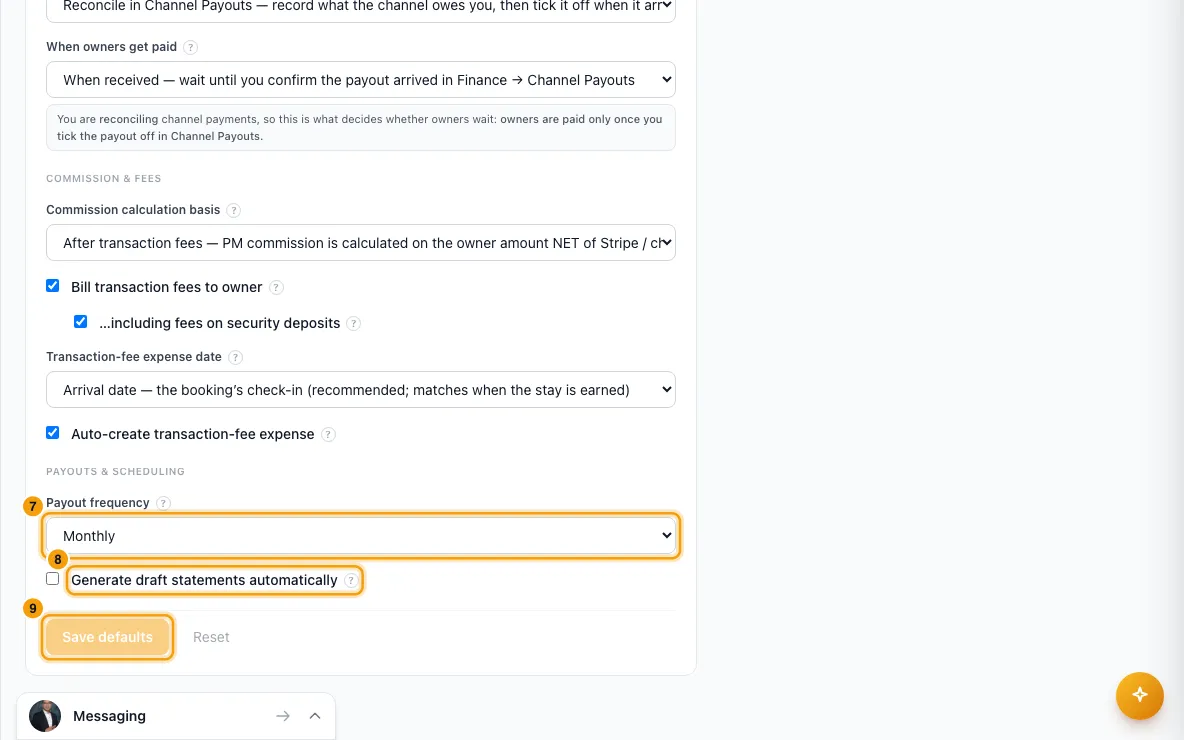
For automatic monthly drafts, tick Generate draft statements automatically and set Wait until this day of the month (1 to 28).
Click Save defaults. If Confirm high-impact changes appears, check the changes and click Save with these changes.
To give one owner different values, go to Contacts → Owners, open the owner, and go to the Financial Settings tab.
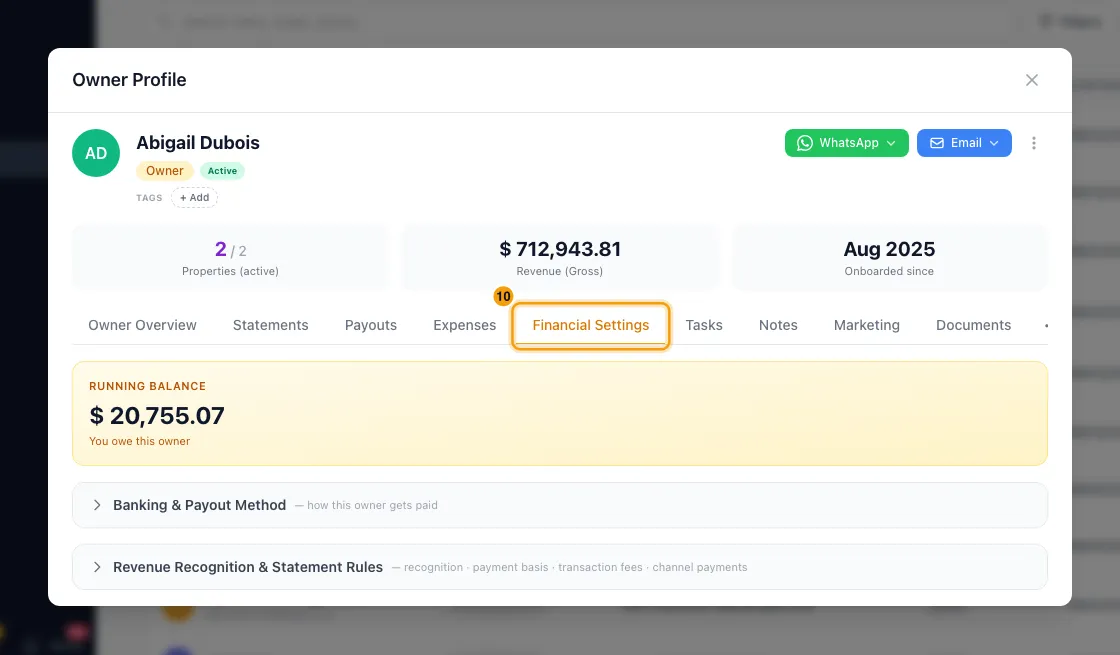
Expand Revenue Recognition & Statement Rules. Change any field from Use default to a value.
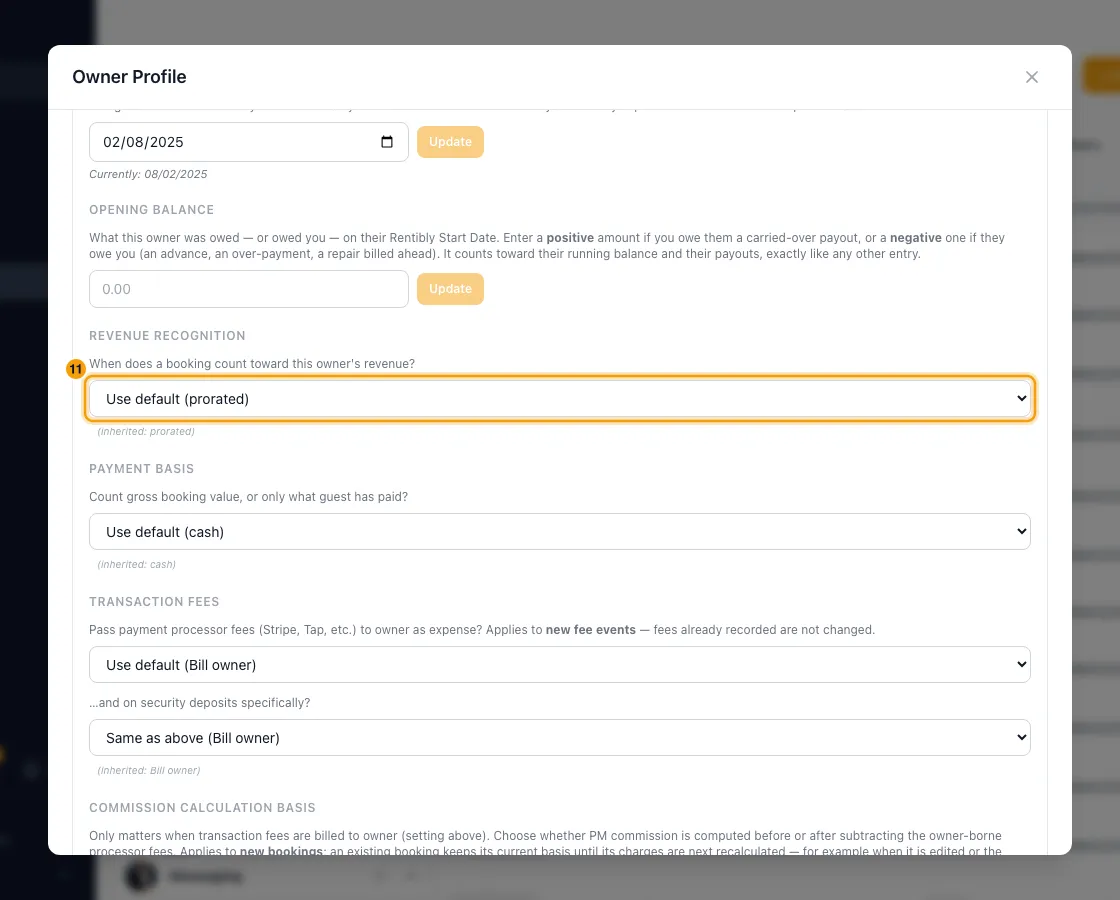
If you change Revenue Recognition, set Apply from — booking arrival date (today by default).
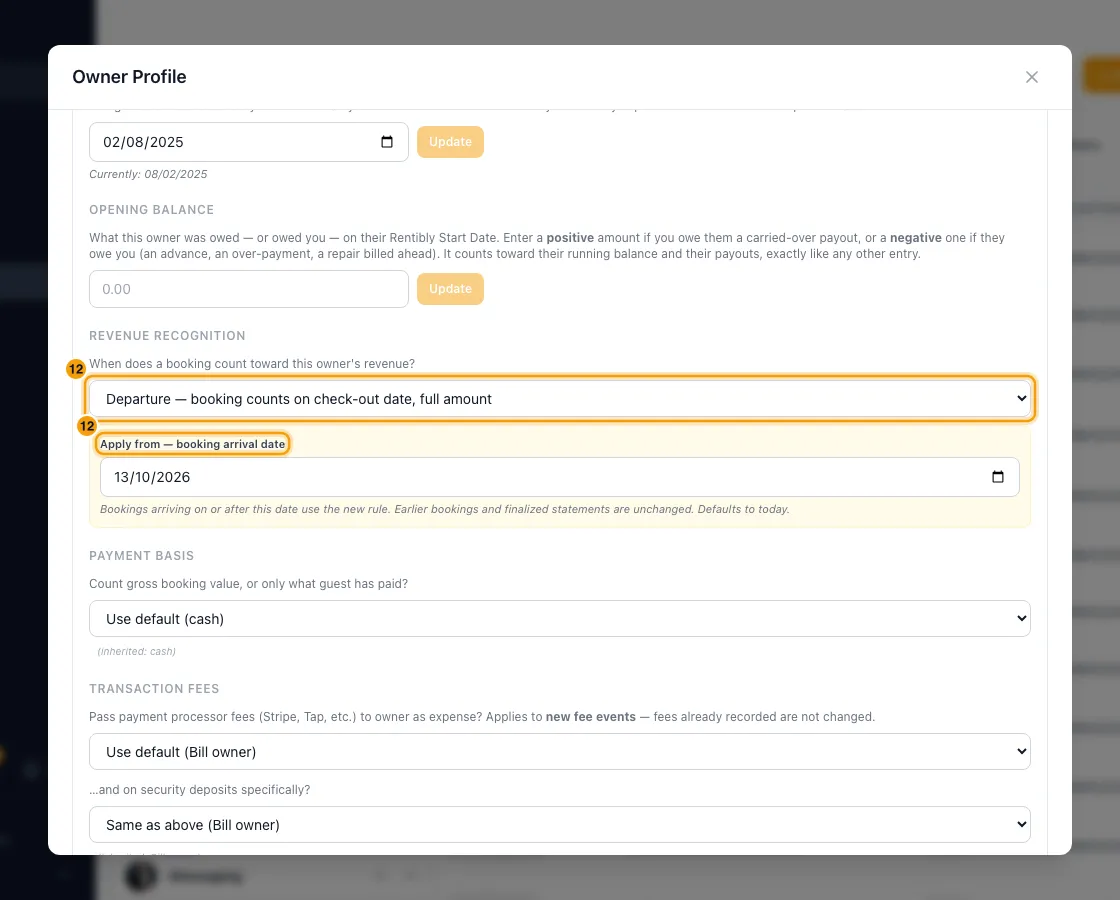
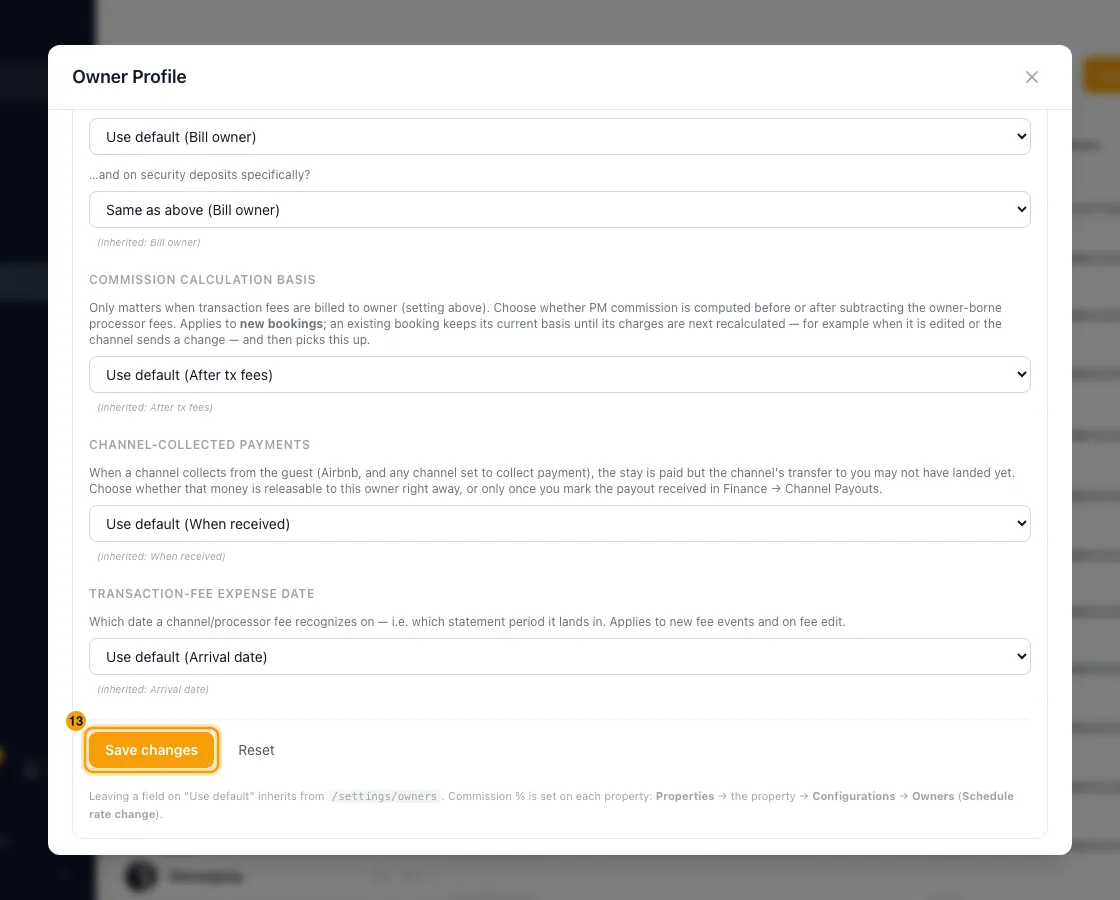
Click Save changes. For a recognition change, confirm with Apply change.
Good to know
- Defaults only reach owners who inherit them. A field on Use default follows this page; a field with its own value doesn't. Finalized statements never change.
- Revenue recognition changes are dated:
- On this page, the new default applies to bookings arriving from today. Inheriting owners' bookings that arrived earlier keep the old rule.
- For one owner, you choose the date in Apply from — booking arrival date. Commission for affected bookings is recalculated straight away.
- Payment basis changes apply from the next statement draft, including to bookings already in progress.
- Transaction fees settings and Auto-create transaction-fee expense apply to new fee events only. Fees already recorded don't change.
- Commission calculation basis applies to new bookings. An existing booking picks it up the next time its charges are recalculated, for example when it is edited or the channel sends a change. It only matters when fees are billed to the owner.
- Confirm high-impact changes appears when you change Revenue recognition, Payment basis, How you track it or When owners get paid.
- How you track it is for everyone. There is no per-owner setting for it. Record on the booking marks channel-collected payments as paid when the booking arrives. They still show in Finance → Channel Payouts, already marked Received, so there is nothing to tick off. It applies to new bookings only.
- Payout frequency is for your reference only. It does not schedule payouts or change statements. Automatic drafts are always monthly, whatever it says. The per-property Payout setting on a property's owner works the same way and has the same choices.
- Generate draft statements automatically creates a draft for every owner with an active property, dated the last day of the previous month. It runs on or after the day you set, and you still approve each statement. There is no per-owner setting for it.
- A single owner can override recognition, payment basis, transaction fees (and fees on deposits), commission calculation basis, Channel-Collected Payments (cash basis only) and transaction-fee expense date. Auto-create transaction-fee expense, payout frequency and the automatic drafts are only set here.
- Co-owners must match on transaction fees, fees on deposits and commission calculation basis. If you change one owner, Rentibly asks Apply to co-owners too? and applies it to everyone linked through shared properties.
- Commission % isn't a default. It is set for each owner on each property, under Configurations → Owners. There is no reserve setting.
- Permissions: this page needs the Settings permission. Changing one owner's Financial Settings needs edit access to Owners.
Rentibly AI can help
- Rentibly AI can't read or change owner defaults or an owner's financial settings yet. Change them on the pages above.
Still stuck?
Open Support from your profile menu in Rentibly, or email hello@rentibly.com — we answer fast.