Import past owner statements from your previous system
Updated 13 October 2026
Record statements an owner got from your previous system, so their balance and statement history are complete in Rentibly. You type each statement's totals. You can also attach its PDF.
Steps
Go to Settings → Owners → Import Statements.
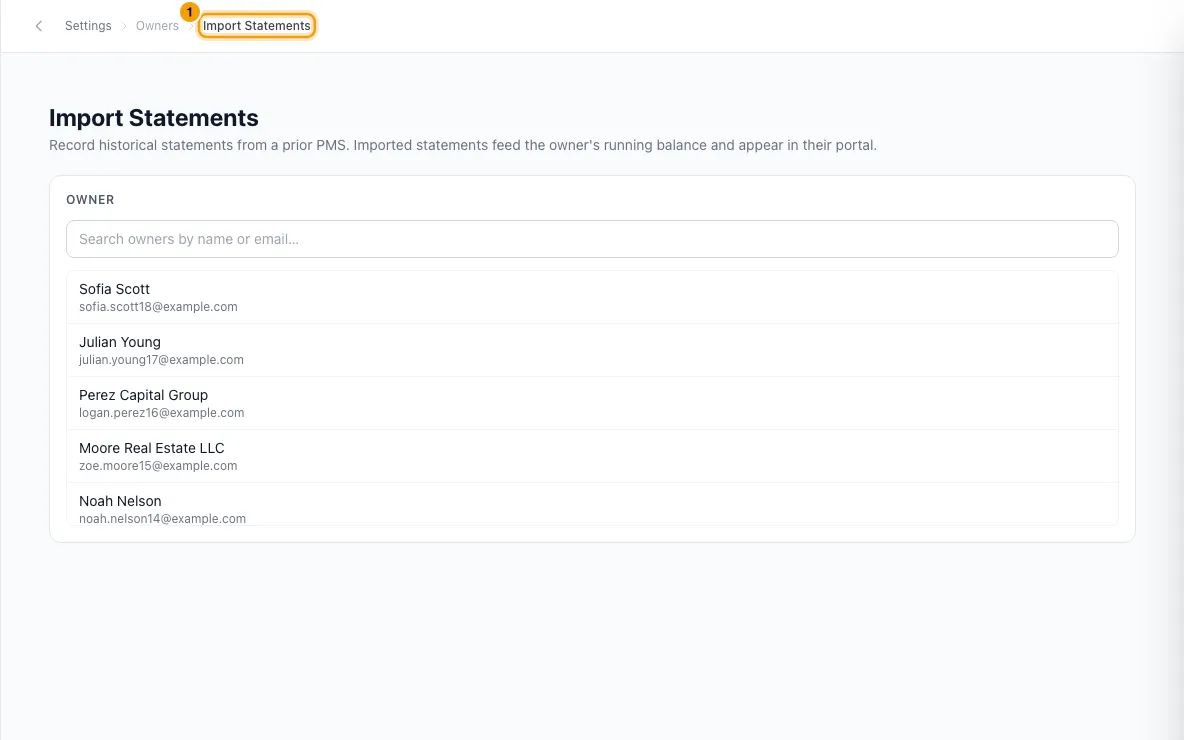
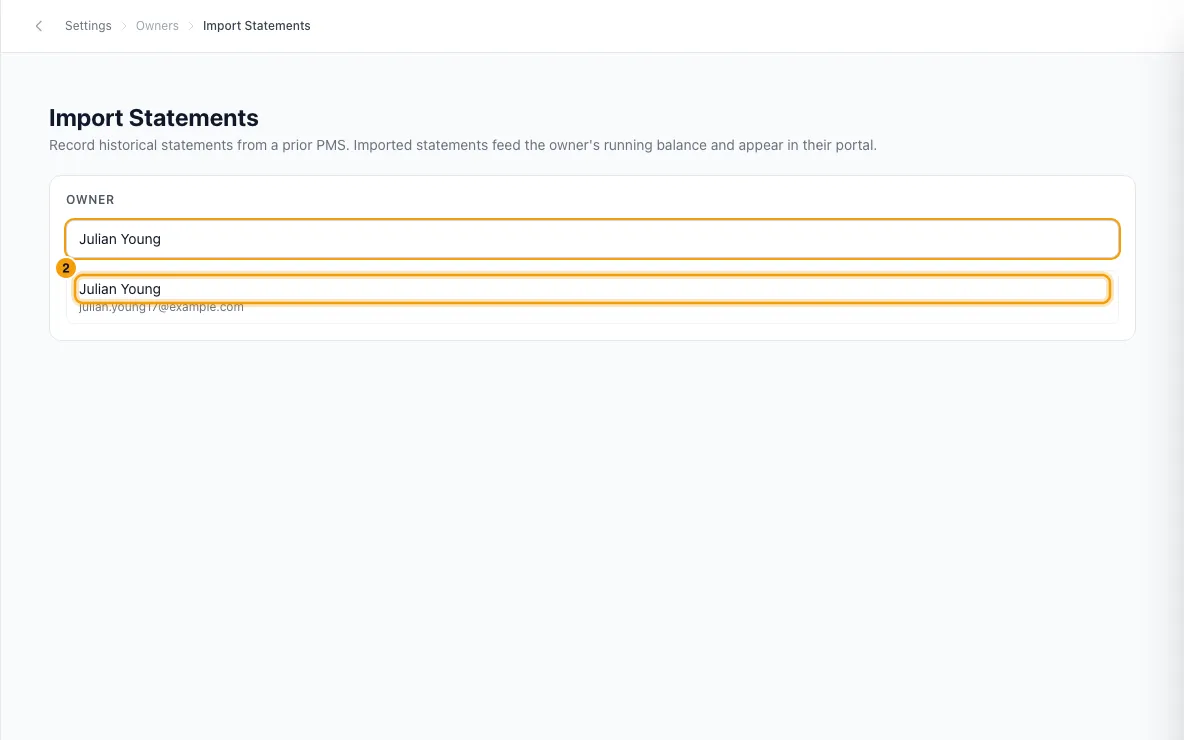
Under Owner, search by name or email and click the owner.
Check their Rentibly Start Date. To change it, click Edit, pick the date and click Save.
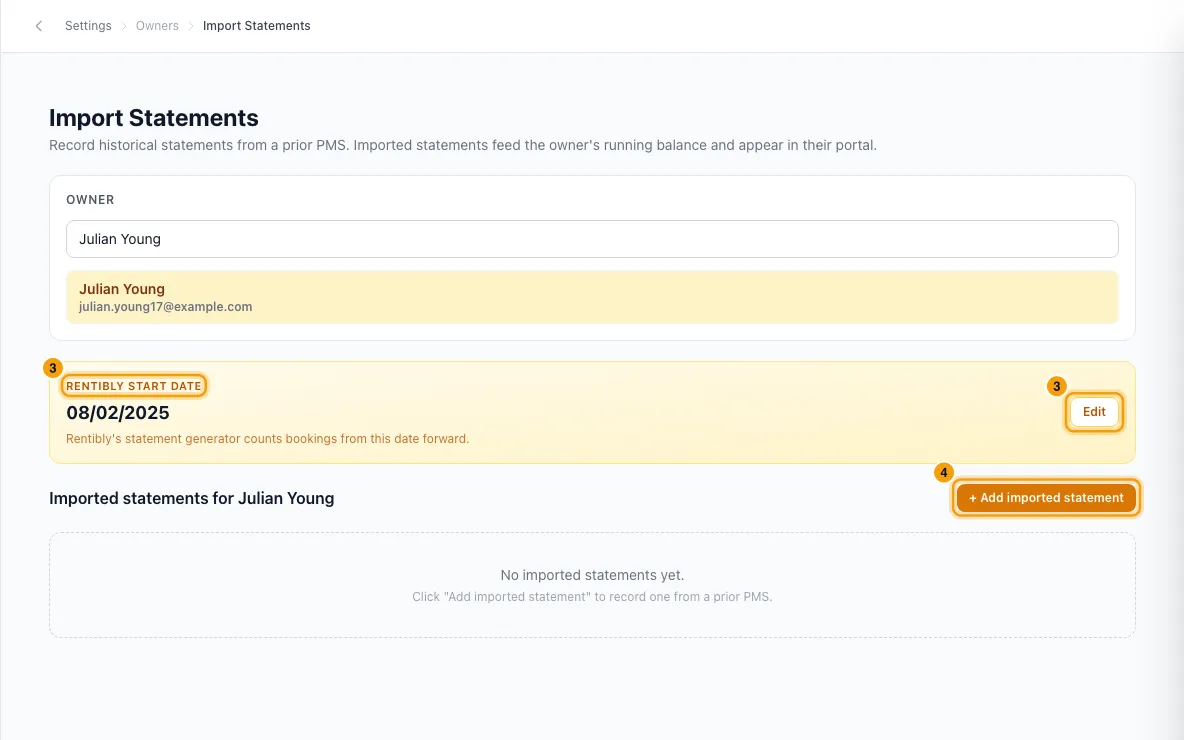
Click + Add imported statement.
Enter the Period start and Period end.
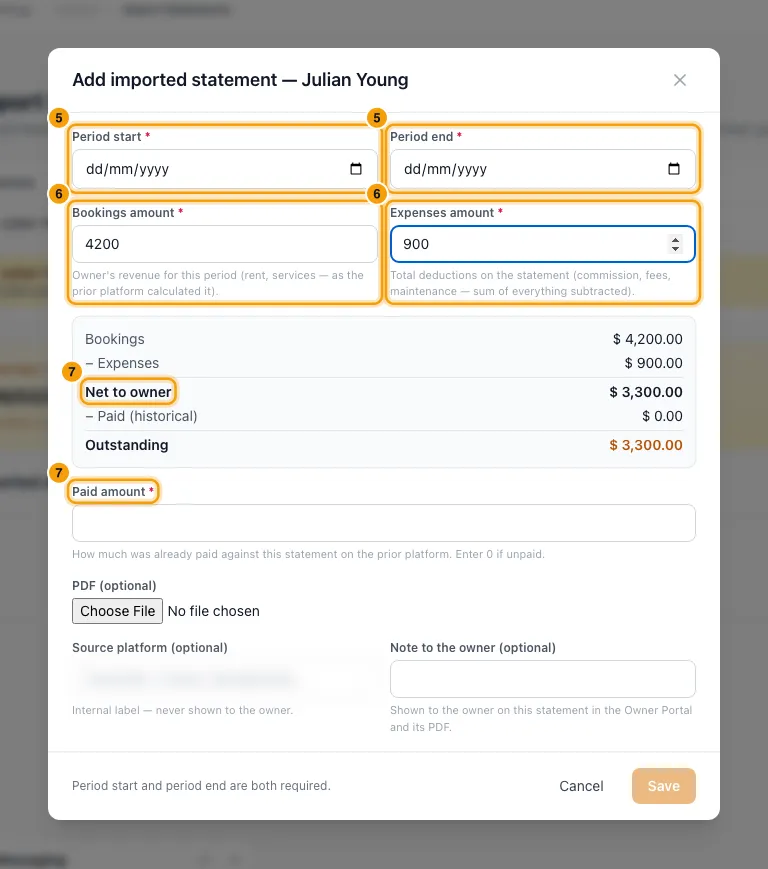
Enter the Bookings amount (the owner's revenue, as the old system worked it out) and the Expenses amount (everything taken off: commission, fees, maintenance).
Enter the Paid amount: what the old system already paid on this statement. Enter 0 if it was unpaid. The summary shows Net to owner and Outstanding.
Optional: under Bookings in this period, tick a booking only if the old system already paid the owner for it. Enter its Owner amount and Paid.
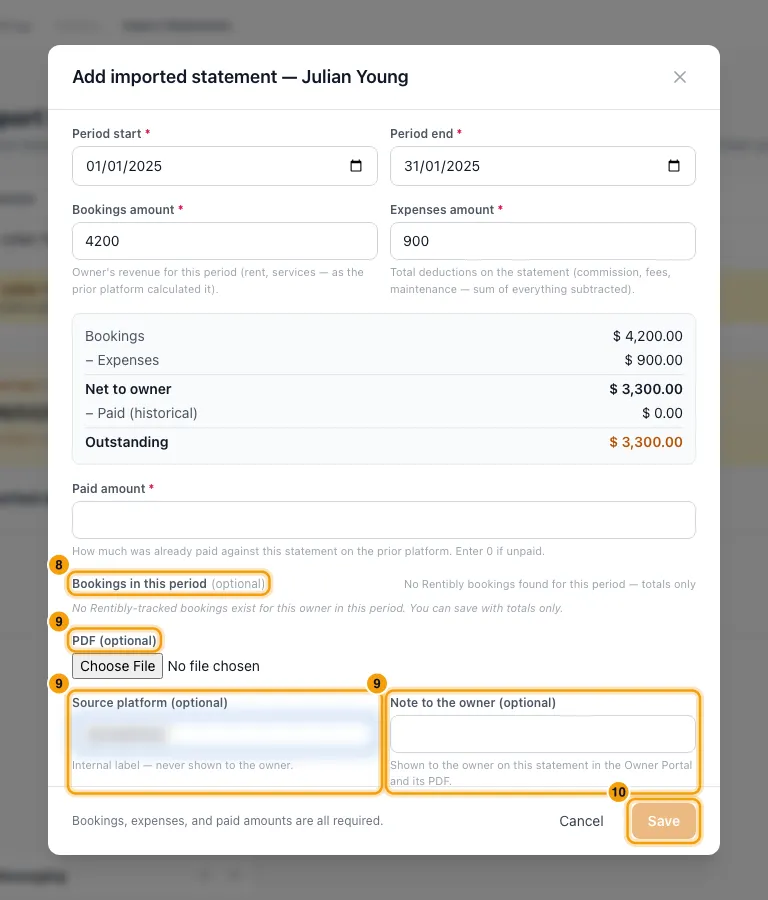
Optional: attach the statement's PDF (optional), and fill in Source platform (optional) and Note to the owner (optional).
Click Save.
If Rentibly asks Update Rentibly Start Date?, read it, then click Update to accept the date it suggests, or Skip. The message names the date commission is recalculated from.
To change a statement later, click ⋮ on its row and choose Edit, then Save changes. The same menu has Download PDF and Delete.
Good to know
- What it does to the balance: Net to owner is Bookings amount minus Expenses amount. Outstanding is net minus Paid amount. Outstanding is added to the owner's balance, dated the period end. If something is still owed, it appears in Record payout like any other statement.
- It is finalized and released straight away. It shows in the owner's portal, and on Finance → Owner Statements with an Imported tag. Clicking it there opens the PDF, if one is attached. It can't be approved, released or notified about, and it has no line-by-line detail. Like an approved statement, it keeps the Statement View in force when you saved it.
- The Rentibly Start Date is the day Rentibly starts counting this owner's bookings. Bookings before it are left out of Rentibly statements, because your imported statements cover them.
- After you save, Rentibly suggests the day after your latest imported statement ends. It only changes the date if you click Update.
- Changing the date also recalculates commission for every booking checking in from the earlier of the old and new dates, on all of this owner's properties. That includes properties they co-own, so their co-owners' commission on those properties is recalculated too. The Update Rentibly Start Date? message says so.
- Ticking a booking removes it from every future Rentibly statement. That's right only if the old system paid the whole stay. A stay that runs past the period end gets a warning: if the old system only paid some of its nights, leave it unticked. Otherwise Rentibly will never pay the rest. Leaving bookings unticked is fine: the Rentibly Start Date already keeps earlier bookings out.
- Only real bookings are listed: stays that overlap the period, on this owner's properties, and not cancelled or no-shows. A booking already on another imported statement shows Already on … prior statement.
- One statement per owner per date. If the owner already has a statement (imported or made in Rentibly) whose period ends on the same date, saving is refused and the message names that statement. The same applies when you edit an imported statement's end date onto a date that's taken.
- Editing: saving replaces the whole statement, including which bookings are ticked. If Rentibly payouts were already applied to it, a warning lists them. The payouts are not changed, but the owner's outstanding balance moves.
- Deleting removes the statement and what it added to the owner's balance. It can't be undone. Imported statements can only be deleted here, one at a time.
- Source platform is never shown to the owner. Note to the owner is shown to the owner: it appears under Note when they open this statement in the Owner Portal, and on its PDF.
- The PDF must be a PDF file. It is saved to the owner's contact.
- The owner list shows up to 50 owners at a time, so search to find others.
- Permissions: you need Settings access to open this page. Saving, editing, deleting and changing the start date need Edit on Owners. Loading an imported statement needs View on Owners. Create and send owner statements does not cover imported statements.
Rentibly AI can help
- It can list an owner's statements, including imported ones.
- It can't add, edit or delete imported statements, or change the Rentibly Start Date.
Still stuck?
Open Support from your profile menu in Rentibly, or email hello@rentibly.com — we answer fast.