See who's available and set your status in Connect
Updated 12 October 2026
In Rentibly Connect, the dot on a teammate's photo shows whether they are around, away, busy or on a call. You can add your own status and turn on Do not disturb.
Steps
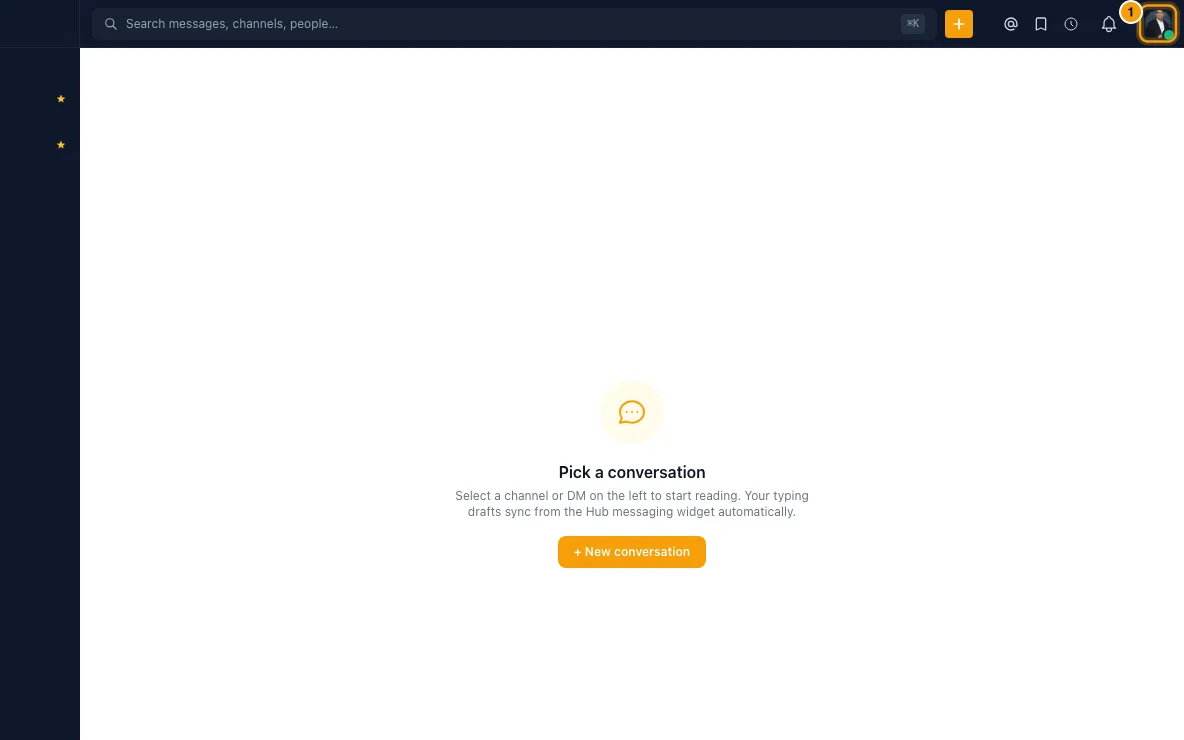
In Connect on the web, click your photo at the top right (Set status). The Set a status card opens.
Pick a preset (Remote, Out sick, In a meeting, Lunch, On vacation, On the road), or type an emoji and What's your status? yourself.
Choose when it disappears under Clear status after (from 30 minutes to This week (Friday EOD), or Don't clear).
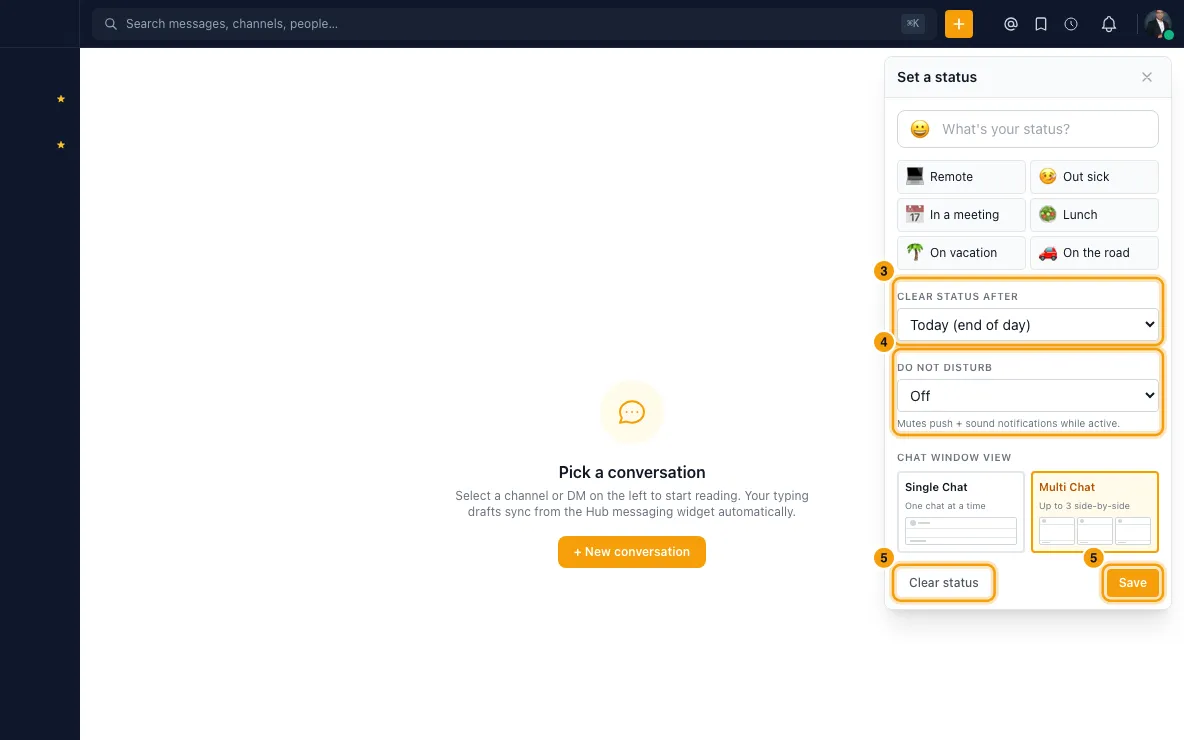
To mute notifications, choose a length under Do not disturb. Tick Let @mentions ring through if mentions should still reach you.
Click Save. Click Clear status to remove your custom status.
In the phone app: tap your photo at the top of the chat list to open your profile, then tap the smiley button next to your name (Set a status). The same card opens, with Clear after, Do not disturb and Allow @mentions to ring through. Tap Save, or Clear status to remove it.
What the dots mean
- Red — In a call: they are in a Connect call or meeting right now. This shows for the whole call, whichever app they joined from, and wins over every other colour.
- Green — Online: active in the last few minutes.
- Amber — Away: no activity for about 5 minutes (for example, the app is in the background or the tab is hidden).
- Purple — Do not disturb: they turned it on. It stays until the time they chose.
- Grey — Offline: no activity for about 30 minutes. Hover or open their profile to see when they were last seen.
Good to know
- Online, Away and Offline are automatic. There is no manual "Away" or "Busy" option; use a custom status or Do not disturb.
- When you're already on Do not disturb, Do not disturb starts on Keep current (web and app), so saving a new status doesn't switch it off or change when it ends.
- Dots refresh by themselves: when you come back to the app or tab, after a lost connection, and every couple of minutes. A dot can't stay green for someone who has gone quiet.
- "In a call" comes from the call itself, so it appears and clears within seconds of someone joining or leaving.
- You see the status of people in your own workspace. People outside it show as offline to you, and you to them, unless their Connect profile allows others to see when they are online.
- The phone apps show the same colours.
Still stuck?
Open Support from your profile menu in Rentibly, or email hello@rentibly.com — we answer fast.