Create and manage roles and permissions
Updated 13 October 2026
A role is a job description: everyone on it can do the same things. Create roles for the jobs in your team, choose what each one can open, then give each person a role.
Steps
Click your name at the bottom of the sidebar, then Settings. Under Users & Access, open Roles & Permissions.
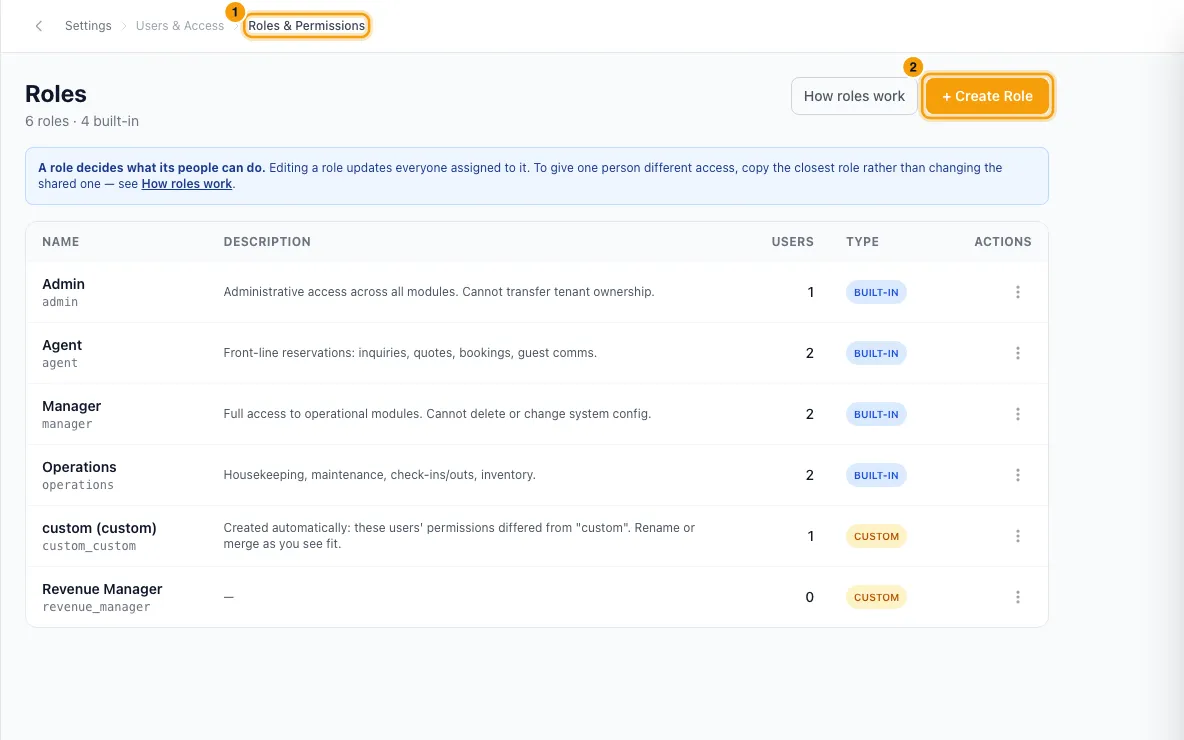
Click + Create Role.
Type a Name: lowercase letters, numbers and underscores, 2–50 characters (for example sales_lead). Then type a Display name, which is what people see. Add a Description if you like.
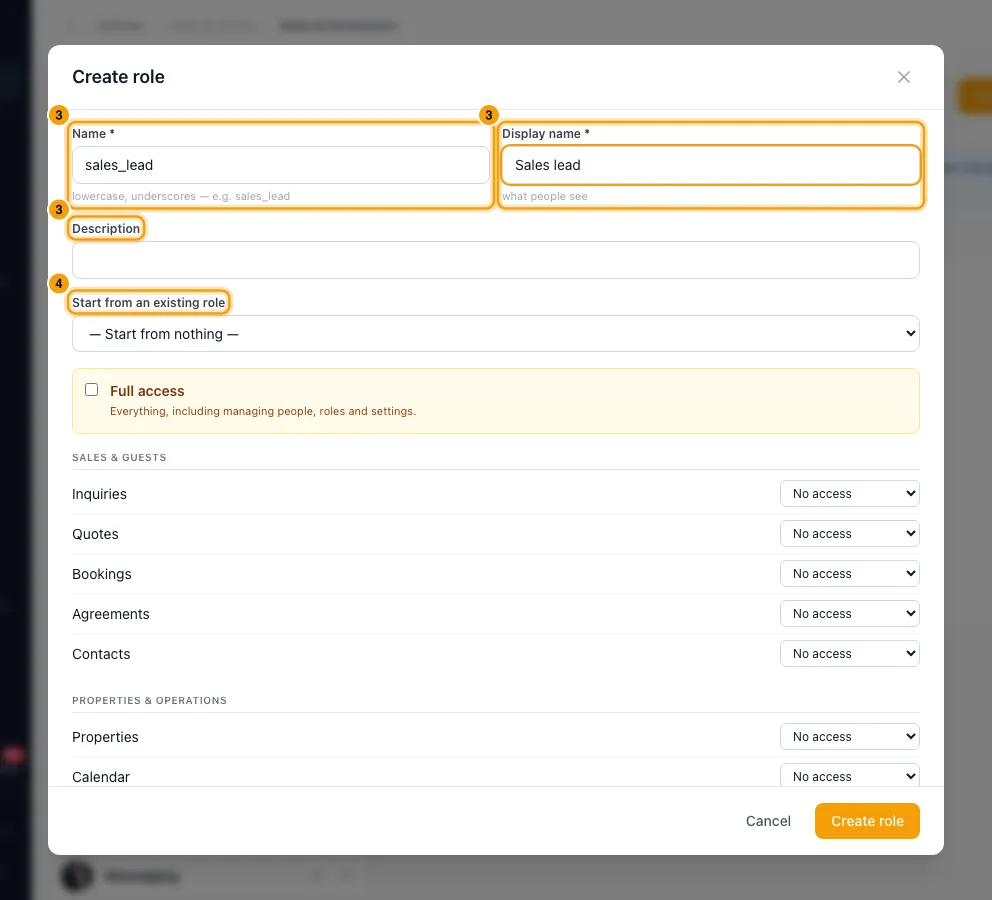
To copy an existing role's settings, choose it under Start from an existing role.
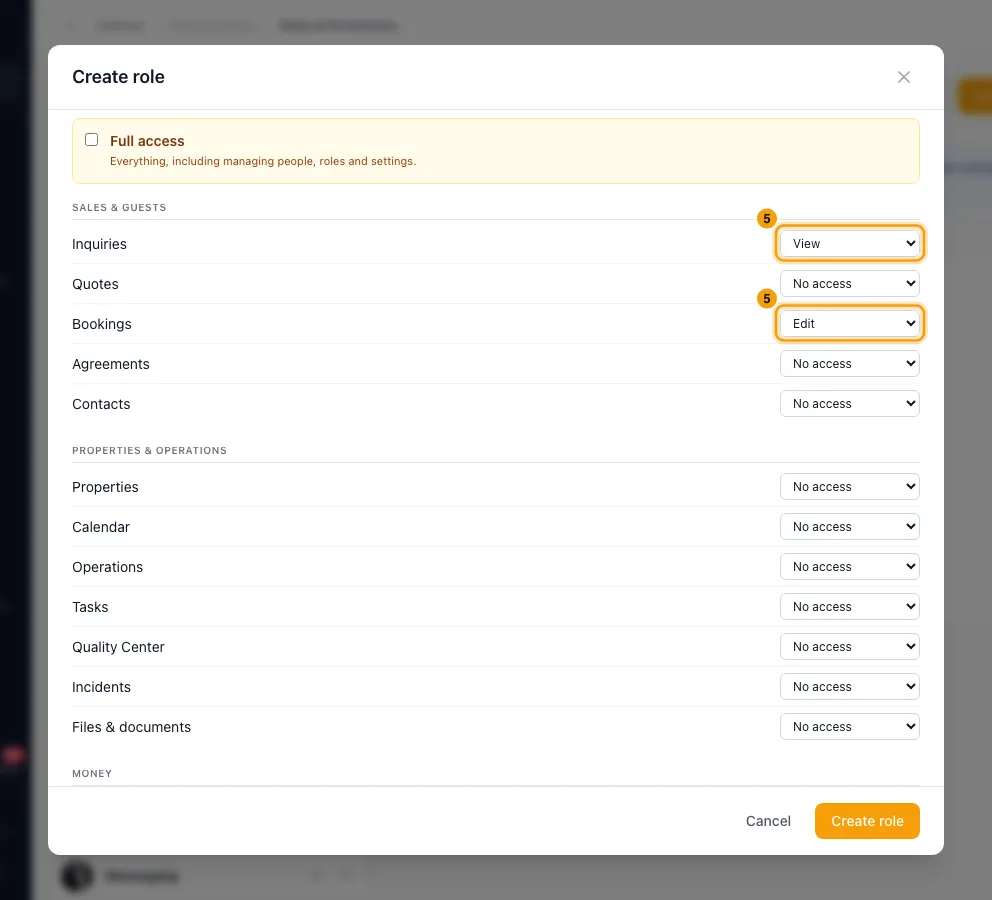
For each area, choose No access, View or Edit. Inbox and Settings have a single Access tick box instead.
Under Extra permissions, tick anything this role should also have.
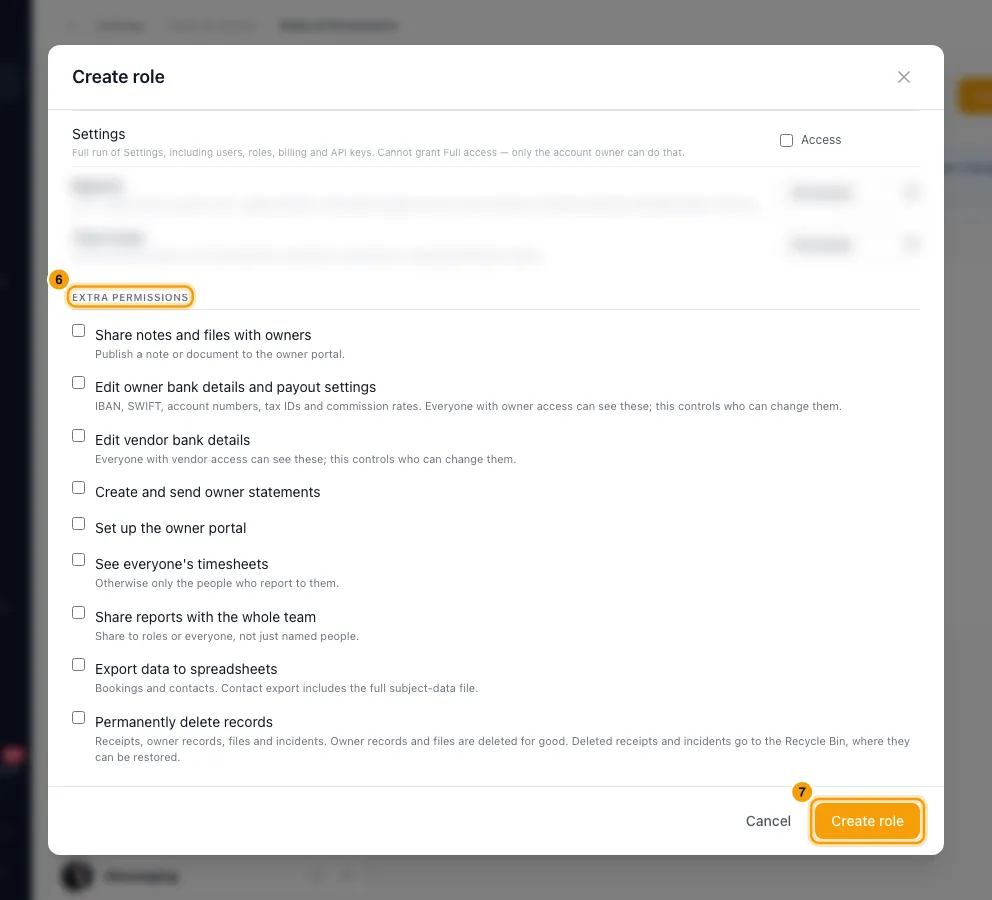
Click Create role.
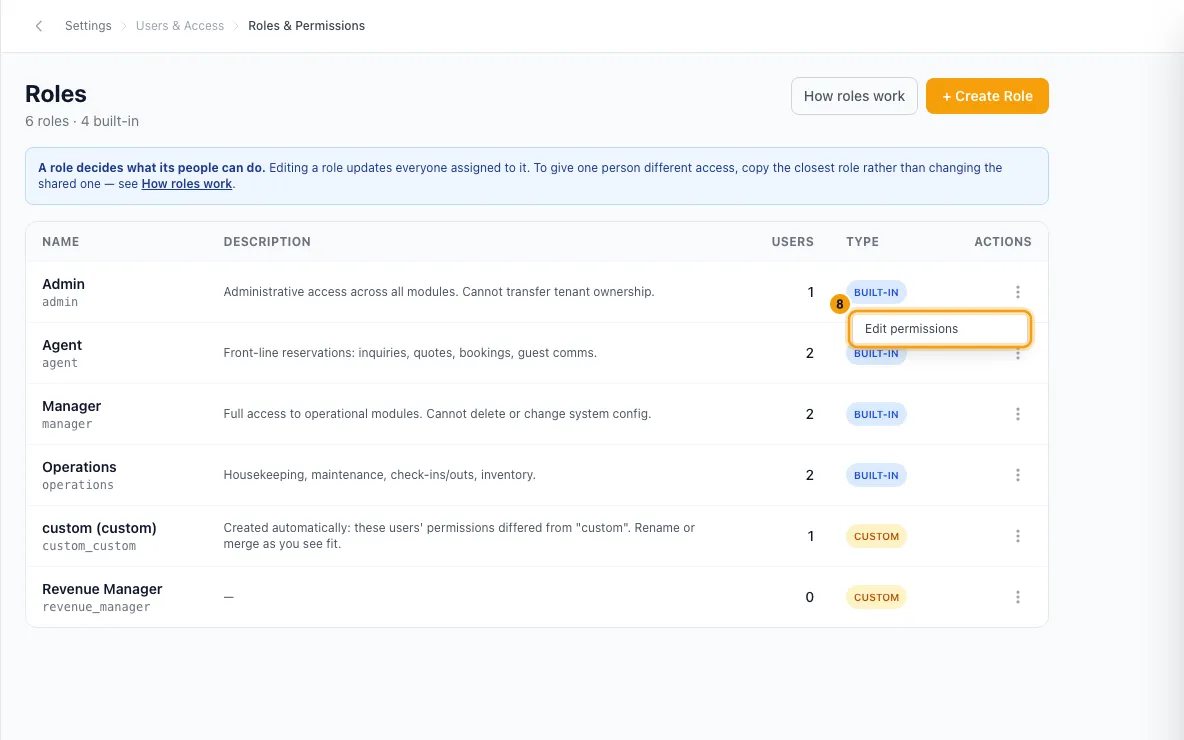
To change a role later, open the menu on its row and choose Edit permissions. Make your changes and click Save.
Give people the role under Settings → Users. See Add a team member and set their role.
Good to know
- The areas, in the order the window shows them:
- Sales & guests: Inquiries, Quotes, Bookings, Agreements, Contacts.
- Properties & operations: Properties, Calendar, Operations, Tasks, Quality Center, Incidents, Files & documents.
- Money: Finance, Owners, Vendors, Receipts.
- Communication: Inbox, Marketing.
- Administration: Settings, Reports.
- What the levels mean:
- No access: they don't see the area at all. It disappears from their menu.
- View: they can open and read it, but not add, change or remove anything.
- Edit: they can add, change and remove. Removed records go to the Recycle Bin, where you have 30 days to restore them.
- Edit never includes these deletes. Bookings can't be deleted at all; they are cancelled. Receipts, owner records, files and incidents can only be deleted with the extra permission Permanently delete records.
- Inbox Access means reading and replying. There is no read-only Inbox.
- Settings Access opens all of Settings, including users, roles, teams, billing and API keys. It can't give anyone Full access.
- Reports: View opens and runs reports — without it Reports is not in the menu, and Rentibly AI won't run reports, export records to a CSV, save a report or build a business review for them; Edit also lets them build their own in Report Builder.
- Extra permissions are only granted when ticked, whatever the rest of the role says:
- Share notes and files with owners: publish a note or document to the owner portal.
- Edit owner bank details and payout settings: IBAN, SWIFT, account numbers, tax IDs and commission rates. Everyone with owner access can see these.
- Edit vendor bank details.
- Create and send owner statements: generate, approve, release and send owner statements without Edit on Owners. The role still needs View on Owners to open them. Importing past statements still needs Edit on Owners.
- Set up the owner portal: also needed to turn on an owner's portal access from a contact, or by importing contacts or vendors from a CSV file.
- See everyone's timesheets.
- Share reports with the whole team: share to roles, teams or everyone, not just named people.
- Export data to spreadsheets: bookings and contacts (vendors too, from Settings → Import / Export, because a vendor is a contact).
- Permanently delete records: receipts, owner records, files and incidents. Owner records and files can't be restored. Deleted receipts and incidents go to the Recycle Bin and can be restored from there.
- Full access (the box at the top) lets a role do everything and overrides every setting below it. Only the account owner can give it or take it away. That includes copying a role that has it, and moving someone onto such a role. The account owner always has full access, whatever their role.
- Editing a role updates everyone on it. The change reaches them on their next page load; they don't need to sign out.
- Built-in roles (marked BUILT-IN) can't be deleted, but you can change what they allow. Your own roles are marked CUSTOM.
- A role's Name can't be changed after it is created. Its Display name and Description can.
- You can't delete a role while people are on it. Move them to another role first.
- If a save says some settings "no longer applied and were tidied up", Rentibly removed old settings that no longer control anything. Nothing you can use was taken away.
- One person, different access: the simplest way is to copy the closest role with Start from an existing role, change it, and give that person the new role.
- Edit Permissions on a person (Users page, row menu) works differently from a role:
- The window shows what the person can do today: their role, plus anything already set just for them.
- Change any area and click Save Permissions. Only the areas you changed are kept for that person; every other area keeps following their role, so later edits to the role still reach them.
- Setting an area to No access takes it away from that person, even if their role gives it.
- Ticking an extra permission keeps their level for that area. For example, ticking Set up the owner portal adds it on top of their Owners level.
- Apply Role Template fills the window with a role's settings. Choosing their own role and saving clears everything set just for them, so they follow the role again.
- Full access can be added to one person by the account owner, but not taken away if their role gives it. Change their role instead.
- People with areas set differently from their role show a Custom badge on the Users list; hover it to see how many. Changes reach them straight away.
- The Dashboard and Rentibly Connect have no permission of their own. Everyone can open them; what they show depends on the person's other access. Which dashboards each role can open is set separately: see Choose dashboards for each role, revenue recognition and occupancy.
- Click How roles work on the page for the same explanations.
- You need Access on Settings in your role to manage roles.
Rentibly AI can help
- It can list your roles, who holds each and what each can open.
- It can move a person to another role. Creating or editing roles, and per-person permissions, can only be done on these pages.
Still stuck?
Open Support from your profile menu in Rentibly, or email hello@rentibly.com — we answer fast.