See WhatsApp analytics and what you spend
Updated 13 October 2026
WhatsApp Analytics shows how many WhatsApp messages you sent and received, how they were delivered, and what they cost, across all your numbers or for one.
Steps
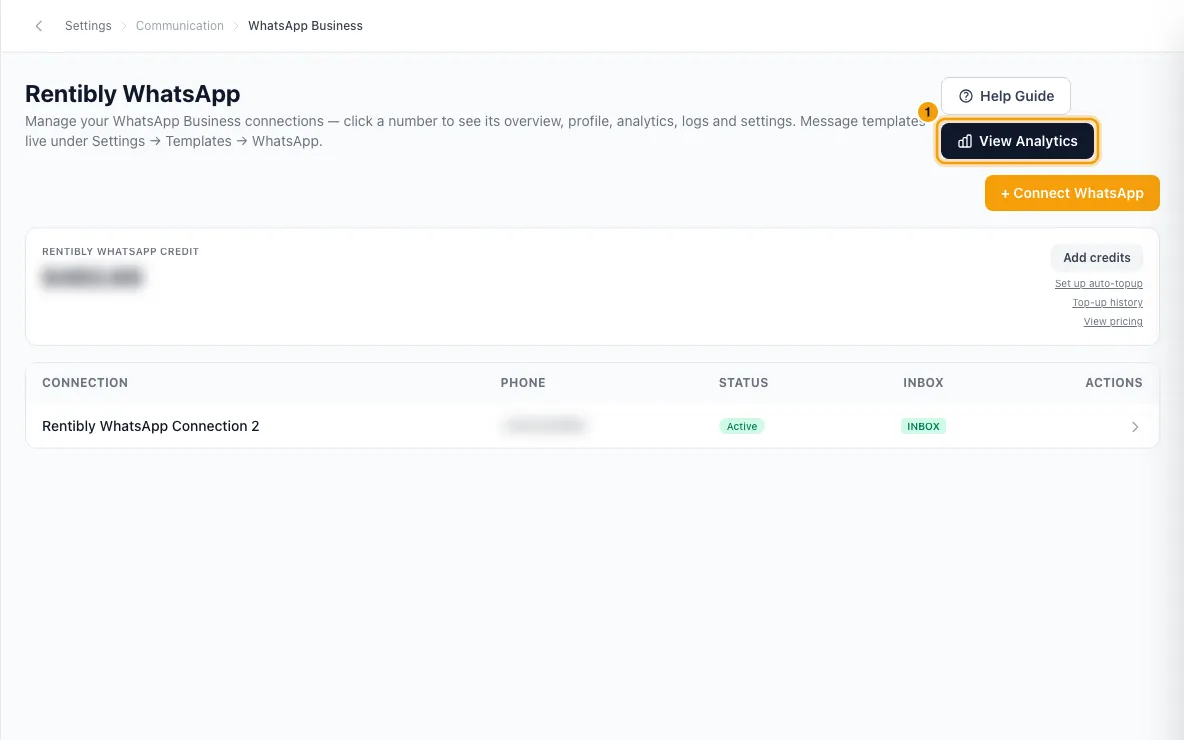
Click your name at the bottom of the sidebar, then Settings. Under Communication, open WhatsApp Business and click View Analytics.
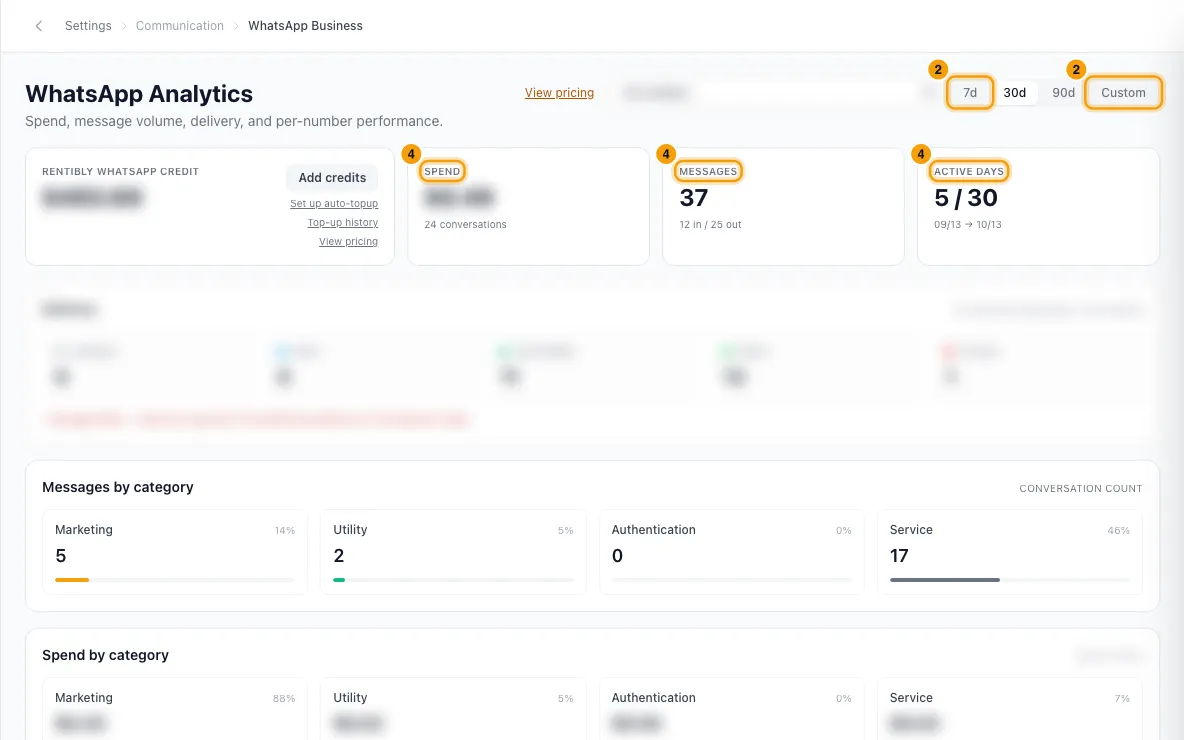
Pick the period: 7d, 30d, 90d, or Custom with your own dates.
To look at one number, pick it in the All numbers list, or click Drill in next to it under By WhatsApp number.
Read the cards: Spend (with the number of conversations), Messages (in and out) and Active days.
Under Delivery, see how many outbound messages are Queued, Sent, Delivered, Read and Failed. The charts below split messages and spend by category and by day.
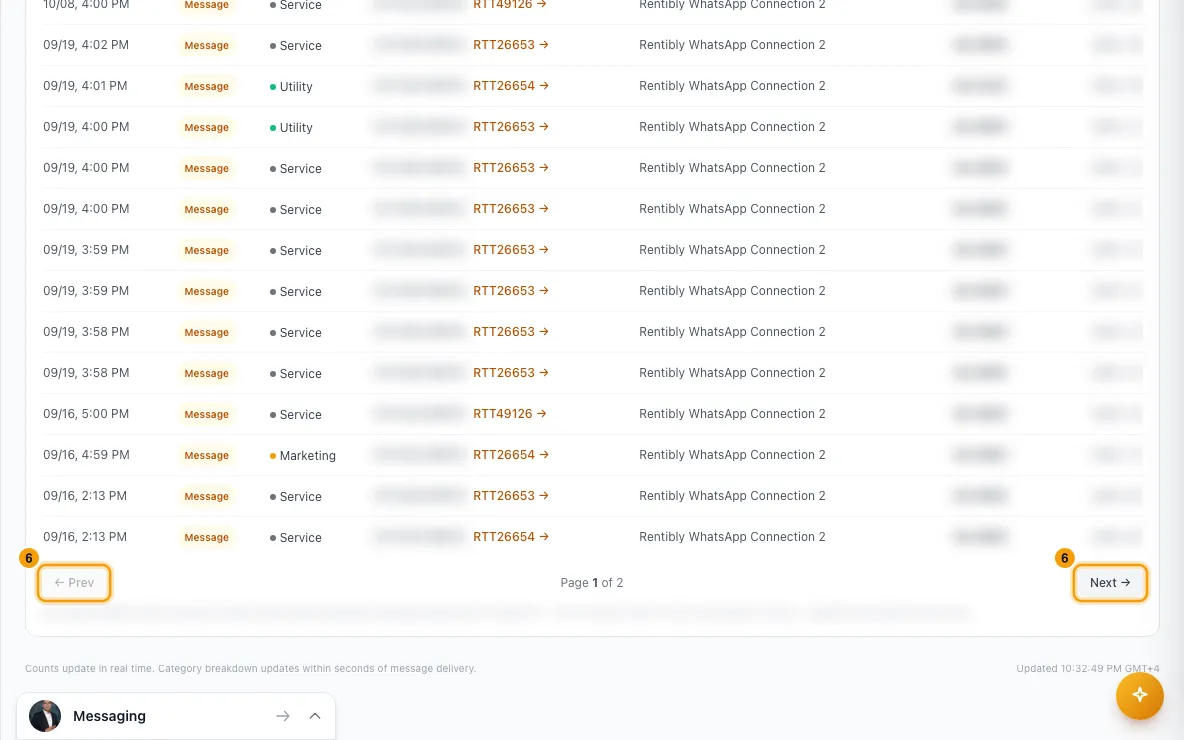
Under Activity, see every charge, top-up, refund and adjustment, with its Amount and Balance after. Click a conversation reference to open it in the Inbox. Use Next → and ← Prev to page through.
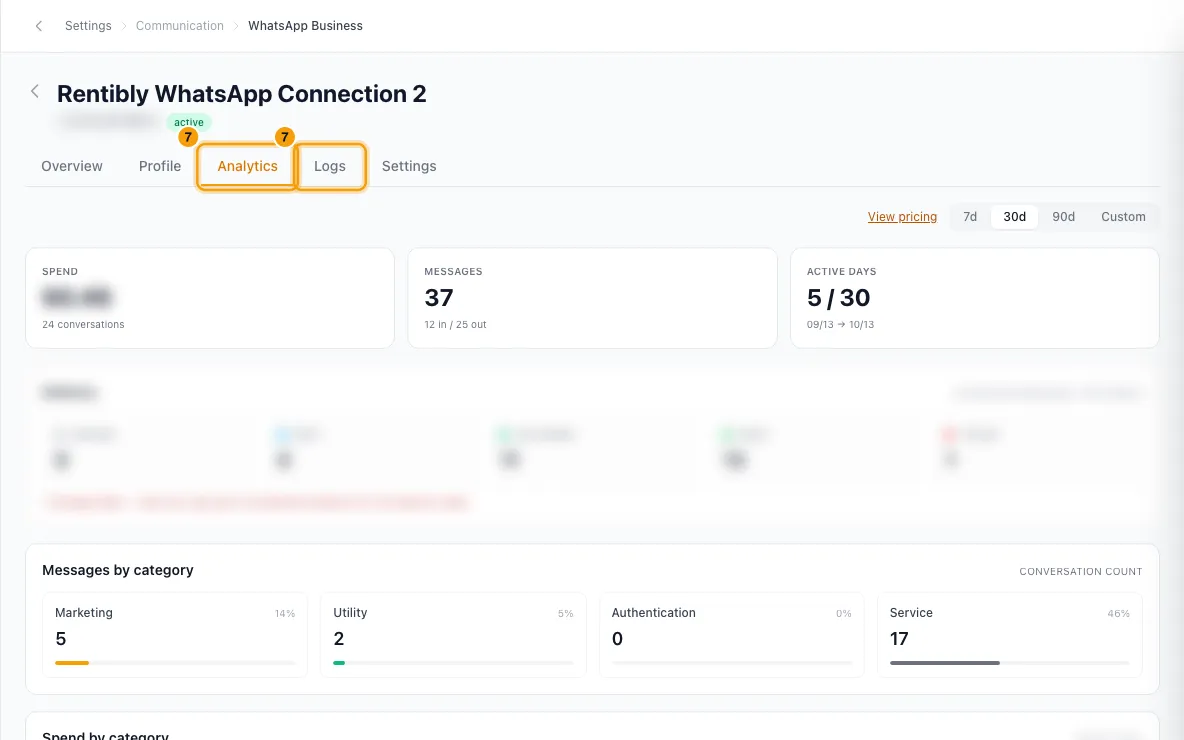
For one number's own figures and message log, go back to WhatsApp Business, click the number, and open its Analytics or Logs tab.
Good to know
- Categories follow Meta's pricing: Marketing, Utility, Authentication and Service.
- Charges appear within seconds of Meta confirming a message. Messages Meta doesn't charge for, such as each number's first 1,000 replies a month, appear at the platform price only.
- Activity amounts show four decimal places, because some charges are a fraction of a cent.
- Activity keeps the full history. Choose Custom with an early start date to see older entries.
- When All numbers is selected, the page also shows your Rentibly WhatsApp credit card. See Top up WhatsApp credit.
- View pricing opens the price list and a Cost calculator.
- The page is in Settings, so you need the Settings permission set to Access to open it.
Rentibly AI can help
- Rentibly AI can't read WhatsApp analytics or spend yet. It can explain this page.
Still stuck?
Open Support from your profile menu in Rentibly, or email hello@rentibly.com — we answer fast.