Set up expense categories
Updated 13 October 2026
Categories say what an expense is for. They are the list you pick from when you log an expense. Rentibly comes with built-in categories, and you can add your own.
Steps
Go to Settings → Owners → Expense Categories.
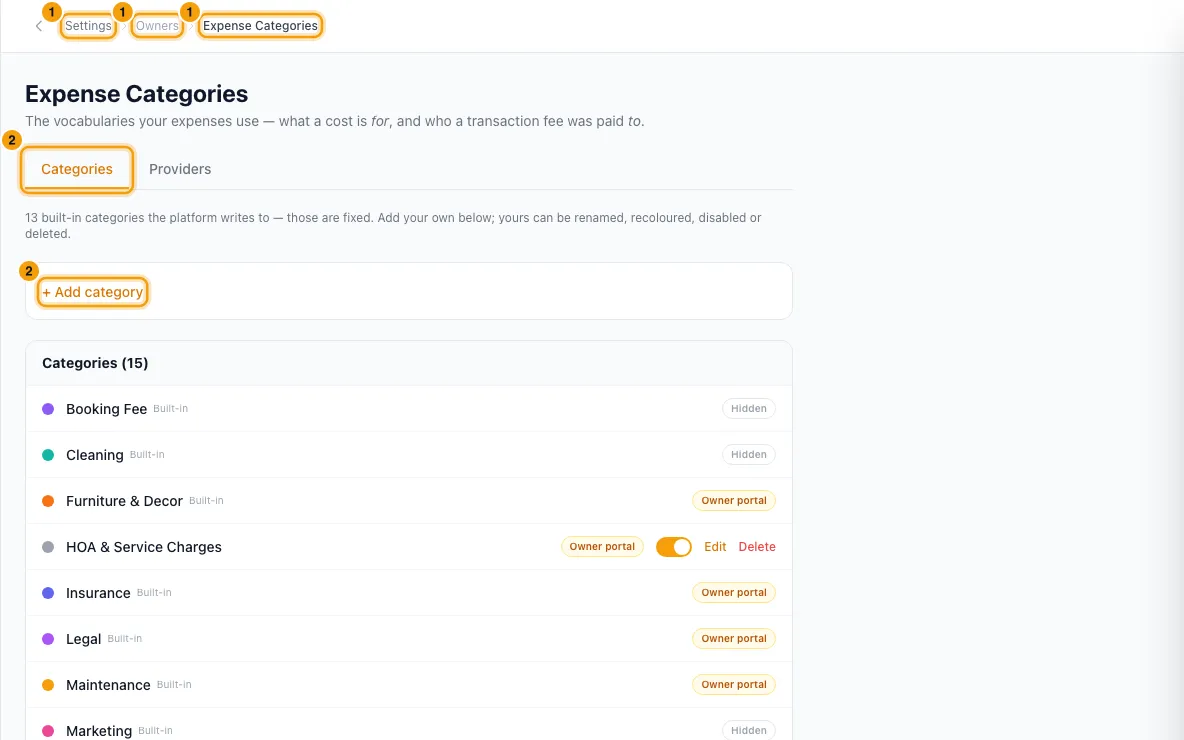
On the Categories tab, click + Add category.
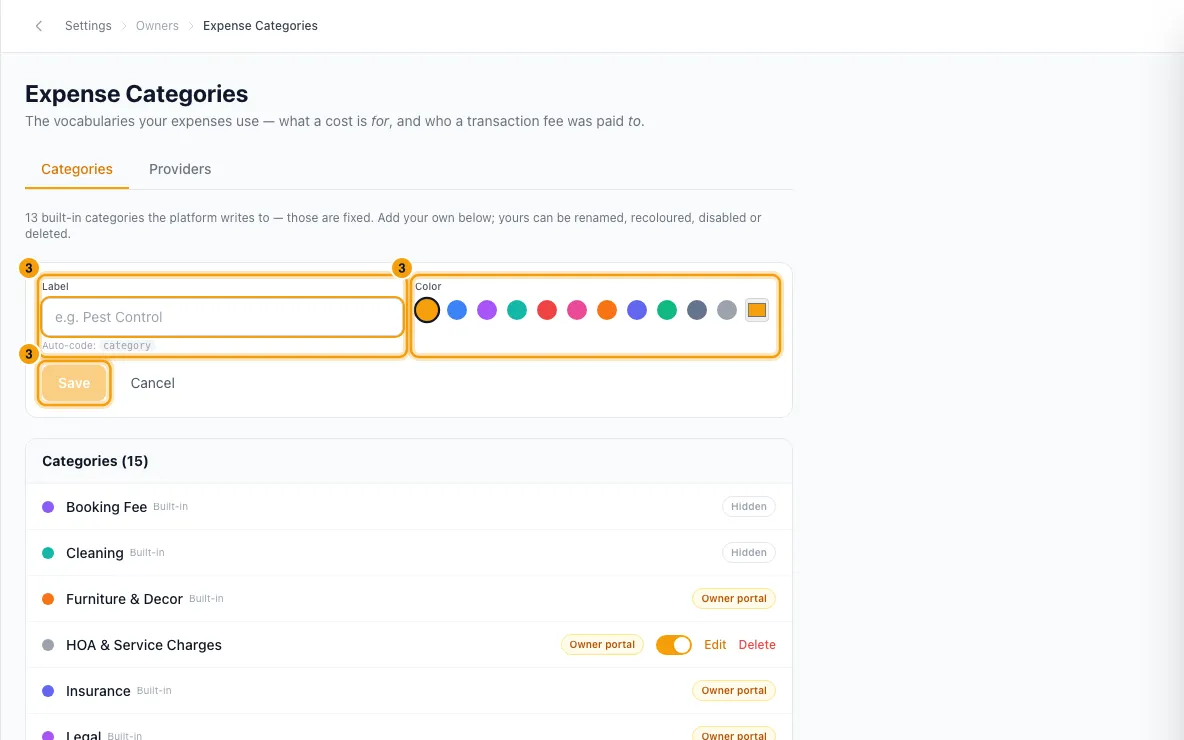
Type a Label (for example, Pest Control), pick a Color and click Save.
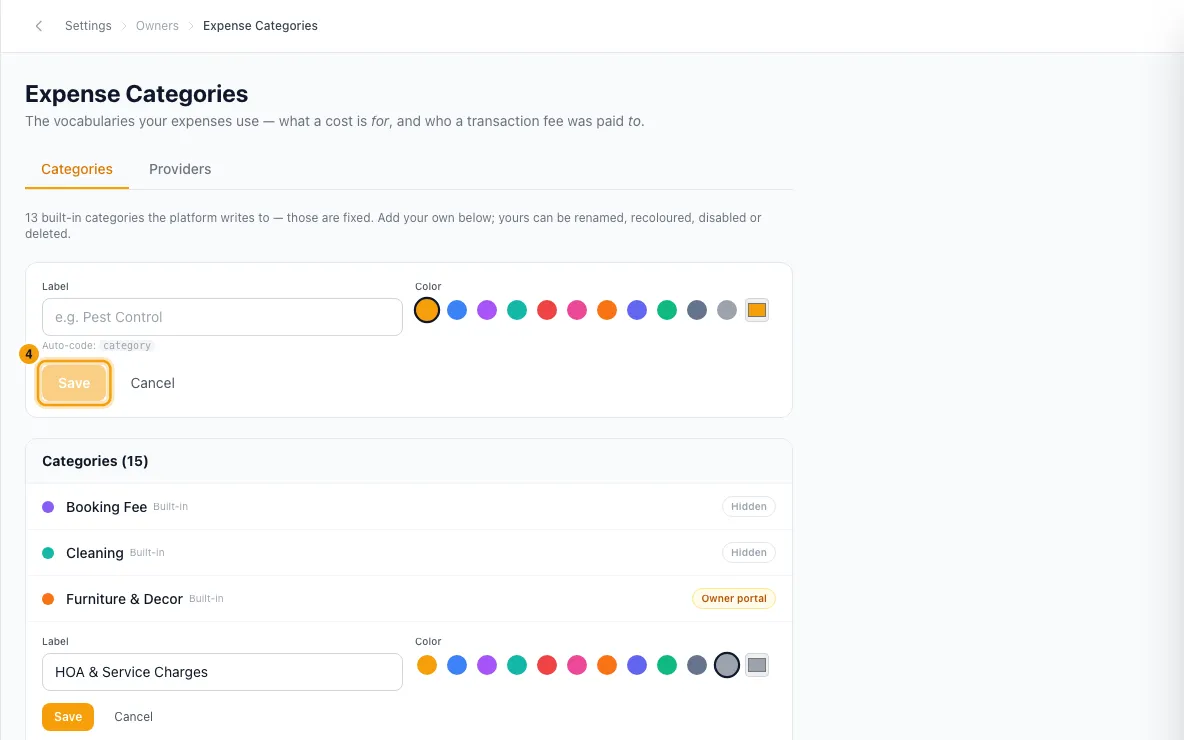
To change a category you added, click Edit, change the Label or Color, and click Save.
To stop using one of your categories, turn off its switch. It shows Disabled. To remove it, click Delete and confirm.
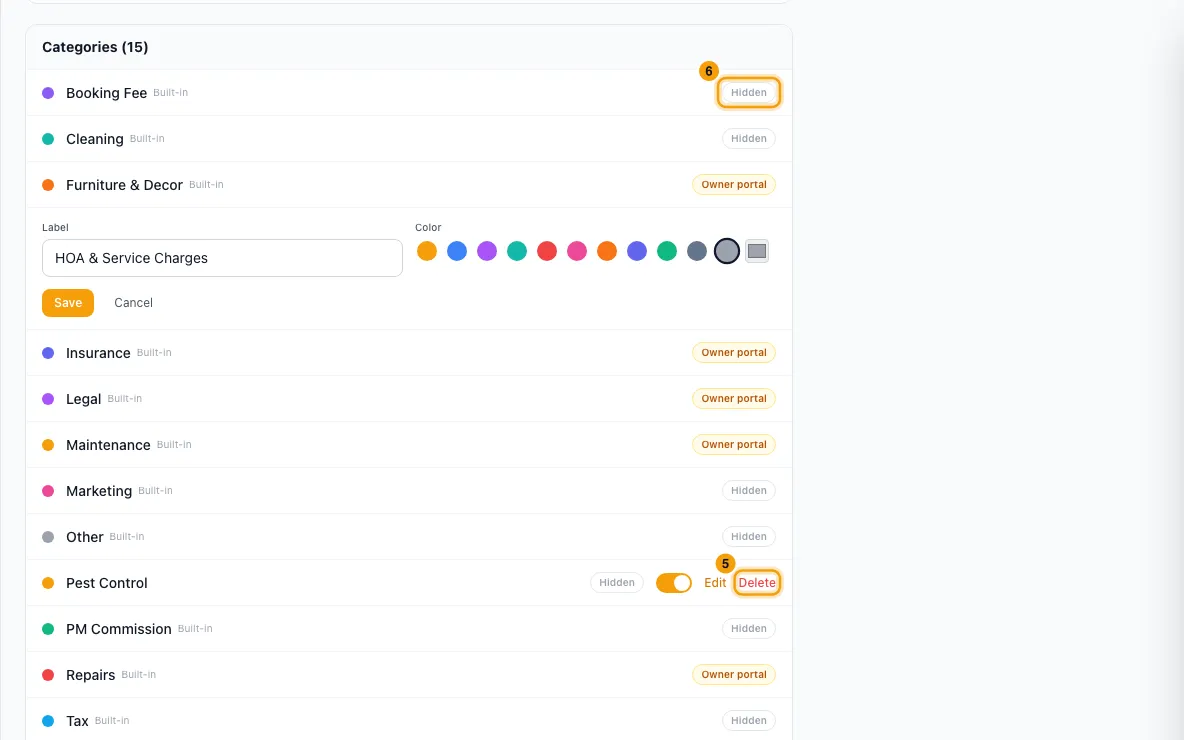
On any category, click the Hidden / Owner portal pill to choose whether owners see that category's expenses in their portal.
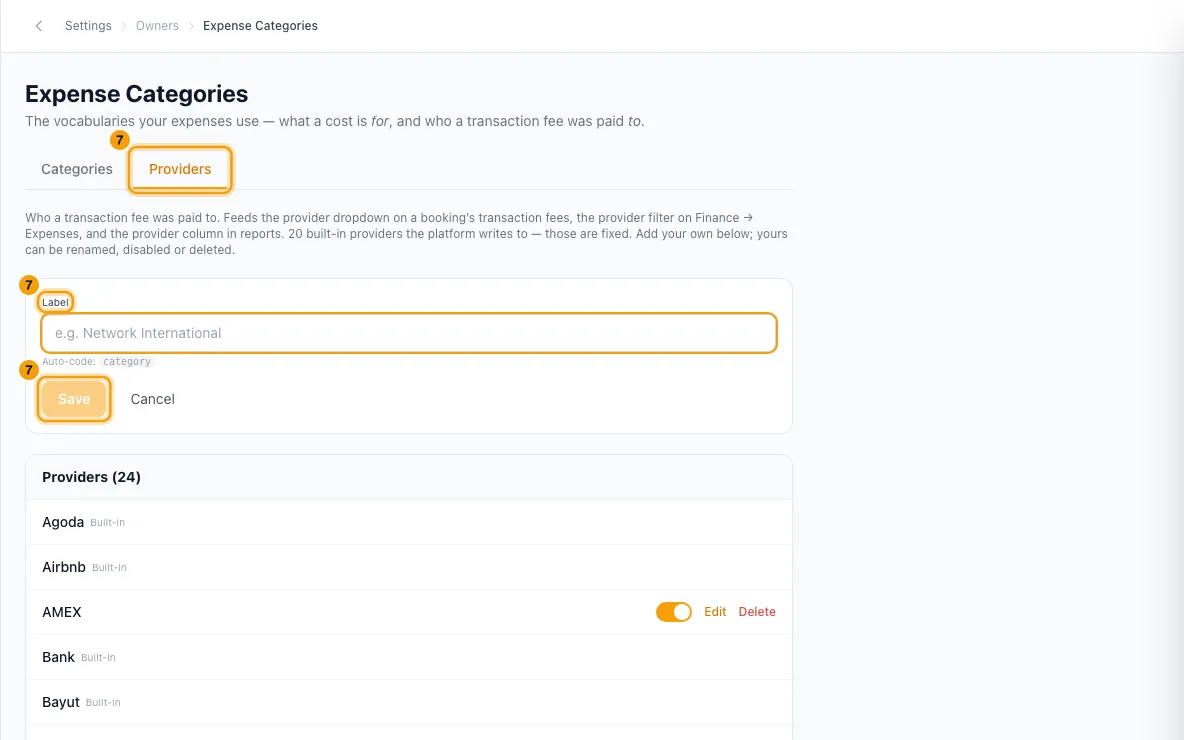
To manage who transaction fees are paid to, open the Providers tab, click + Add provider, type a Label and click Save. Your own providers have the same switch, Edit and Delete.
Good to know
- Categories marked Built-in are used by the platform itself. A new workspace starts with Maintenance, Utilities, Legal, Cleaning, Repairs, Marketing, Furniture & Decor, Insurance, PM Commission, Tax, Booking Fee, Transaction Fee and Other. Built-ins can't be renamed, recoloured, disabled or deleted. You can still change their Owner portal pill.
- Delete only works on a category that no expense and no recurring expense uses. The confirm message says so.
- If an expense uses it, it's refused with "Category is used by at least one expense. Reassign or delete those first." Change those expenses' Category on Finance → Expenses, or turn the category off instead.
- If a recurring expense uses it (running or paused), it's refused and the message says how many, for example "Category is used by 2 recurring expenses." Change their category or delete them first.
- Deleted expenses don't block it. They just lose the category.
- A disabled category disappears from the Category list when you add an expense. Expenses that already use it keep it. When you Edit one of those, its category still shows in the list, marked (disabled).
- The Category list on Add Expense and in an expense's Edit never offers Transaction Fee, unless the expense already has it. That category is used by transaction fees recorded on bookings.
- Lists are sorted A to Z.
- The Owner portal pill starts at Hidden for every new category. It only changes what owners see on their portal's Expenses page, never the amounts on their statements. You can override it for one owner in their Portal Access window, on the Expenses tab, under Categories the owner can see (shown once Show the Expenses page is on). Untick Use the category settings to pick a list just for that owner.
- A provider can only be deleted when no transaction fee points at it.
- Adding, changing or deleting categories and providers needs Edit on Owners.
Rentibly AI can help
- Rentibly AI can't add or change expense categories yet. It can log an expense in one of your active categories. It can't use Transaction Fee or a disabled category, and if you name a category you don't have, it tells you which ones you do.
Still stuck?
Open Support from your profile menu in Rentibly, or email hello@rentibly.com — we answer fast.