Find where guests are let down and fix it
Updated 13 October 2026
Use the Quality Center to see how guests rate each property, which review categories pull your score down, and which listings need work. Then fix the gaps, for example by listing the amenities guests look for.
Steps
Click Quality Center in the main menu.
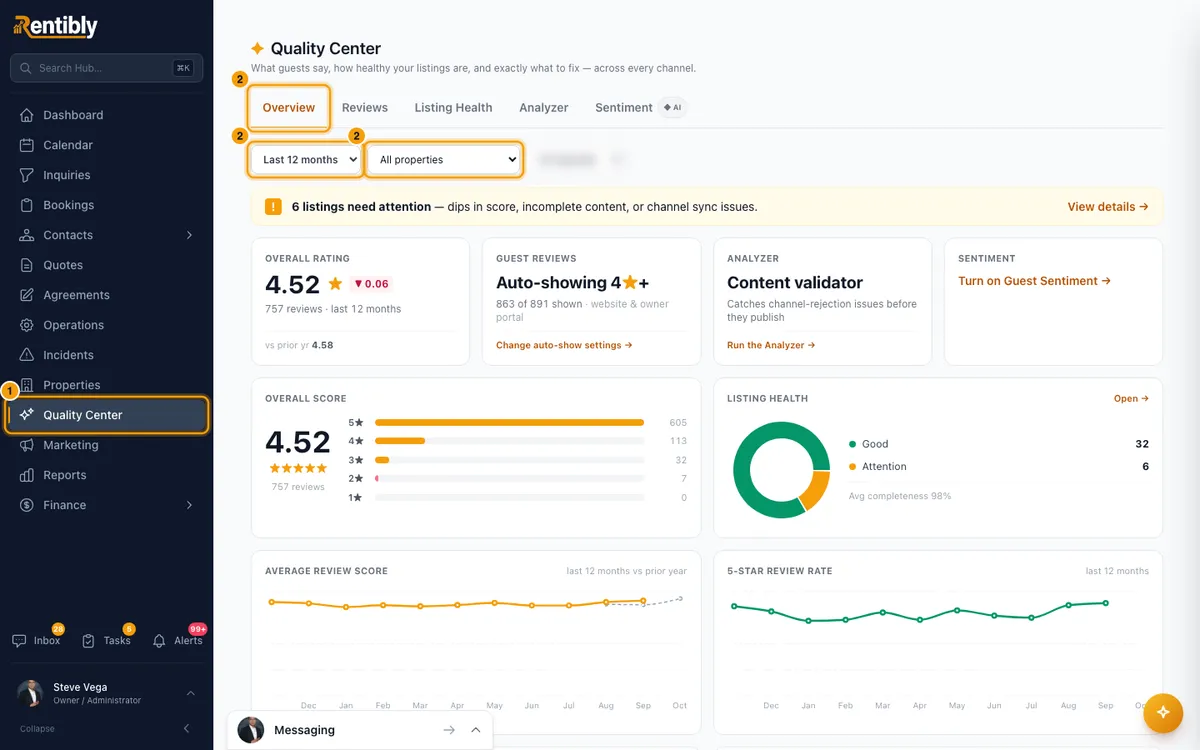
On Overview, pick a period in the filter above the tabs (Last 30 days, Last 90 days, Last 12 months or All time), and a property or channel if you want one.
Check the overall rating, the Category scores (cleanliness, accuracy, check-in, communication, location, value) and the Review highlights (Top positive and Top negative).
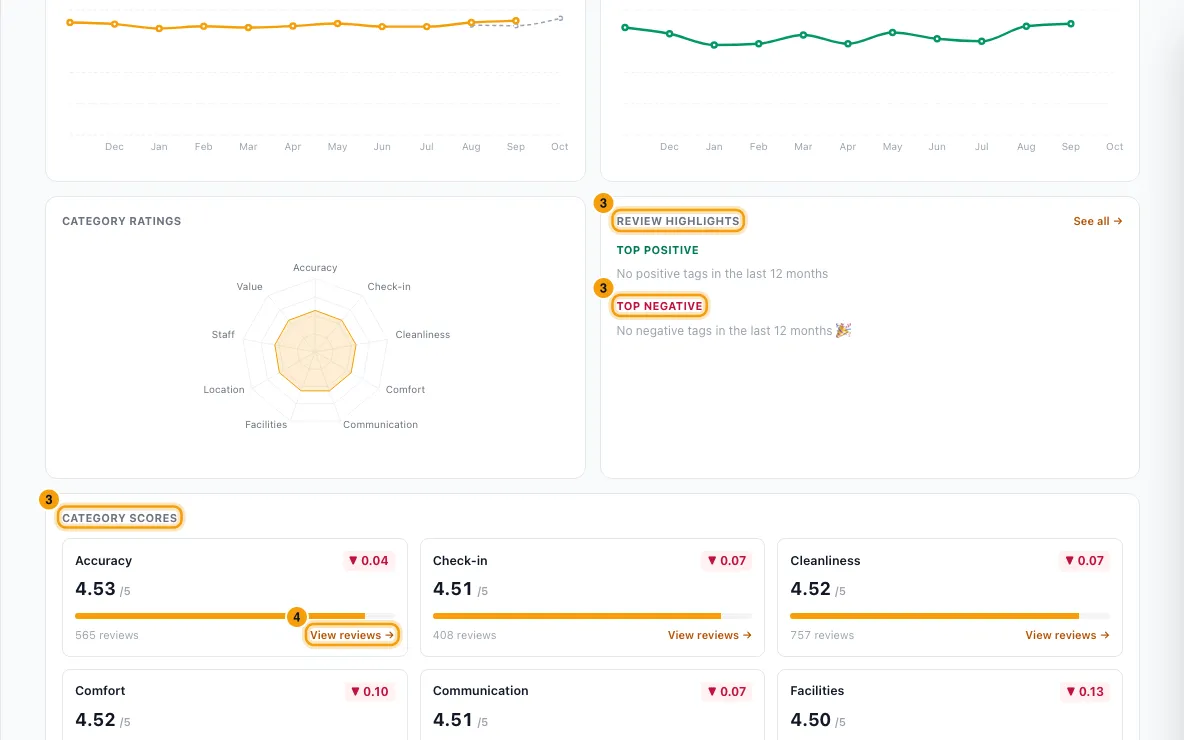
Click View reviews → on a weak category to read the reviews behind its score. Click a negative tag to see how often it comes up and what guests wrote.
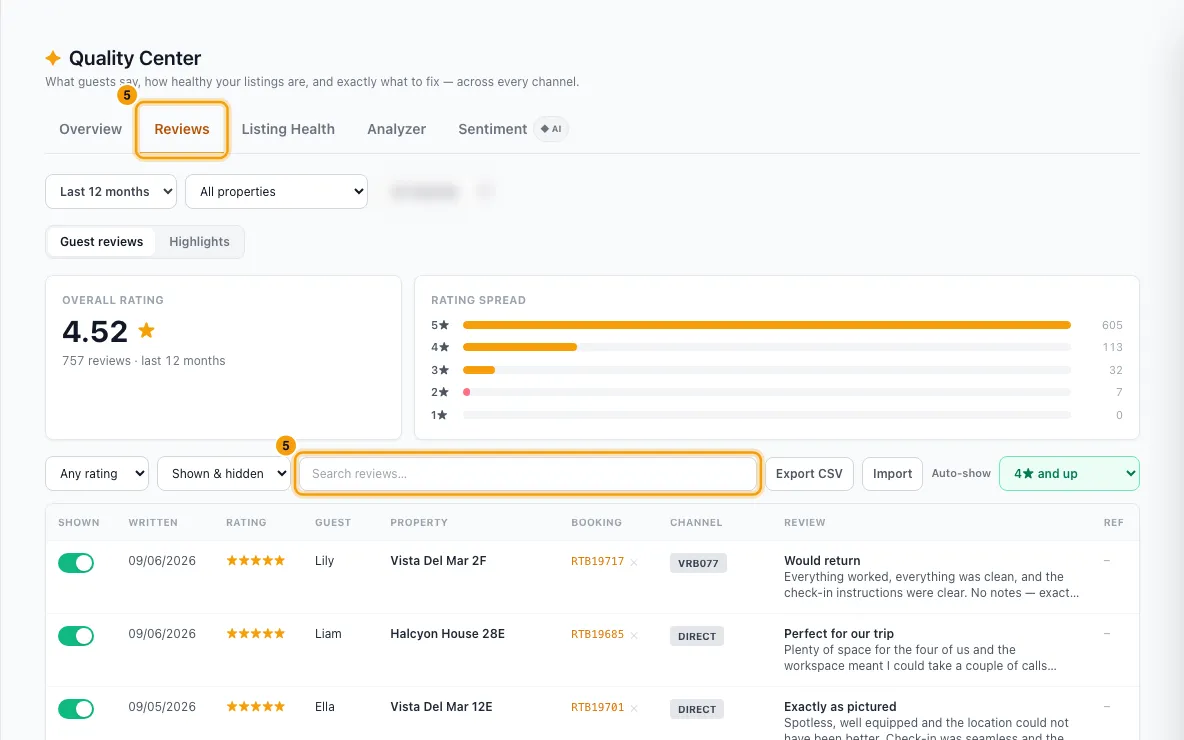
On Reviews, filter by property, channel or stars, or search for a word such as "dirty", to read what guests wrote.
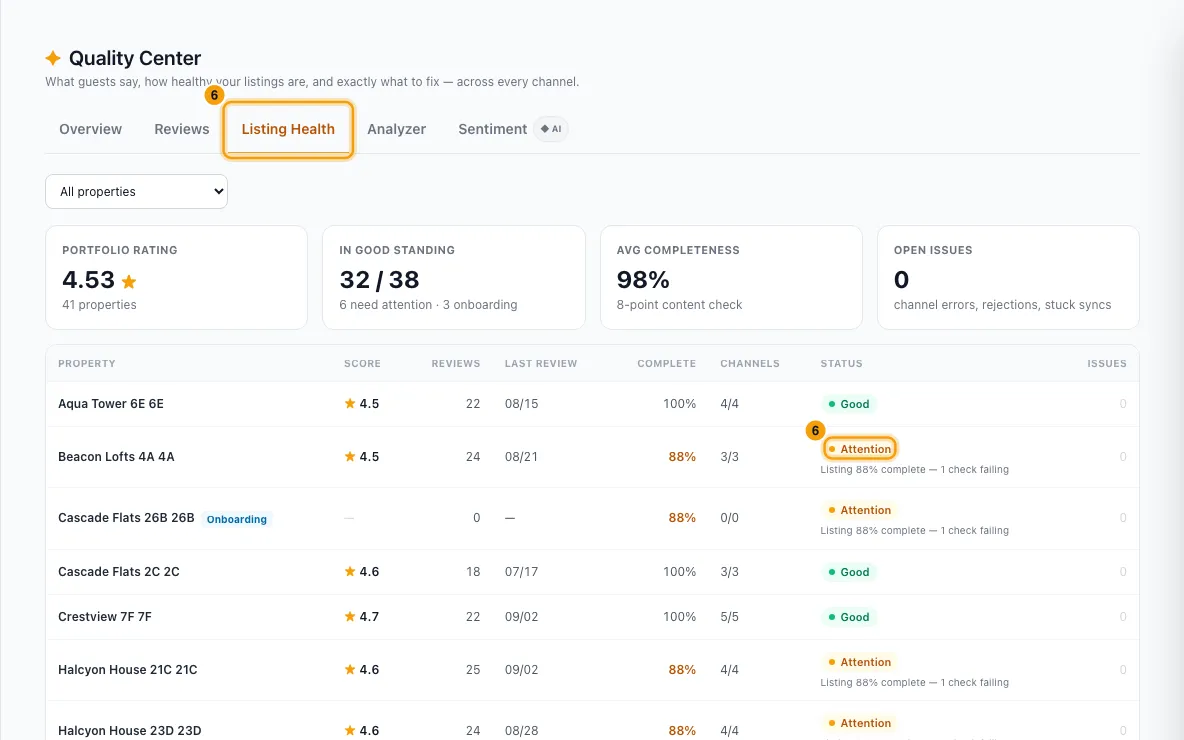
On Listing Health, click a property marked Attention or At risk to see why. On Analyzer, click Analyze listings, then click the link under Fix in next to each finding.
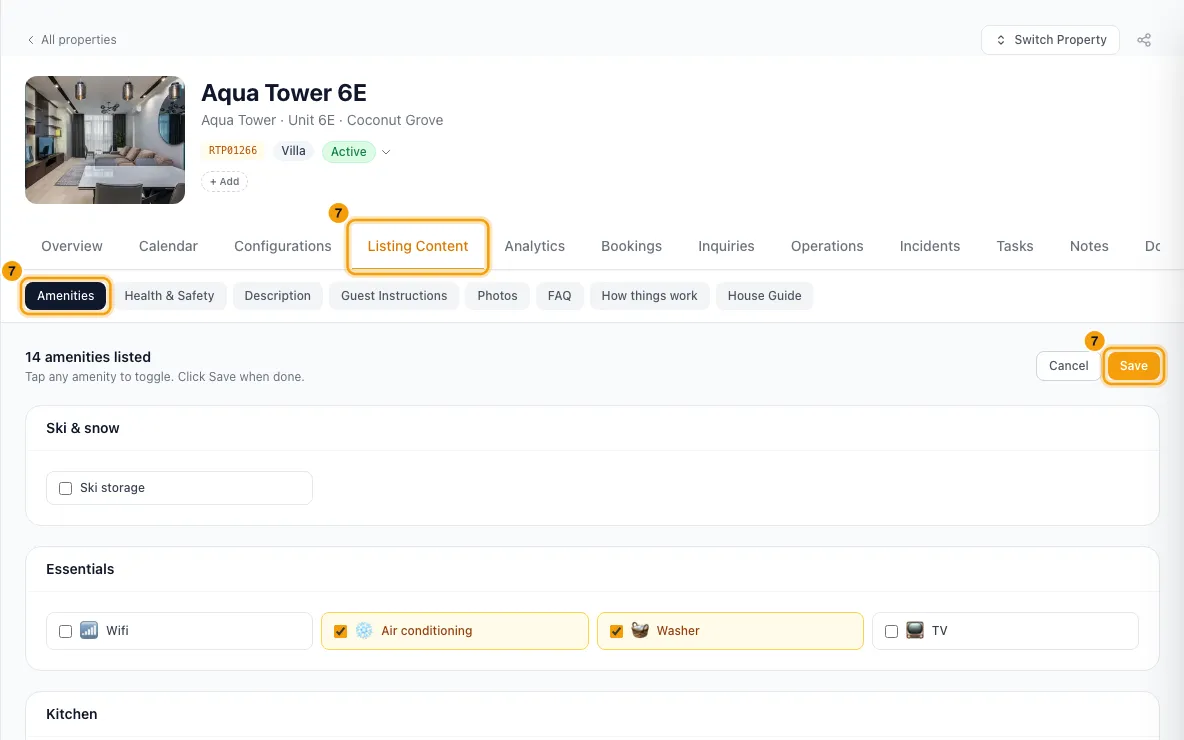
To add an amenity guests look for, open the property from Properties, go to Listing Content → Amenities, click Edit, tick it and click Save. If the amenity isn't in the list yet, add it first under Settings → Property Settings → Amenities (see Manage the amenities list).
Good to know
- A category score only counts reviews that rated that category, in the period you picked.
- An amenity gap doesn't always mean the property lacks it. Sometimes the amenity is there but missing from the listing. Check before you buy anything.
- Only add an amenity the property really has. Amenities sync to your connected channels, and guests expect what's listed.
- The Quality Center page has no "unanswered reviews" filter. Rentibly AI can find reviews you haven't responded to.
- You need the Quality Center permission to open the page, and permission to edit Properties to change amenities.
- For every tab and setting in the Quality Center, see Use the Quality Center.
Rentibly AI can help
- Ask "Where are we falling short this year?" or "What do guests complain about at Marina 2BR?" Rentibly AI shows the weakest categories (for one property, compared with your portfolio), the negative tags, the worst reviews and complaints from guest conversations, quoting the guests.
- Ask "Which amenities do guests ask for that we don't list?" It finds amenities guests asked for or said were missing that aren't on the property's amenity list, with each guest's words. It also flags listed amenities that guests reported broken or dirty.
- Ask "Add the coffee maker and iron to Marina 2BR." Rentibly AI shows a card with what will be added or removed and which channels will update, then saves it like the Amenities tab when you confirm. You can undo it.
- Rentibly AI only uses names from your amenity list. To use a new one, add it under Settings → Property Settings → Amenities first.
- Ask "Show me the negative reviews we haven't responded to" or "Which listings need work before Airbnb?" for Listing Health and Analyzer findings, with a link to each page to fix.
- Review numbers match the Quality Center, because Rentibly AI reads the same data.
Still stuck?
Open Support from your profile menu in Rentibly, or email hello@rentibly.com — we answer fast.