Rentibly Incidents — Overview
4:51 · 11 chapters · Watch on YouTube
Chapters
Read the transcript
Hey, and welcome to this overview of Rentibly Incidents! I'll show you how to log an incident yourself, how Rentibly AI spots one in a guest's message and sets up the repair for you, and how to work it all the way to closed. Here's everything we'll cover. Every chapter's start time is right here, and in your player — so if you're after something specific, jump straight to it. Let's dive in.
Incidents is where everything that goes wrong during a stay gets tracked — an AC that won't cool, a leak, a lock that won't open, a noisy neighbour. Each one has an owner, a severity, and a clear status, from reported to closed. And incidents arrive two ways: you log them yourself, or Rentibly AI spots them in a guest's message. Let's do both.
First, by hand. New Incident — and it starts with the stay. Marcus Clark's in Meridian Point 18E right now, and he's called about noise next door. A short title, the category — noise — and how serious it is. Low, for now. Then who owns it, and what happened, in a sentence or two. Create incident — and it's on the list, owned, with the booking, the guest and the property all linked.
Now the clever part. In settings, Rentibly AI's Inbox Assist is switched on — so it reads every guest message that comes in: WhatsApp, email, website chat, the guest portal, even Airbnb and Booking.com messages. And it never acts on its own — everything it suggests waits for your OK. You can see how much it's used, and how often your team accepts its suggestions, right here in settings.
Here's Riley Andersson, staying at The Lyric 28D this week. Watch what happens when a new message comes in. Rentibly AI reads it in the context of the stay — which property, which booking, and whether the guest is in the house right now — and works out what it needs. There it is. The card proposes a repair job — AC not cooling in the bedroom — schedules it for today, assigns it to Marcus Bell, the maintenance contact for this property, and pairs it with an incident, so the guest's experience is on record too. Why this suggestion shows its reasoning — exactly what in the message, and the stay, led it here.
You can edit it first, snooze it, or dismiss it. It looks right — so, Approve. The repair job and the incident are created together, already linked.
Back in Incidents, there it is — AC failure in the bedroom, at The Lyric 28D, high severity, already acknowledged. Open it, and the whole story's on one page: what happened, the repair job it's linked to, and on the right, the status, the owner and the stay. It doesn't have an owner yet, so I'll give it to Jordan. Then a note for the team — mention someone with the at sign, and they're notified.
Start work moves it to In progress. And if you offer the guest something to make up for it — a refund, a credit, a future discount — record it here, so you always know what was promised. A hundred and fifty dollars in credit, for the hot night. Record — and tick off that the owner's been told, so nobody wonders later.
Once it's fixed: Mark resolved, with a quick note on what was done. Then, when you're sure it's all settled, Close incident. And the whole story stays on the timeline — who created it, who owned it, every note, the compensation, and every change of status.
And incidents follow the stay everywhere: on the booking, on the guest's profile, and on the property — here's The Lyric 28D, with its open and resolved incidents, and the average time to resolve. And that's Incidents — logged by you or spotted by Rentibly AI, owned, worked and closed, with the whole story on record.
Thanks so much for watching! If you're already on Rentibly, check that Inbox AI Assist is switched on in your Rentibly AI settings — and let it spot the next one for you. And if you're not on Rentibly yet, book a demo call, and we'll show you all of this, live.
Log an incident yourself, watch Rentibly AI spot one in a guest's message and set up the repair job, then work it all the way to closed — notes, compensation, resolve and close. Shown live on a real Rentibly workspace.
Up next
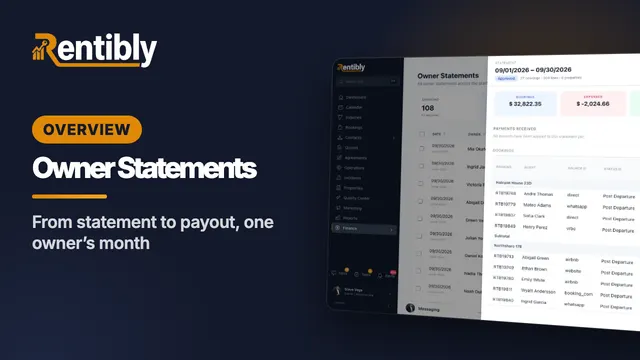 6:17
6:17Overview
Owner Statements
Follow one owner through a whole month: owner defaults, co-ownership and commission, generating and reading a statement line by line, approval and release, recording the payout, and owner balances. Shown live on a real Rentibly workspace.
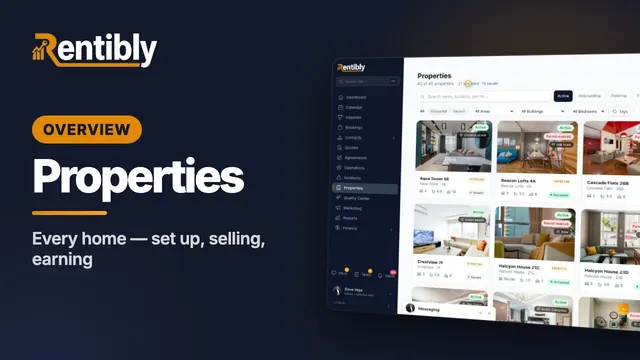 3:47
3:47Overview
Properties
Your whole portfolio at a glance — then inside one home: its calendar, rates and booking rules, fees, rooms, owners and channels, what guests see, and how it's earning. Shown live on a real Rentibly workspace.
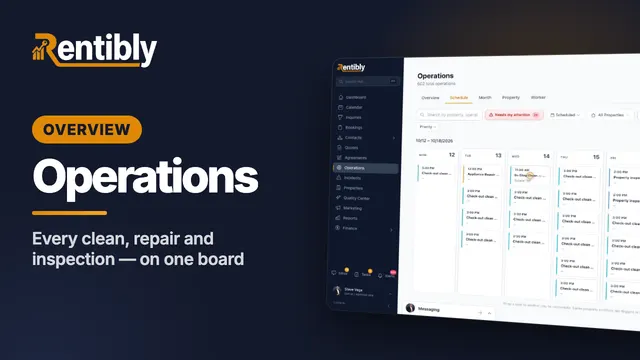 7:24
7:24Overview
Operations
Every clean, repair and inspection on one board: the review queue and filters, creating a job and sending it to a cleaning company, the job up close, dragging it to another day, approvals, bulk actions, automations and vendor price lists. Shown live on a real Rentibly workspace.
Count your subscriptions. Then count ours.
A 30-minute demo on your numbers — every tool you pay for today, mapped to its native Rentibly module.
Book a demo