Rentibly Operations — Overview
7:24 · 21 chapters · Watch on YouTube
Chapters
Read the transcript
Hey, and welcome to this overview of Rentibly Operations! We'll tour the board and your review queue, create a real job and send it to a cleaning company, look at it up close, move it around the schedule — then approvals, bulk actions, settings, automations and vendor price lists. Here's everything we'll cover. Every chapter's start time is right here, and in your player — so if you're after something specific, jump straight to it. Let's dive in.
This is Operations: every clean, repair, inspection and utility bill across your portfolio, in one place. The cards up top sort the work by when it's due — overdue, today, tomorrow, the rest of this week, and everything later.
And this last one is my favourite: Awaiting your review. Jobs your field team has finished on their phones, waiting for you to sign them off. Click it, and the board shows only those — four cleans, every checklist ticked.
Needs my attention is your shortlist: jobs a vendor turned down, jobs nobody's answered yet, and anything of yours that's running late. Twenty-one here.
Then narrow it down any way you like. A date range — today, this week, this month, or pick your own. A property. A category. Who it's assigned to — say, FreshStay, one of our cleaning companies — and whether they've accepted the job. Reset puts it all back.
The board follows every job through its life. Pending — nobody's on it yet. Sent — waiting for the worker to say yes. Accepted. In progress. In review. And completed. Prefer rows? Switch to List. Every column sorts with a click, and the funnels filter by category, status or priority.
Now let's add one. Julian Kim checks into Solaire 15F on Monday for ten nights — so halfway through, the place gets a clean. New Operation. The category's Housekeeping, the type's In-Stay Clean, and the property. Those three are all it really needs — the rest of the form adapts to what you pick. See the title? It writes itself from what you've picked. You can link the job to a booking, and say whether it needs a door code to get in — this one follows the job type, so no code.
Who's doing it? A vendor — FreshStay Housekeeping. When a vendor has a price for this type of job, the cost fills itself in from their price list; this one's quoted, so I'll type it. And the coordinator — the teammate who makes sure it gets done — comes from the property. When? Thursday at eleven, while the guests are out — and the end time works itself out from how long this kind of clean usually takes.
Bill it to the owner, and your markup's added for you — it lands on their statement once the job's done. A line for the cleaner — and the checklist comes ready-made for this kind of clean. Create Operation — and it's on its way to FreshStay.
Open it, and everything's on one card: the property, the vendor and the coordinator, when it's booked, what it costs you — and what the owner's billed, which posts to their statement when the job's done. Below that: any incidents it's linked to, the brief, and access — for jobs that need to get in, Rentibly can issue a door code on a smart lock that only works while the job's on.
Attachments are sorted by stage: the brief before the job, photos while it's under way, proof when it's done, and the invoice. I'll drop in the brief for FreshStay — and a click on the eye decides whether the owner gets to see a file.
Financial is the money: what you pay FreshStay, your ten percent on top, and what the owner's billed — waiting to post when the job's done. The checklist is what the cleaner ticks off on their phone — eleven steps for this clean. Activity is the job's history. And Notes are for the team: this one stays internal, but you can share a note with the owner, or with the field worker.
And along the bottom, the job's whole life: start it — and once it's under way, mark it complete — cancel it, or edit it. FreshStay will do most of this from their phones, and when they're done, it lands in your review queue.
Schedule lays out the week day by day — every job, with its time and its home. Next week — — and there's ours, on Thursday. The guests would rather have it Wednesday? Just drag it across. The time of day stays the same.
Month is the whole calendar at a glance — three jobs a day, and a link for the busy ones. Property gives each home a row for the week — handy for spotting a clean squeezed between two stays. And Worker gives every cleaner and vendor a row, so you can see who's overloaded before you hand out more. Drag along a row to move a job to another day.
Back to that review queue. Here's a clean FreshStay finished — every box on the checklist ticked. Approve → Complete closes it out — the job's done, and the owner's charge goes onto their statement. Not happy with it? Send back, and say what needs fixing — your note lands right back in the cleaner's job. I'll leave this one as it is.
Need to act on several at once? Tick them — the box appears when you hover a card — and the bar along the bottom reassigns, reschedules, completes, cancels or deletes the lot, in one go. Clear, and you're back to normal.
In Settings, each category carries its own defaults: the markup, the job types under it, their checklists, which files must be there before a job can close — and whether a job has to be reviewed before it counts as done.
And Automations create the jobs for you — there are two set up here already. A new automation: when a guest checks out, create an operation — a housekeeping check-out clean, every single time, without anyone lifting a finger. Add a condition if it's only for some bookings — and if a booking moves, its jobs move with it.
Last thing: each vendor's price list lives on their contact. FreshStay charges for a check-out clean by the number of bedrooms — so when they get the job, the cost is already filled in.
Thanks so much for watching! If you're already on Rentibly, open Operations and set up your first automation — so every check-out books its own clean. And if you're not on Rentibly yet, book a demo call, and we'll show you all of this, live.
Every clean, repair and inspection on one board: the review queue and filters, creating a job and sending it to a cleaning company, the job up close, dragging it to another day, approvals, bulk actions, automations and vendor price lists. Shown live on a real Rentibly workspace.
Up next
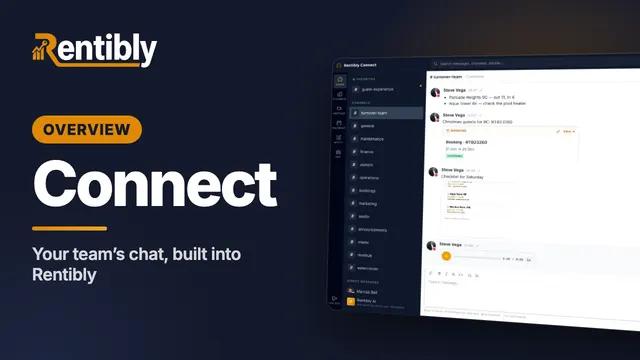 7:07
7:07Overview
Connect
Your team's own chat, built into Rentibly: channels and threads, a private channel set up from scratch, formatting, mentions, booking cards, files and voice notes, forwarding, reactions, pins, scheduled messages, your status — and calls. Shown live on a real Rentibly workspace.
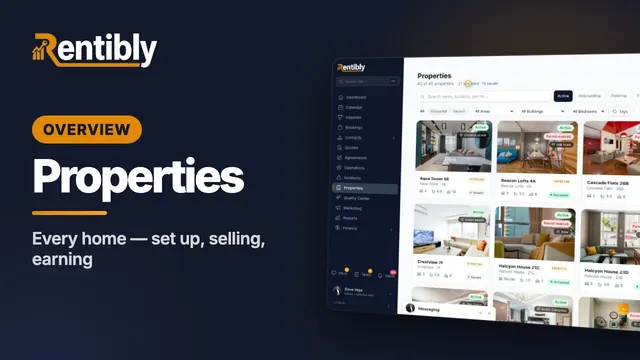 3:47
3:47Overview
Properties
Your whole portfolio at a glance — then inside one home: its calendar, rates and booking rules, fees, rooms, owners and channels, what guests see, and how it's earning. Shown live on a real Rentibly workspace.
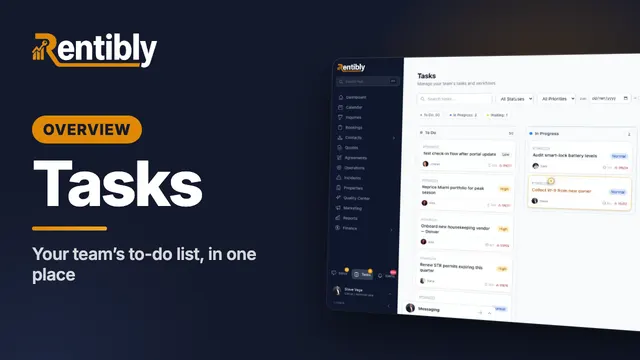 2:37
2:37Overview
Tasks
Your team's to-do list in one place: the board and list views, filters and grouping by due date, what's inside a task, and adding a new one with a checklist. Shown live on a real Rentibly workspace.
Count your subscriptions. Then count ours.
A 30-minute demo on your numbers — every tool you pay for today, mapped to its native Rentibly module.
Book a demo