Have the guest sign the rental agreement
Updated 13 October 2026
Attach a rental agreement to a booking and send the guest its signing link. The guest reads it and signs in their browser, and the booking shows when it is signed.
Steps
Create your agreement templates (once)
Click your name at the bottom of the sidebar, then Settings. Under Property Settings, open Rental Agreements.
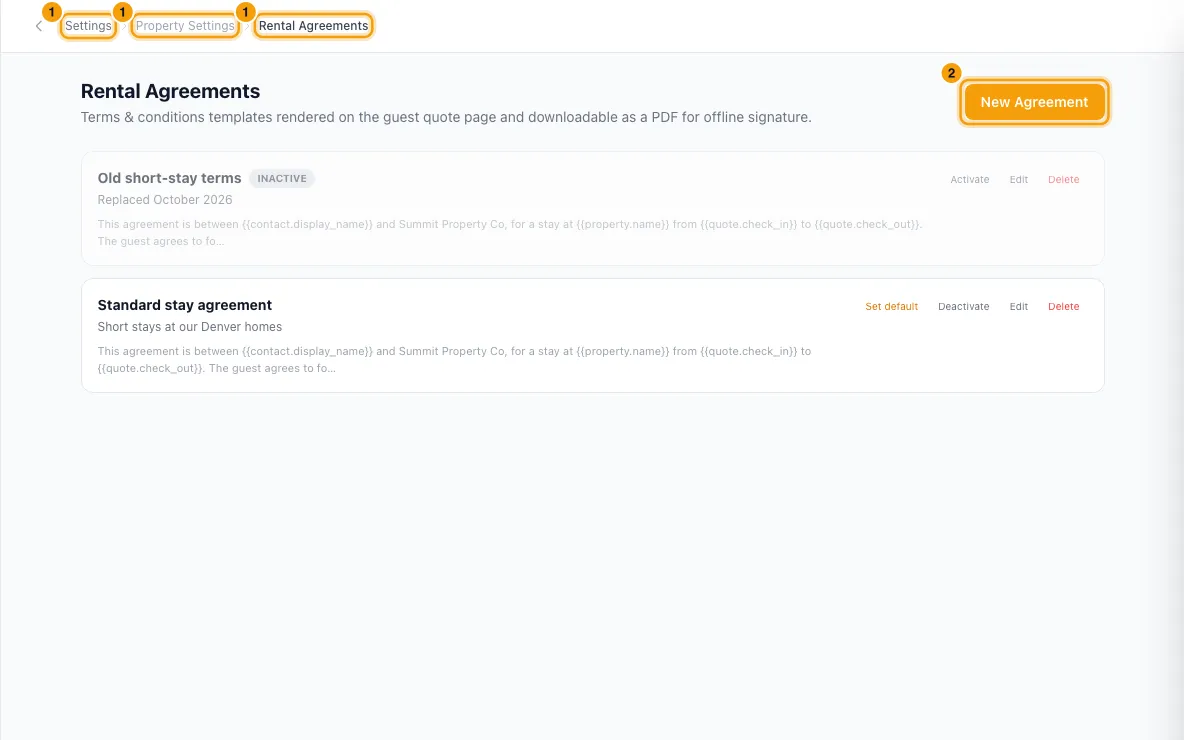
Click New Agreement.
Enter a Name and, if you like, a Description (only your team sees it).
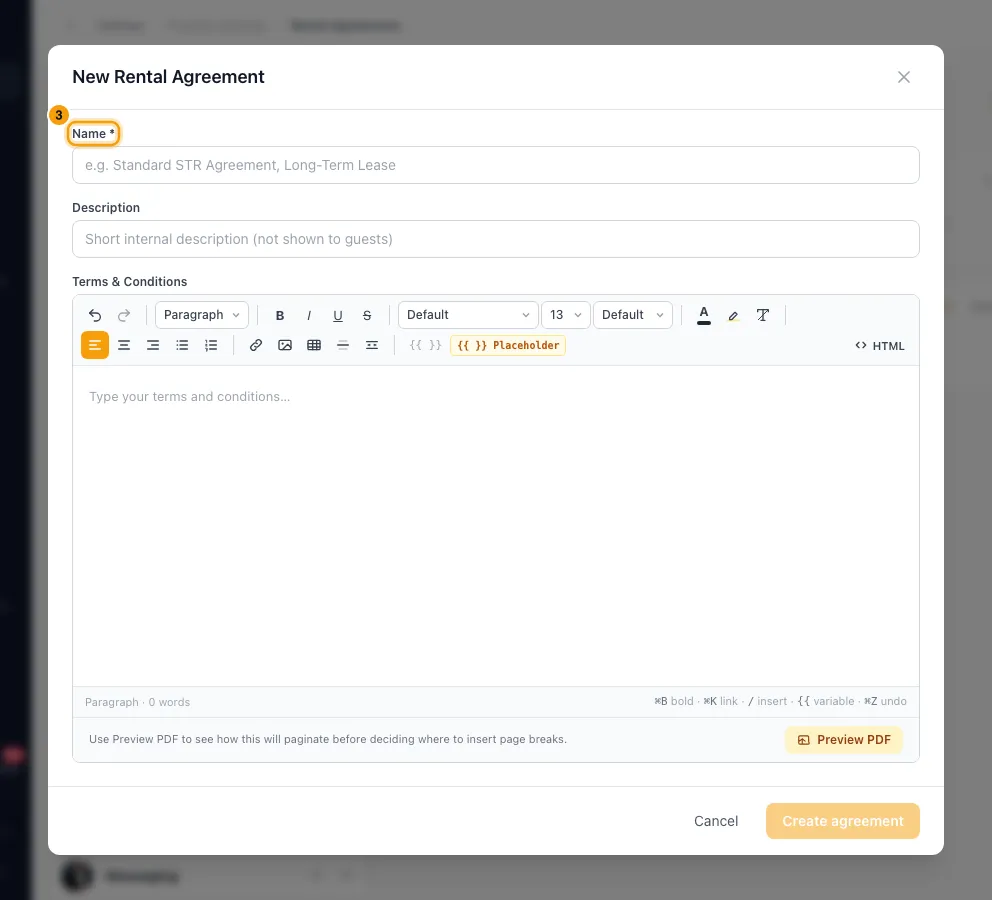
Write the Terms & Conditions.
Leave Active ticked. Tick Set as default (auto-selected in the Quote Wizard) if this is the one you use most.
Click Create agreement.
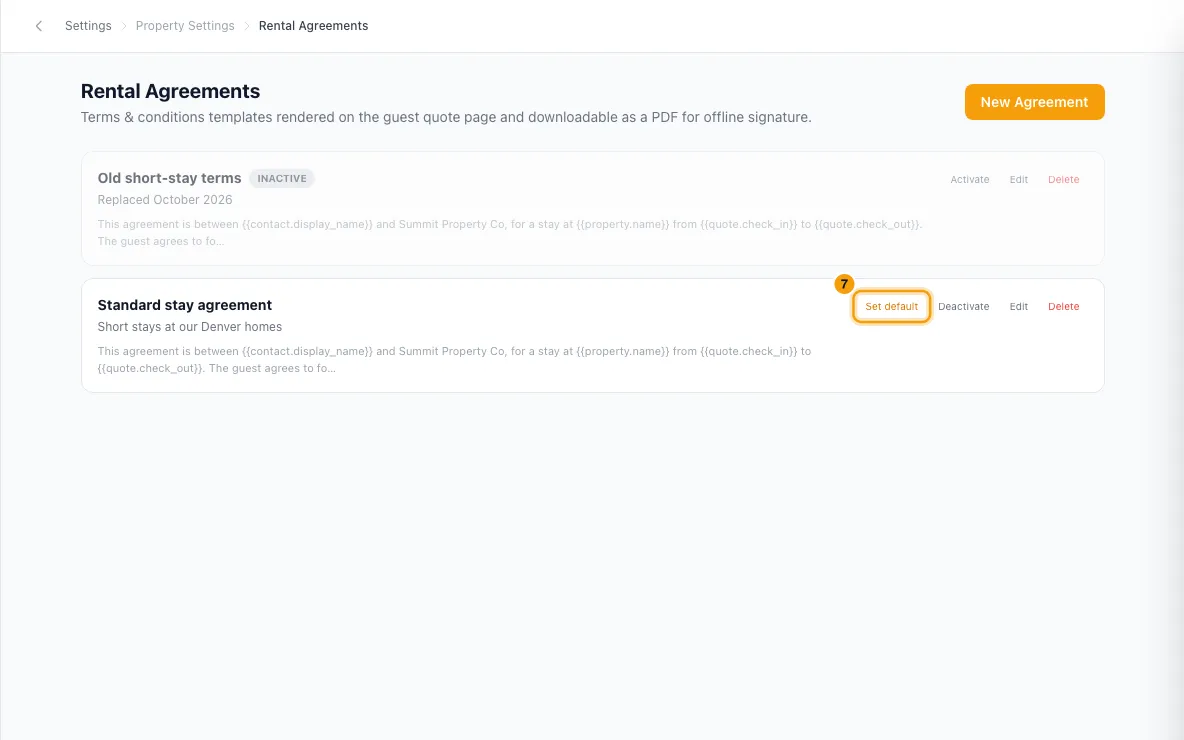
To make another template the default later, click Set default on its row.
Pick a property's agreement (optional)
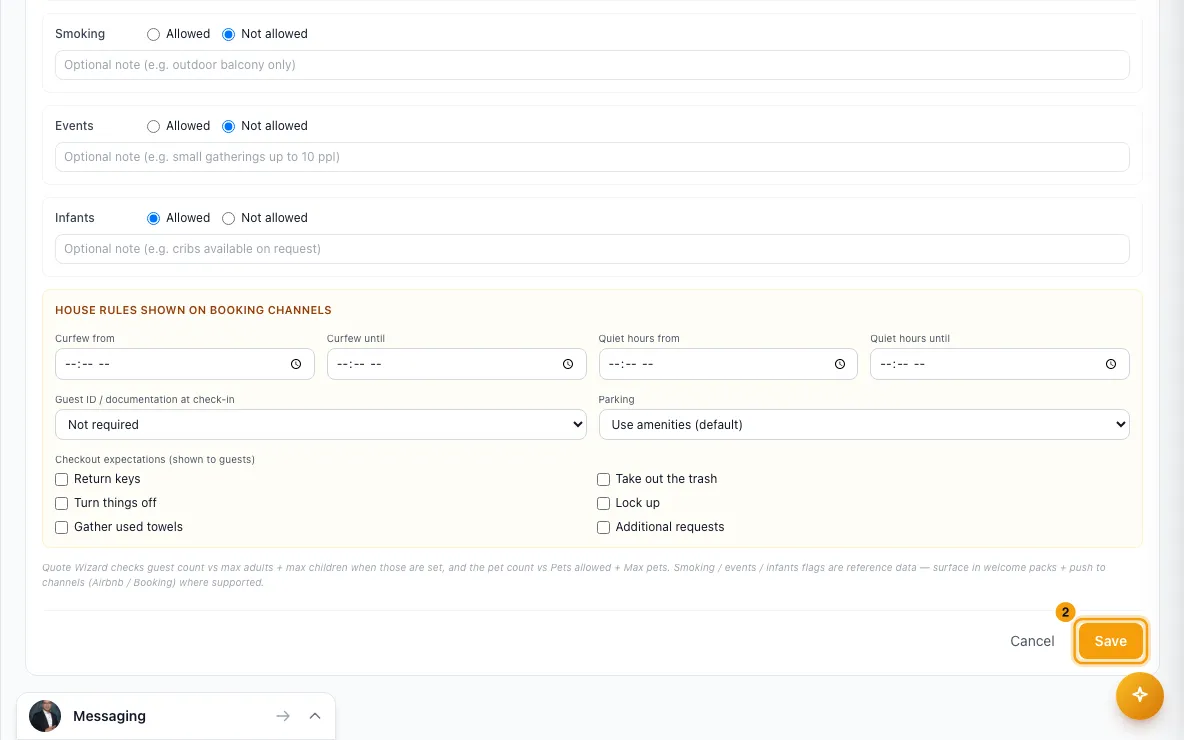
Go to Properties, open the property, then go to Configurations → Booking Rules.
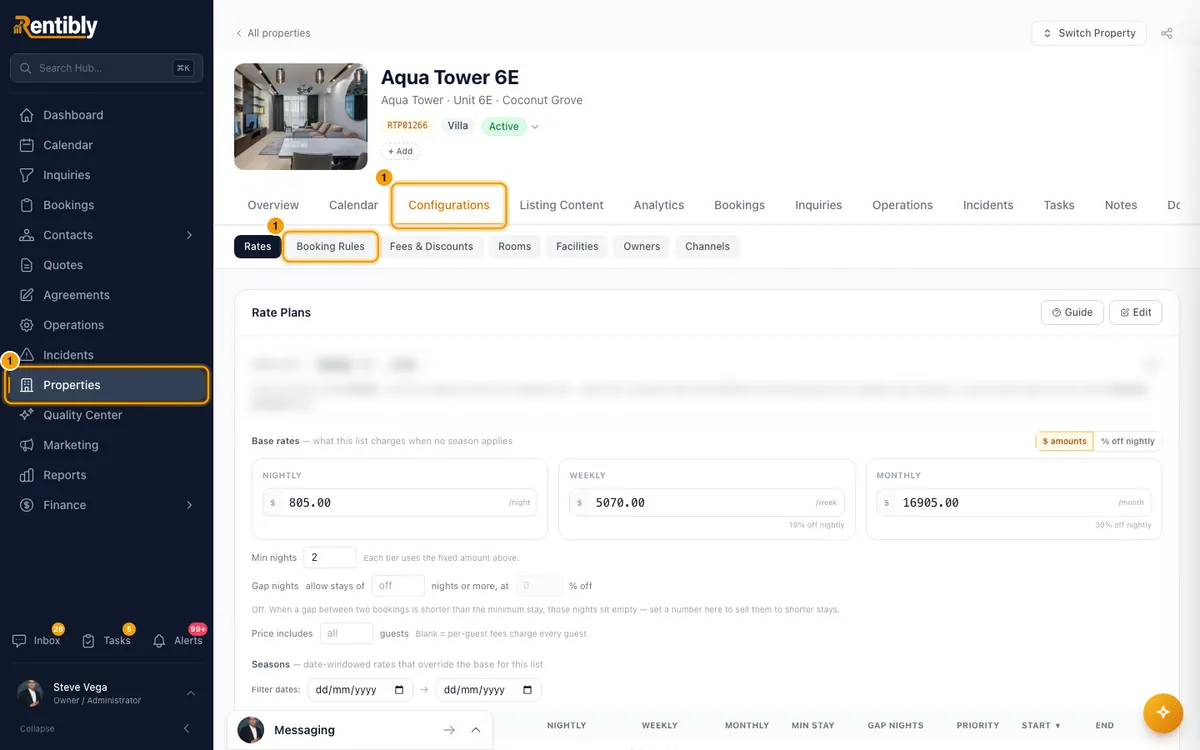
Click Edit, choose the Default rental agreement, and click Save.
Send it to the guest
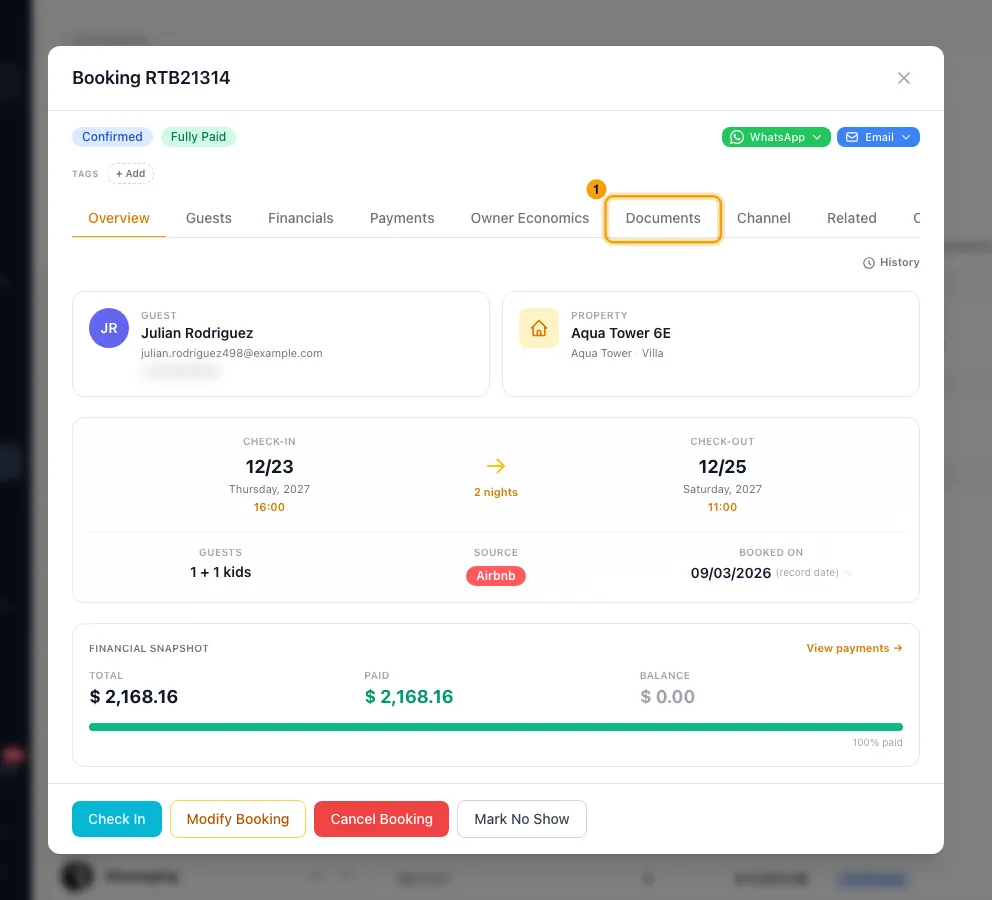
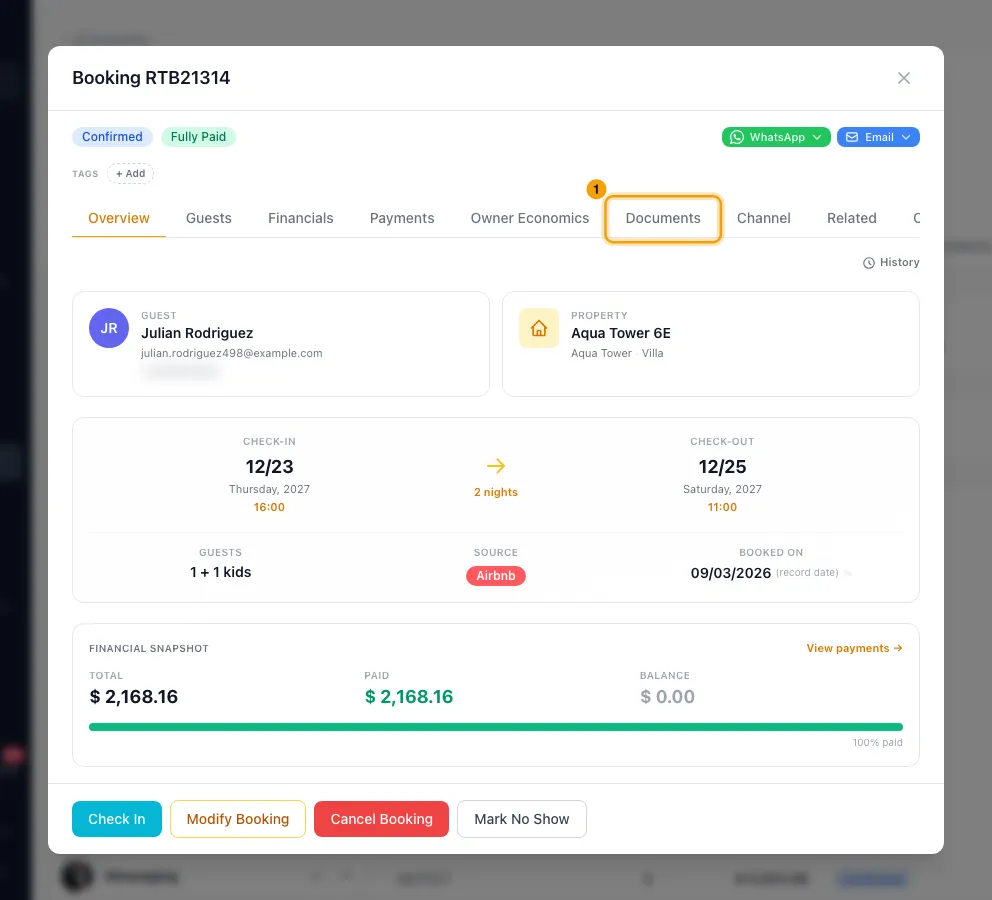
Go to Bookings, open the booking and go to the Documents tab.
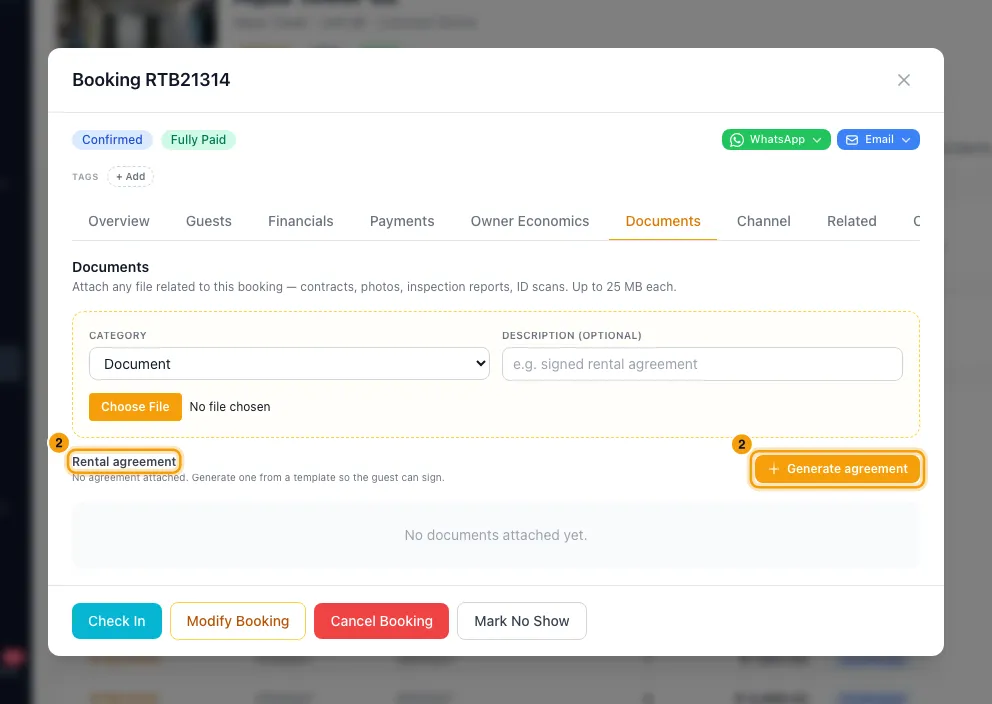
Under Rental agreement, click Generate agreement.
Pick the Rental agreement template. The property's default is picked for you.
Click Attach & copy link.
Click Copy signing link and send it to the guest.
Check it or replace it
On the Documents tab, the agreement shows Signed or Unsigned.
Use the icons on it to Copy link or Download PDF, or click Open to see what the guest sees.
To replace it, click Regenerate, pick the template, write a Reason, and click Generate & copy link. If it was already signed, confirm with Replace agreement.
Click Agreement history to see earlier versions, then View to read one, with its signature if it had one.
Good to know
- The guest types their name and draws a signature on the agreement page. No code or login is needed: the link itself is the key, so send it only to the guest.
- Once signed, the agreement's text is frozen. Later changes to the booking, its prices or its dates don't change what the guest signed.
- When the guest signs from the link, your team gets the Hub alert Guest signed the rental agreement (in-app, push and email; by default to the Admin, Manager and Agent roles). Change it under Settings → Notifications → Hub. The Documents tab then shows Signed. An agreement signed while accepting a quote is covered by the Quote accepted alert instead.
- Rentibly doesn't send the signing link for you from this window. Send it by email, WhatsApp or the Inbox.
- Replacing an agreement makes a new link. The old link stops being the live agreement, and the guest must sign the new one. Replacing a signed one removes that signature from the booking. The old version, with its signature, stays in Agreement history, along with who replaced it, when and why.
- A Reason is needed whenever an agreement is already attached.
- Download PDF opens the agreement and your browser's print window: choose "Save as PDF" there. A copy printed before signing is stamped "Unsigned — not executed".
- Only Active templates can be attached. Deactivate hides one without losing it. Delete is blocked while any quote uses the template: deactivate it instead.
- Editing a template doesn't change agreements already attached to bookings.
- The agreement can also be signed when the guest accepts a quote (see Create a quote and turn it into a booking), or during digital check-in, where Sign rental agreement can be required (see Send the guest their digital check-in link and instructions).
- You can also upload a scanned signed copy on the Documents tab, with the category Contract.
- You need the Bookings permission at Edit to attach or replace an agreement. Managing templates in Settings needs the Settings permission set to Access.
Rentibly AI can help
- Rentibly AI can't attach or send a booking's rental agreement yet.
Still stuck?
Open Support from your profile menu in Rentibly, or email hello@rentibly.com — we answer fast.