Turnovers that
schedule themselves.
Checkout cleanings appear on their own, vendors accept jobs on their phones, and the needs-my-attention strip tells everyone what's next. The ops WhatsApp group finally dies.
The day runs itself
Auto-scheduled turnovers
Every checkout spawns its cleaning; date changes move the job. Nobody keeps the spreadsheet anymore.
A kanban with a lifecycle
Six columns from dispatch to done, with accept/decline visibility and dispatch-time stamps.
Needs-my-attention
Overdue, due-today and stuck jobs surface themselves — plus bulk actions with live progress when you're moving fifty at once.
Vendors in the loop, not in your phone
A portal and a real app
Vendors get jobs, schedules and attachments in their own portal — and a native app with push, in the stores.
Door codes per job
Access codes issued automatically per job category, valid for the job window. No master-code roulette.
Alerts where vendors live
WhatsApp and email job alerts, editable per alert — accept from the message.
Proof and paper trail
Attachments and inspections
Photos, videos and PDFs on every job, viewable in-app; inspection checklists per property.
Utility bills and recurring work
Bills tracked per property; recurring maintenance schedules itself.
Incidents that escalate
Severity ladder, eleven categories, ticket-to-incident conversion, follow-ups that don't evaporate.
What the vendor sees
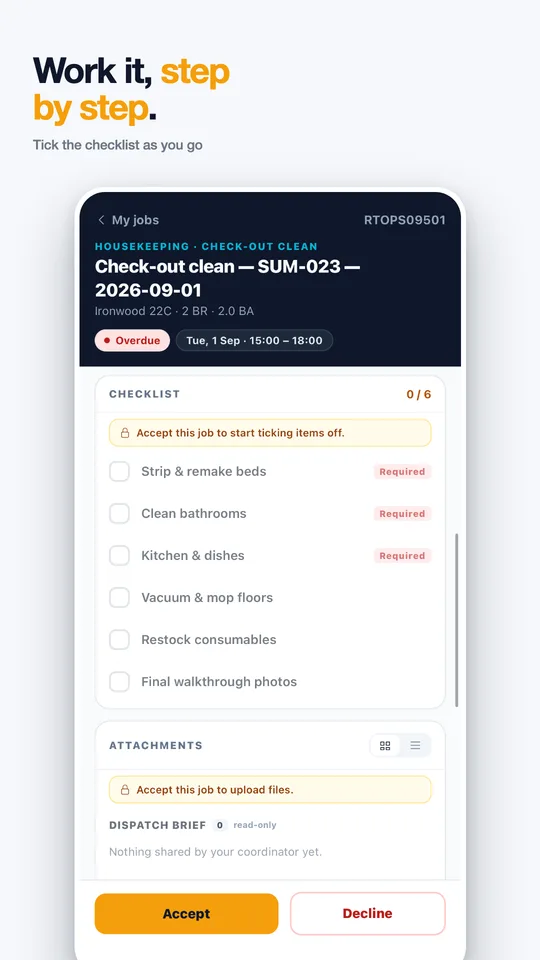
A native app with the job, the door code, an enforced checklist and photo proof.

For housekeepers, maintenance crews and vendors
Rentibly Ops
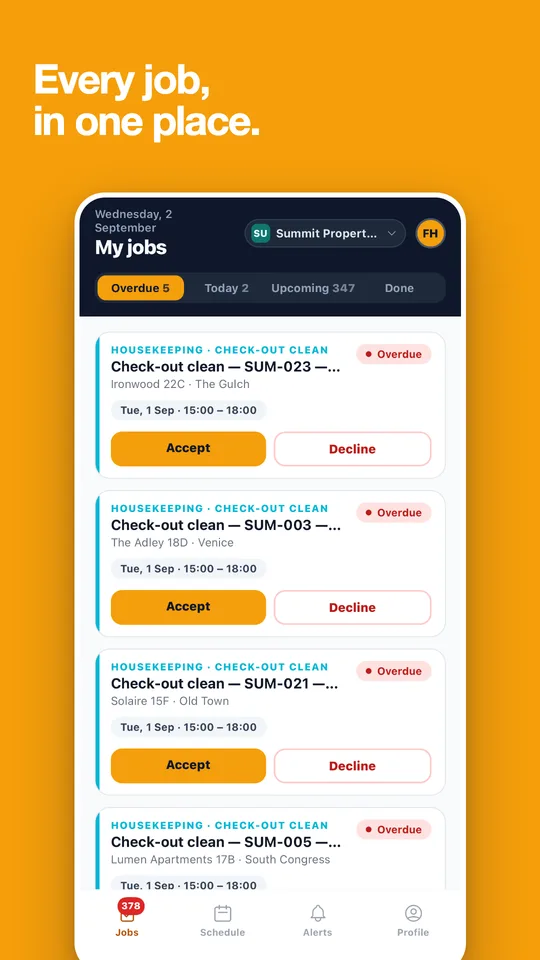
Every job, in one place.
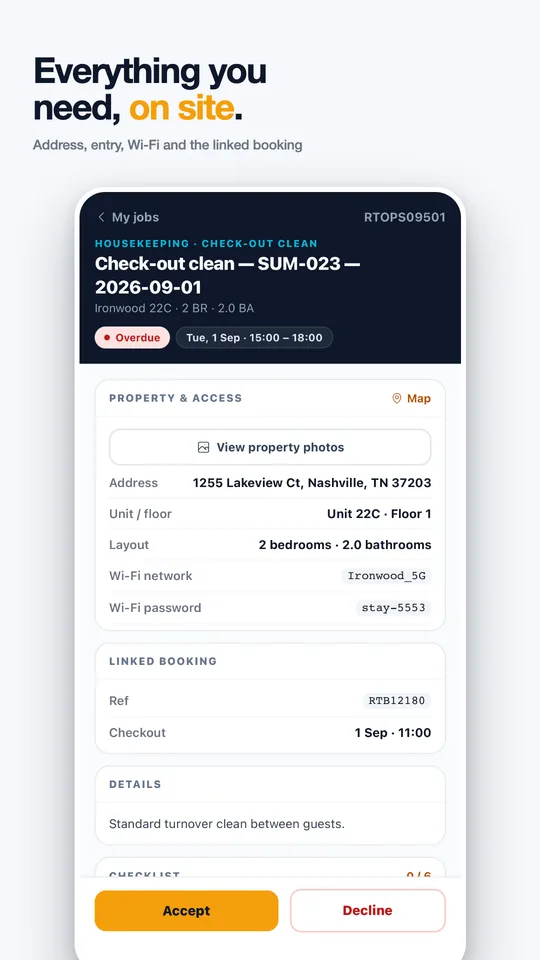
Your field team accepts jobs, gets the address, entry and Wi‑Fi details for the unit, works the checklist and proves it was done.
- Accept or decline jobs with push notifications
- Address, entry, Wi‑Fi and the linked booking on site
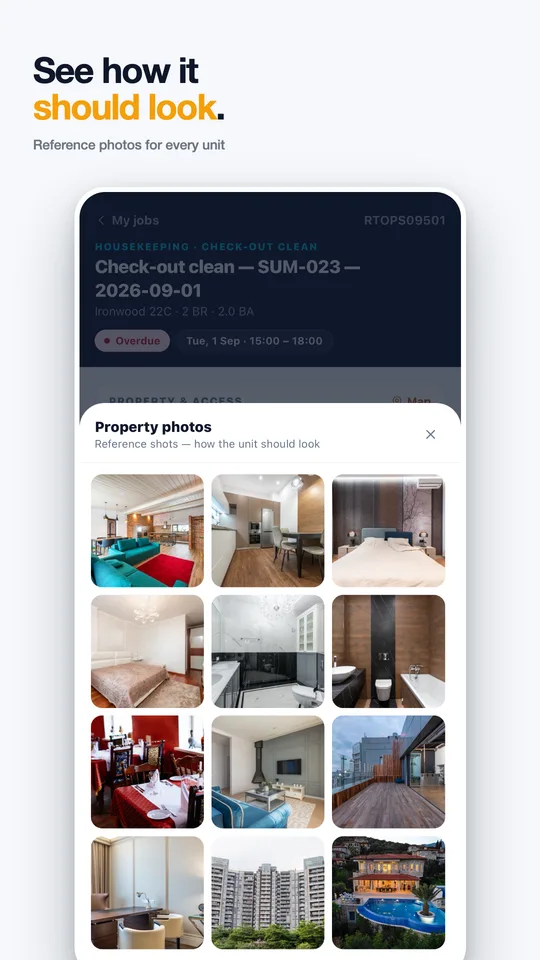
- Step-by-step checklists and reference photos per unit
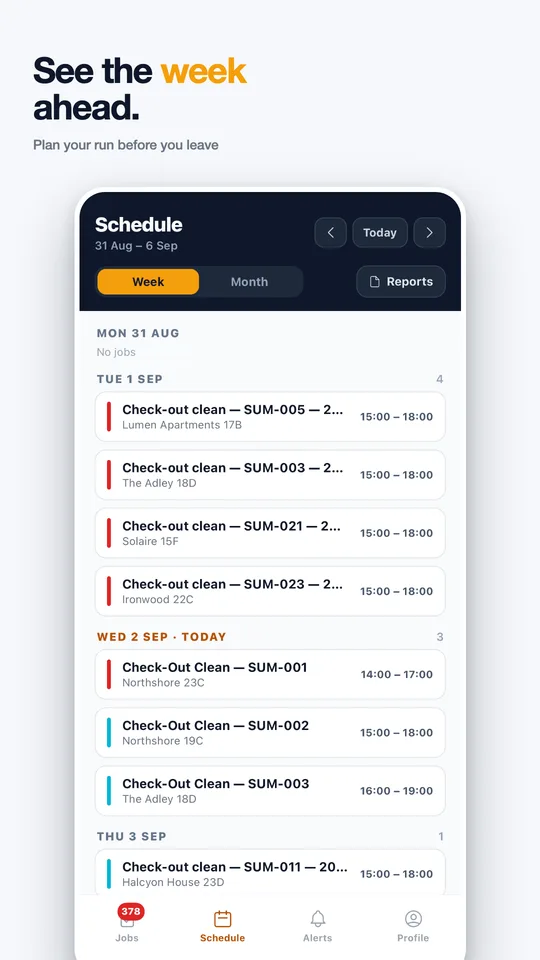
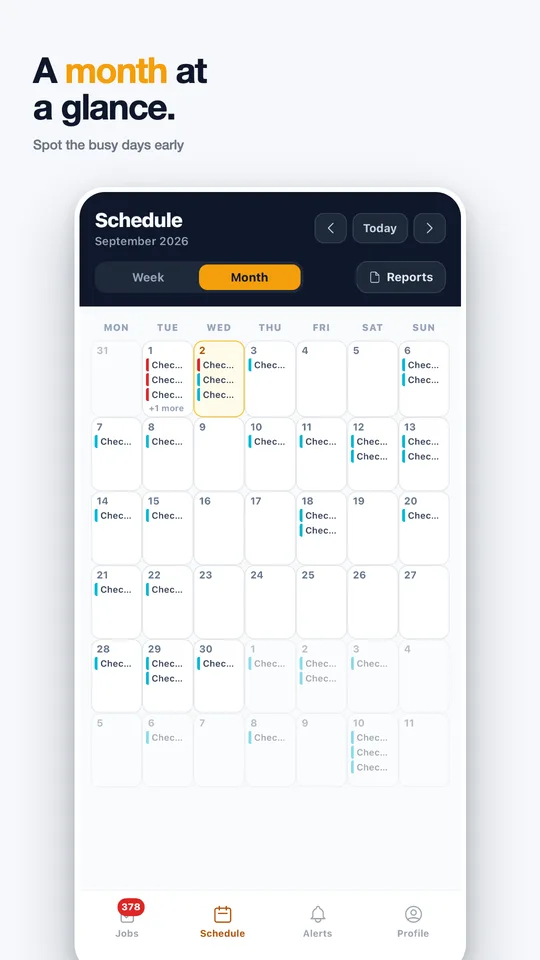
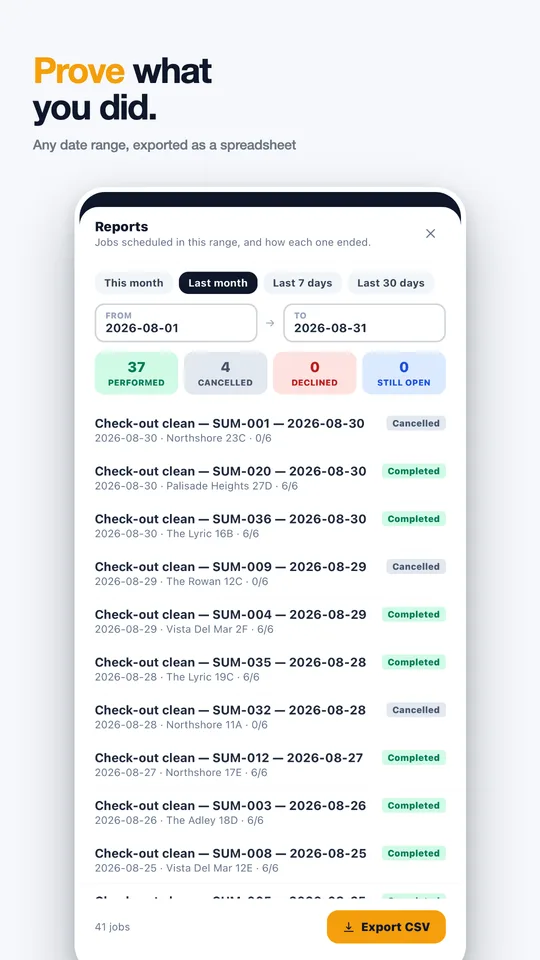
- Week and month schedules, plus exportable job reports


Video walkthrough
See it in action
Operations
Chapters & detailsTasks
Chapters & detailsUnder the hood
Checkouts spawn cleaning jobs, recurring maintenance schedules itself, and incident follow-ups can convert into work orders. Date changes move the linked jobs with them.
Their own portal and native app: assigned jobs with property, window, attachments and the door code for their category — plus WhatsApp or email alerts with accept/decline.
Photos, videos and PDFs attach per job with in-app viewers; inspections run as checklists; completion stamps who finished what and when.
Yes — multi-select with live progress and a stop button, across scheduling, assignment and status changes.
Yes - task checklists are enforced on every completion path, and each job records dispatch, acceptance and three completion dates for a defensible timeline.
Door codes are issued automatically per job category, valid for the job window - vendors see the code on the job, never a master code.
Kill the ops group chat.
Watch a checkout spawn its cleaning, dispatch a vendor and close with photos — live in the demo.
Book a demo